Sourdough
Last observed at 09:42
Partial coverage. The original observation time stays with the record.
Read the record pattern
Design records
Brand expression
- I01 · Recognize who is signing a surface
- I02 · Know what happened and what to do next
- I05 · Recognize the right artwork at message size
- I06 · Recognize an agent before it moves
- I21 · Recognize an OpenBoa screen in everyday use
System foundations
- I03 · Use one palette across the product
- I04 · Read and operate the same layout at different sizes
- I07 · Read a value and understand its coverage
Product interface
- I08 · Submit only the value or action I intended
- I09 · Move through choices and return to the right place
- I10 · Recognize progress and recover from a failed task
- I11 · Find an item and recover from no matches
- I12 · Inspect only what is available about this record
- I13 · Review the consequence before committing
- I14 · Learn what happened to the original request
- I20 · Follow an agent response as it arrives
System delivery
- I15 · Use the same web component in each web host
- I16 · Operate the same task through native controls
- I17 · Find the same answer as a designer, engineer or agent
- I18 · Judge a component while it is moving
- I19 · Adopt and roll back the shared system per project
Use Yogurt in a product
Start at the component library and brand reference. Each entry has one stable name, an English purpose, an interactive web example, an individual React export and an editable Vercel Native markup template. A project owns its data, navigation and effects.
Install the local SDK
Run npm ci && npm run build && npm pack at the Yogurt root to produce the archive for the version in package.json. Install that file in a consuming project using its relative path. The package has React and React DOM 19.2 as web peers. A Zig-only project can extract the tarball and invoke its Node CLI during setup. Its app binary has no JavaScript dependency.
npm install ./vendor/openboa-yogurt-0.1.0-local.16.tgz
npx yogurt list
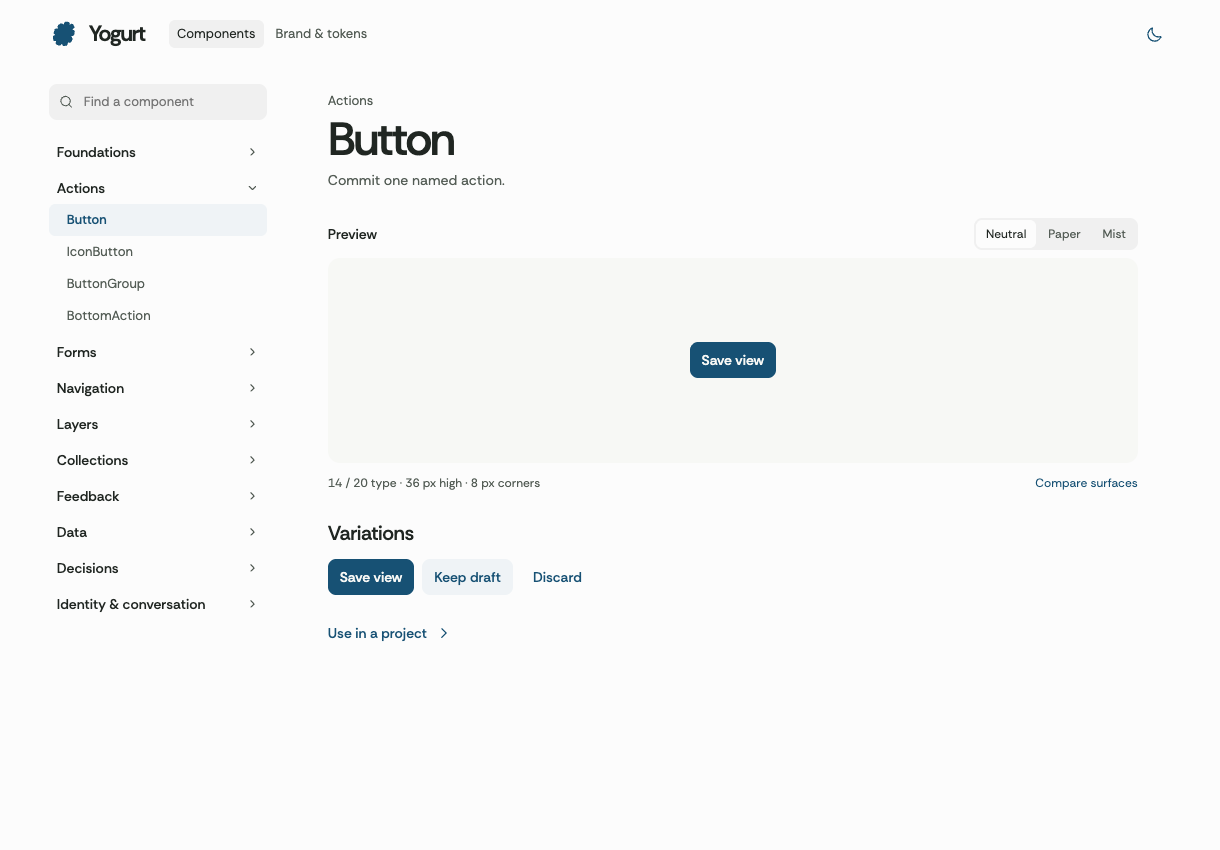
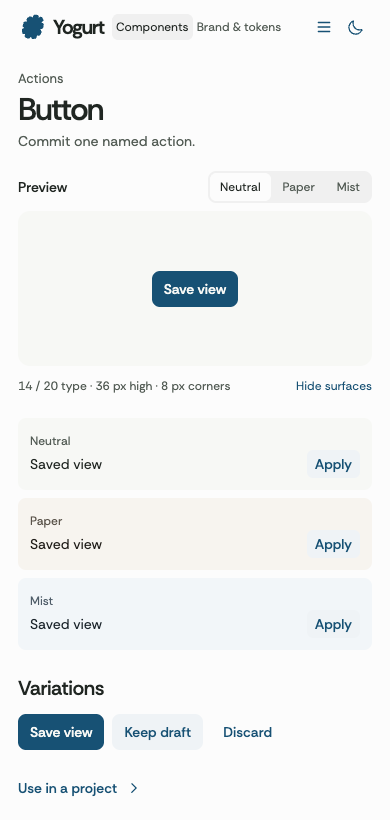
npx yogurt add button --target web
Read node_modules/@openboa/yogurt/DESIGN.md and run node node_modules/@openboa/yogurt/scripts/describe-pattern.mjs --list to discover stable pattern IDs in a Node consumer. A Native-only consumer uses the same paths relative to its selected SDK directory.
Web
Load the stylesheet once at the app entry and scope the UI with Yogurt. Use individual entry points or the locally installed wrapper under src/components/ui. Fonts travel with the package. The host chooses an appearance or follows the OS with auto.
import "@openboa/yogurt/styles.css";
import { Yogurt } from "@openboa/yogurt/yogurt";
import { Button } from "@openboa/yogurt/button";

export function SaveView({ onSave }: { onSave: () => void }) {
  return (
    <Yogurt appearance="auto" material="neutral">
      <Button onClick={onSave}>Save view</Button>
    </Yogurt>
  );
}
For shadcn CLI, supply the local file registry/button.json to shadcn add after installing the pinned package. The resulting editable entry imports the same library component. npx yogurt add is the dependency-light alternative and refuses to replace edited files. Install and pin a new version through the consuming project’s own review.
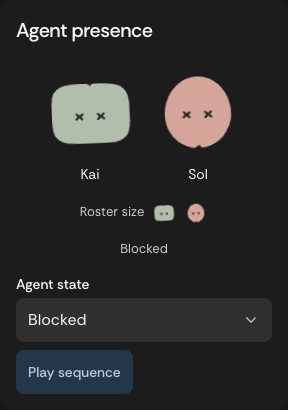
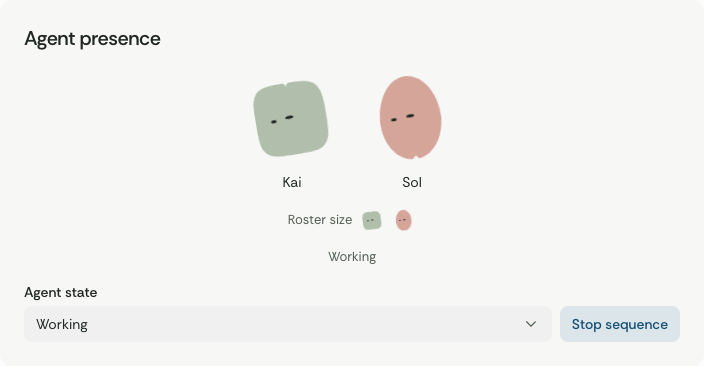
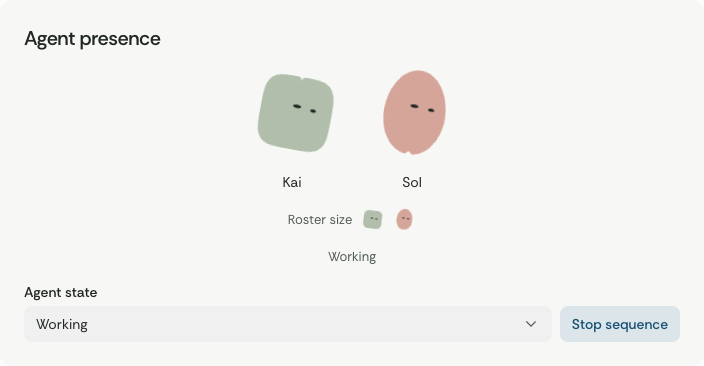
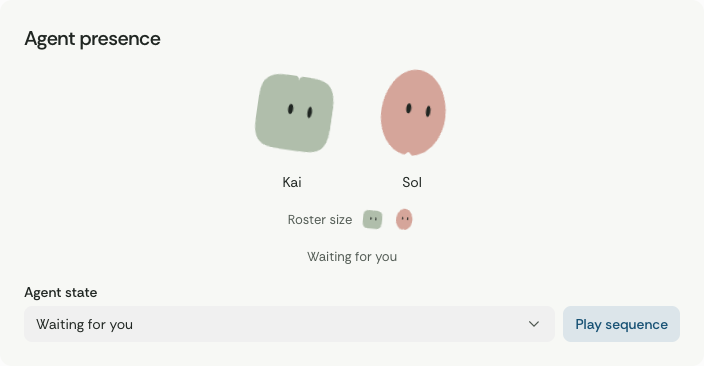
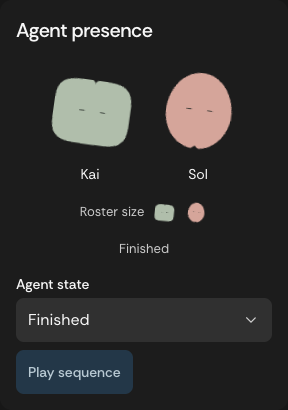
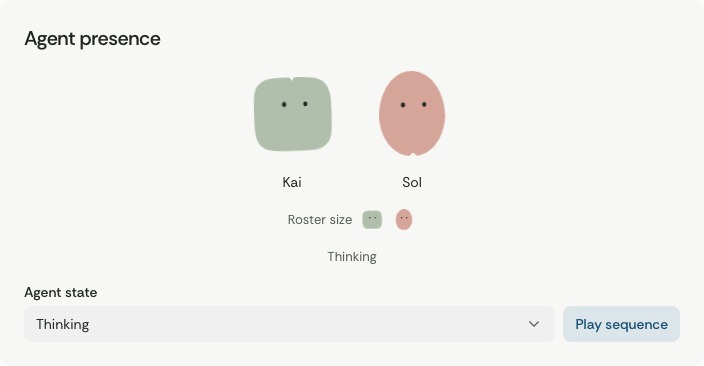
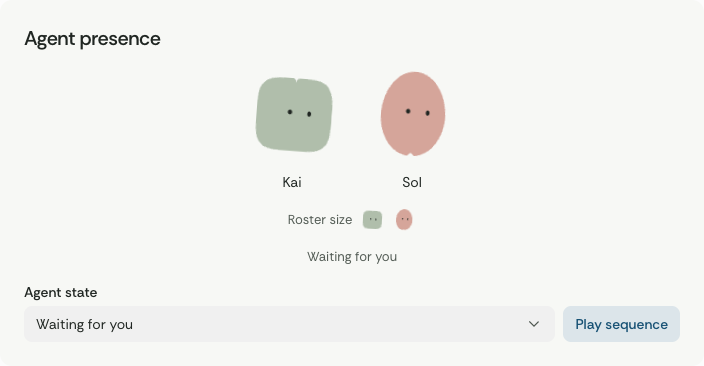
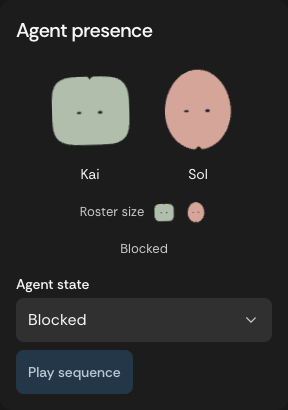
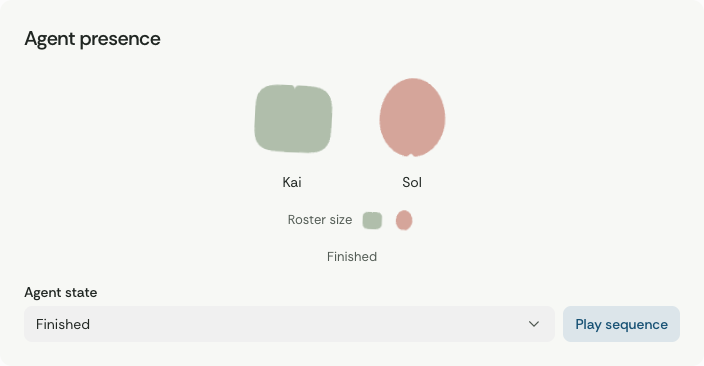
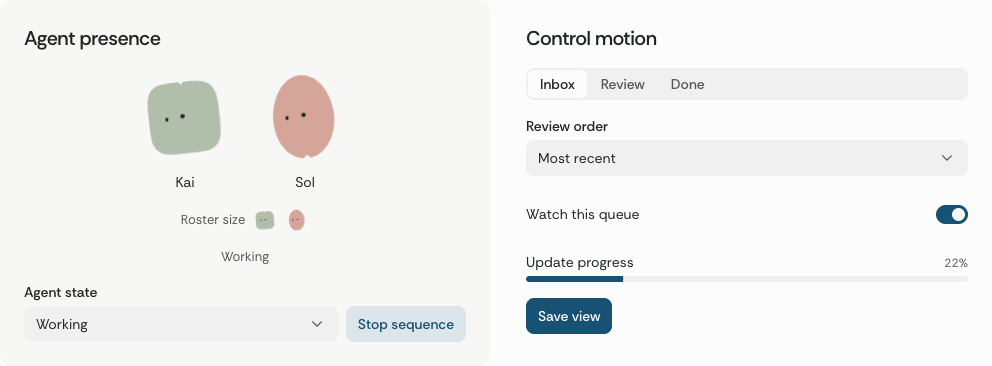
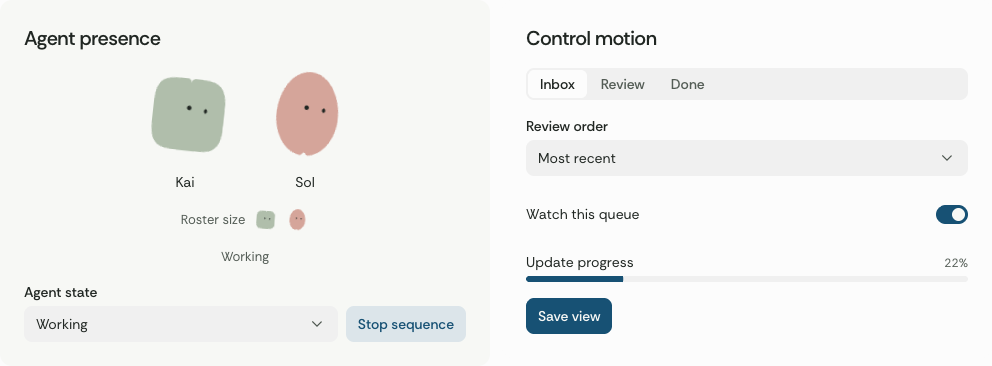
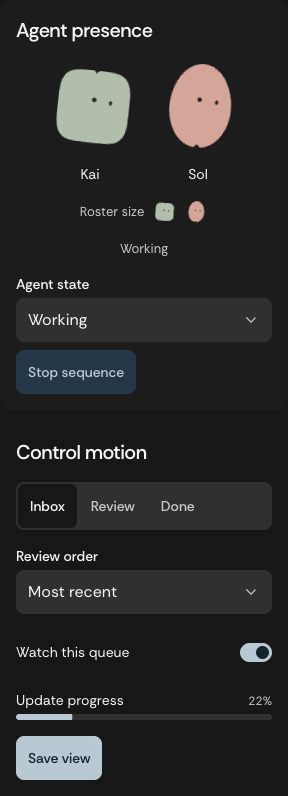
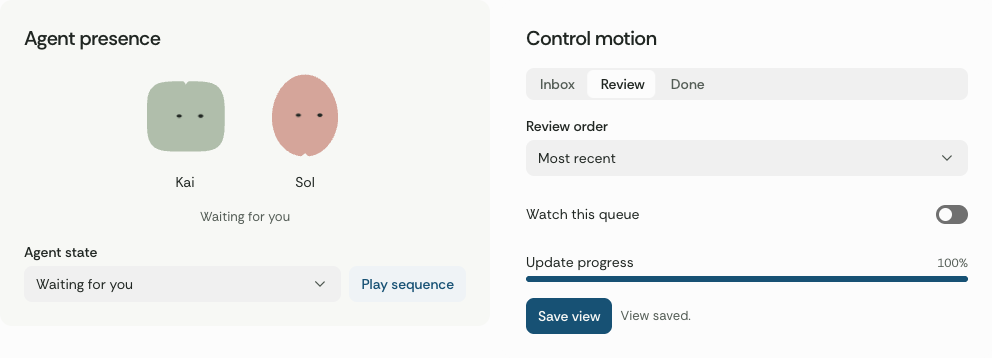
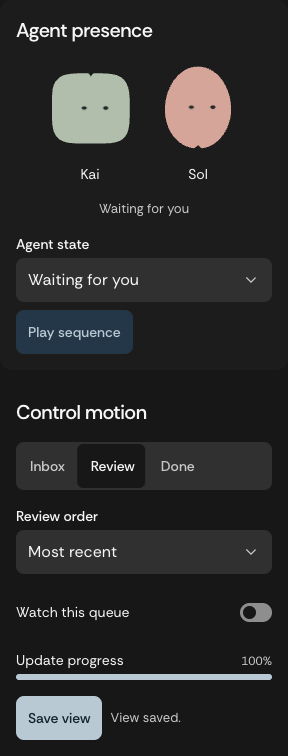
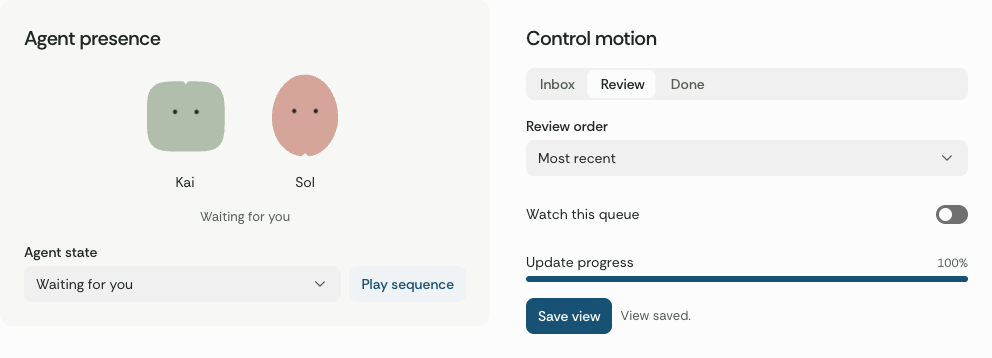
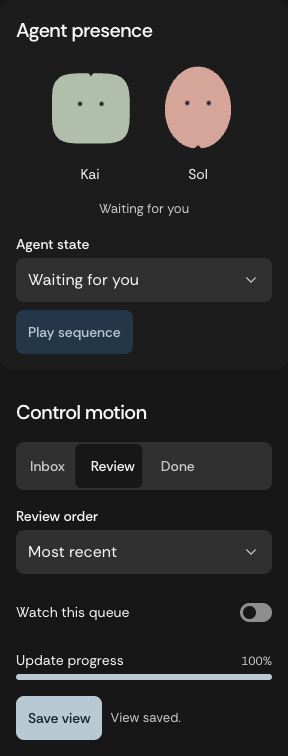
An AgentAvatar uses the host’s ready, thinking, working, waiting, blocked or done state. Pass the state to roster and conversation components through AgentSummary. Keep a readable status label next to active work, and use animated={false} for archived portraits outside the Message component. Message keeps its portraits still by default. AgentAvatar follows the system motion preference and uses a still version of the current expression when motion is reduced. Motion and component behavior
Zig and Vercel Native SDK
The same ID installs an editable markup template, a Zig source entry, the shared theme, English words and Rethink Sans. The installer writes under src/yogurt. Use the installed template from your Native view.
npx yogurt add button --target native
npx yogurt add switch --target native
<import src="yogurt/items/button.native"/>
<column gap="8">
  <use template="yg-button" label="Save view"/>
</column>
Include @import("yogurt/button.zig").file in UiApp.Options.markup.sources. The template emits activate. The host's typed Msg and update own the result. The runnable native example registers the font, installs the theme and shows the complete initialization. Collections, receipt IDs and chart observations come from the host. ProjectMark, AgentAvatar and Gaze install the original artwork. Call art.register(fx, id, .kai_ready) for a static pose. Drive the same six presence states in Zig. The chart template accepts a contiguous series. For missing observations, supply separate contiguous runs and the accessible reading table. Per-target evidence
Brand, words and tokens
| Need |
Canonical source |
Consumer entry |
| Company signature, project marks, agent identity, English tone |
Brand rules and the identity guide |
@openboa/yogurt/brand |
| Approved product language and repository descriptions |
Terms |
@openboa/yogurt/terms, React words, Zig words.zig |
| Numbered colors, one type family, size and spacing primitives |
Brand tokens |
@openboa/yogurt/palette |
| Paired light/dark surface and action roles, dimensions and motion |
UI bindings |
@openboa/yogurt/tokens, generated CSS and Zig |
| Names, purpose and recipes |
Component inventory and task patterns |
Single-component import or local source installation |
Keep all colors on the same numbered palette. Neutral is the approved default. Paper shifts the surroundings warmer and Mist cooler. All three preserve the primary action role and brand master. The four approved controls provide the proportions for larger compositions. A new role needs a real use and a legible light/dark pair. Add it here and regenerate both targets. Accepted basis
The web adapter uses the actual Button, Input, Textarea, Switch, Checkbox, RadioGroup, SegmentedControl and Badge implementations from OpenAI Apps SDK UI 0.2.2. It binds their anatomy to Yogurt’s own styles. Other entries use platform elements or Yogurt compositions. The built package retains third-party notices.
Check a consuming project
Follow the design system rules for mandatory reuse, project composition and promotion of shared patterns.
Commit a yogurt.config.json in the project and run yogurt check in its CI. A mixed host can declare {"surfaces":{"site":{"target":"web","root":"apps/site/src"},"app":{"target":"native","root":"apps/app/src"}},"version":"0.1.0-local.16"}. The command reads only declared presentation directories, checks for the corresponding adapter, known imports and numbered colors, and reports direct vendor imports, literal color declarations and other typefaces with a source location. It leaves the source untouched. Review copy meaning, interaction and product-specific outcomes in the host fixture.
Editable blocks
A block is an optional preset for a recurring composition. Install or adapt one when it fits, or assemble a project view from the same tokens and components. The resulting source lives in the consuming project. Its types and component imports come from the installed Yogurt pin.
| Block |
Inputs and outcomes |
| Project settings |
Bind saved and draft preferences. Saving sends the edited value. Discard restores the saved value. Pending and error come from the project. |
| Collection browser |
Supply records with stable IDs. Search and include archived locally. Opening a result returns its original ID. |
| Decision review |
Supply facts, source time, revision and availability. Cancellation has no effect. Confirmation returns the reviewed ID and revision. |
| Conversation panel |
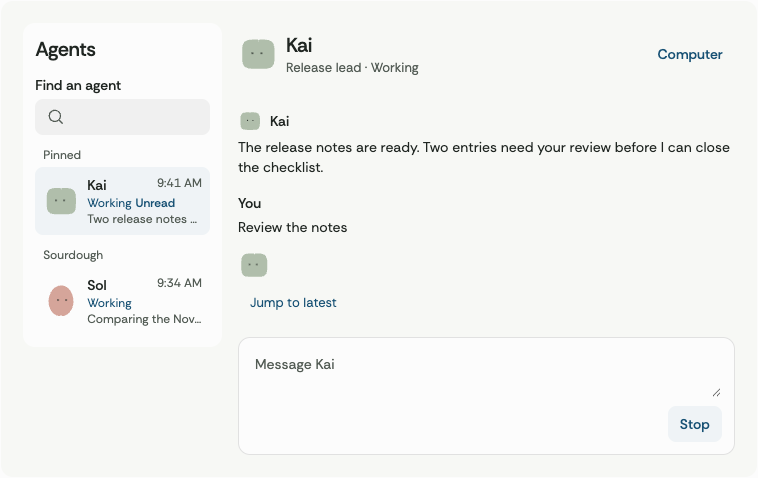
Bind messages, revision and a draft. Send emits text on explicit submission. A pending reply can expose a stop action. |
npx yogurt add project-settings --target web
npx yogurt add project-settings --target native
Web writes the editable component under src/components/blocks. The matching shadcn registry item is registry/project-settings.json. Native installs the composition and its shared markup under src/yogurt/items. Register @import("yogurt/project-settings.zig").sources and use <use template="yg-project-settings"/>. The installed markup names each host field and typed message. The host binds persistence, filtering, permission checks, receipt lookup and sending as appropriate. Reinstalling the same entry preserves your edits.
Workspace patterns adds eight blocks for the agent profile and roster, project home and access, artifact library, attention inbox, operations and run history. Install any of their IDs on either target. The consumer connects its own authorized models, preview media and service actions.
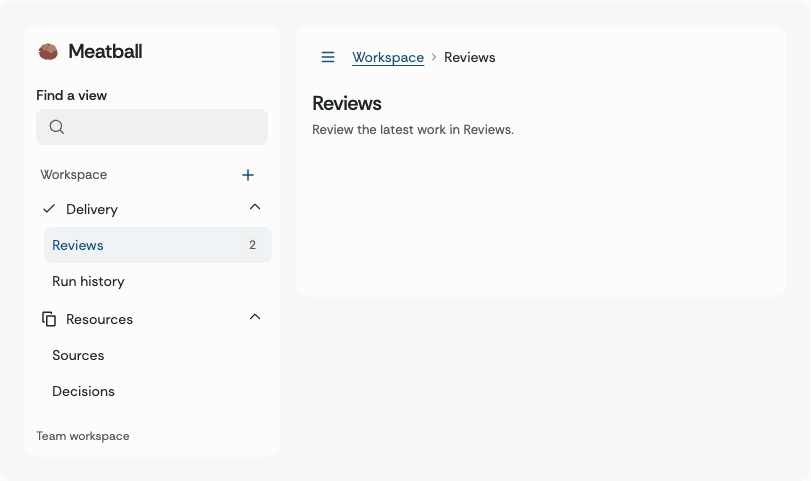
Compose a project sidebar from shared navigation parts.
Controls with platform-specific presentation
Select uses a real form field. Chrome 157 and macOS WKWebView 27 render its anchored option list with Yogurt’s colors, type and dimensions. Engines without customizable select support use their system picker. Multiple and list-style selects keep platform listbox semantics. Native hosts can use yg-select-picker with an expanded flag, selected menu items and an explicit dismiss handler.
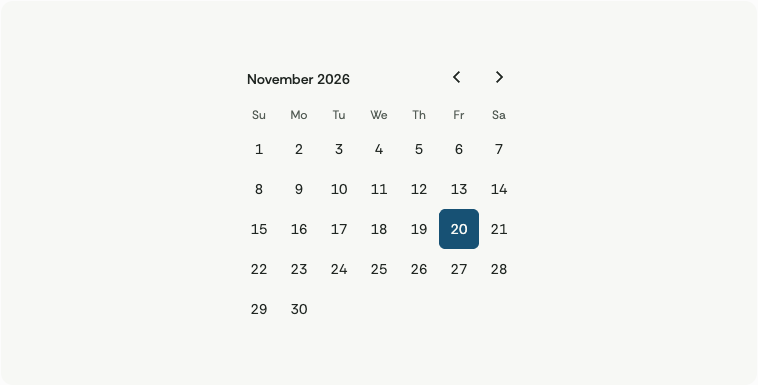
Web Calendar and DatePicker accept local YYYY-MM-DD values, including optional minimum and maximum. Native installs models/calendar.zig alongside either entry. Use Month.init(year, month), offset(delta) and days(selected, earliest, latest) to populate the view. Numeric keys use YYYYMMDD. Empty cells have distinct disabled IDs.
The keypad emits individual actions. Private mode inserts random spacers on opening. A host owns masking, credential handling, confirmation and clearing. The native models/keypad.zig builds number, alphabet and private layouts and accepts four fresh random words per private session. Its enabled key IDs are character codes. For Gradient, call gradient-pixels.register(fx, id, dark, material, tone) once per palette change and bind that image ID. Release the registered image when its host exits.
Verification
Agent variants
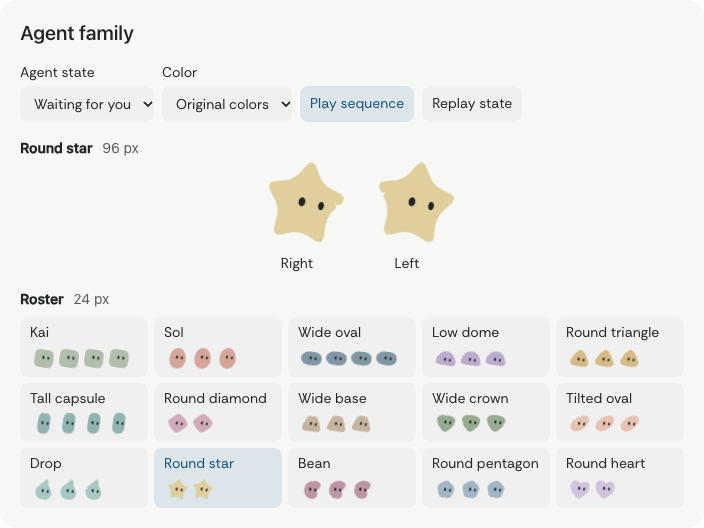
Choose a stable variant ID and an optional shared color token. The default fill comes from the original silhouette. Use the app's agent name as the accessible label when available. The behavior works through the same avatar component as Kai and Sol. Use getAgentFamily() from the same entry point to list registered variants and color tokens.
import { AgentAvatar } from "@openboa/yogurt/agent-avatar";

<AgentAvatar agent="round-star-right" state="thinking" size={24} color="blue.300" />
For the Native canvas, after installing agent-avatar, use Playback.initVariant(.round_star_right, 24, .thinking, now_ms). Set playback.color = .blue_300 to use the same token. Keep the Playback instance per avatar, and pass the current host state and reduced-motion preference to its drawing call.
Agent family gallery · Motion
All design recordsComponent library · local implementation, revision 1
The owner selected the first-four proportions and asked to carry the design through the entire component inventory, with OpenBoa's color and geometry tokens. This accepts the visual basis and authorizes a local SDK and gallery. New variants are locally implemented design choices available for inspection. Publication and adoption belong to the owner and consuming products.
| Accepted basis |
Revision 2 SHA-256 |
| Button, 8 px corner |
1874c39adf964f3afa634aa8d379c83024f159fc2bd577b5c8f58ae2f024d113 |
| Icon button |
d8fb4e1ce832a3e9b802f6b0480fec0685992f0c99502aadb1ba9e11c9709b6b |
| Text field |
60b5d22de8edb35e37c3fba91e9575d3b1016e50ed5b5c055336ffe84a75f123 |
| Switch |
0fa8591537c90fa1f0f3c2b1a3694111219f2a73425efee005b9d716229abffa |
The follow-up selects the existing OpenAI Apps SDK UI implementations for matching web parts. Bind those parts to owned palette and geometry aliases. Add only missing primitives such as supporting type, duration and switch geometry. Keep the source palette intact.
Scope and evidence
| Requirement |
Implementation and observation |
| 1. One token source |
Resolve component roles into existing numbered palette colors. Ink blue is the default. Validate both appearances and the contrast of alternate surface treatments. Rethink Sans, 14/20 action labels, 36 px regular height, 8 px corners and 44 px touch are the center of the scale. |
| 2. Basic components first |
Implement the ten named families. Export typed components, controlled inputs and stable IDs. Baseline and practical variants share the same control. Instantiate every public catalog entry in the working gallery. |
| 3. Variation by function |
Move between compact, regular and touch sizes, filled, soft and quiet emphasis, and the existing Neutral, Paper and Mist surfaces. Preserve keyboard focus, accessible names, state and semantic color across changes. Check field errors, no matches, canceled decisions, interrupted requests and original receipt lookup. |
| 4. Reusable distribution |
Package only component code, styles, relevant assets, notices and tokens. Supply a local read-only check of declared consumer surfaces, editable individual registry entries, the same import to Next.js and Vite and renderer-specific evidence. Keep third-party code and original brand masters identifiable. |
| 5. Default native host |
Bind shared token values and component states where Vercel Native SDK supports them. Record actual runtime, toolchain, target and gaps separately. Never infer native support from a React capture. |
| 6. Direct review |
Show real components with working keyboard, pointer, light/dark and touch behavior. Use minimal, English-only copy, task-sized group gaps and shared surfaces. Exercise production bundle, focus, reduced motion and narrow width. |
Data comes from the consumer. Display and dismissal generate no external effects. An explicit command invokes only the supplied callback. A composition retains the host's original ID, current revision and response generation. Keep the saved-view study, stable catalog IDs and prior standalone kit working. Verification belongs in the local evidence record.
Select when open
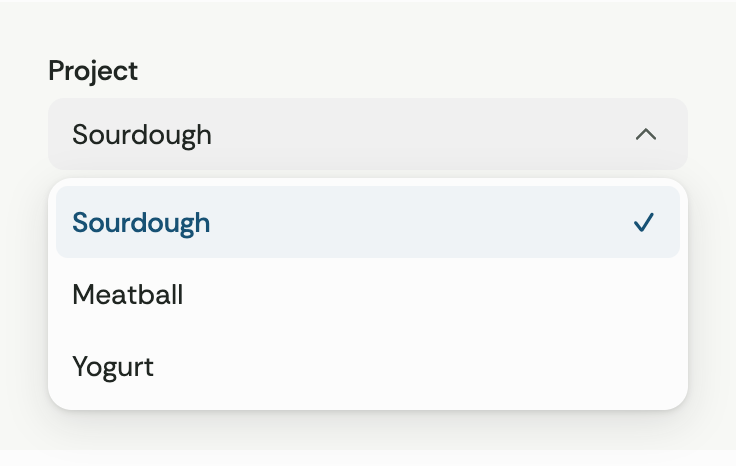
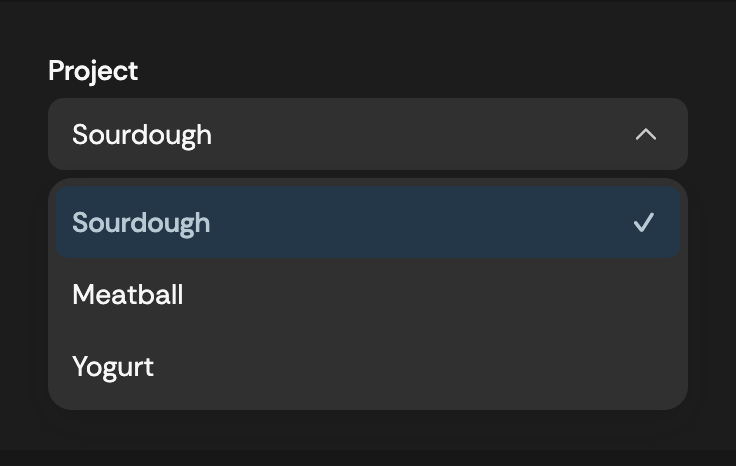
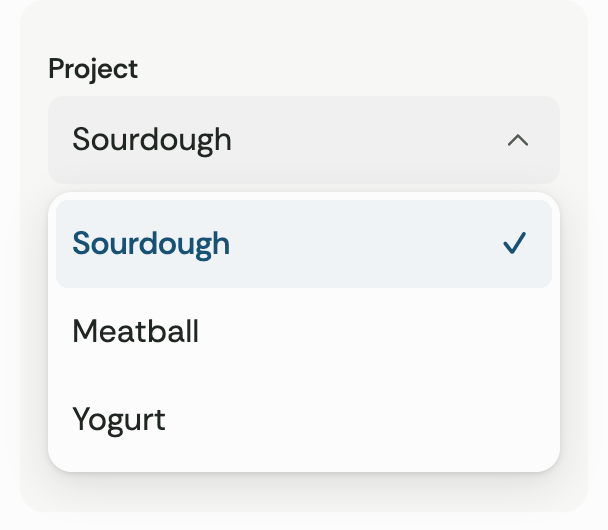
The owner reported that the opened Select looks out of place. Apply requirements 1–3 and 6 to the option list in the web SDK, component gallery and brand guide. Align option text to the field value, match the field width, and leave a 4 px gap. Use an opaque material surface, a quiet active row and a trailing ink-blue check for the current value. Keep the field and rows at least 44 px tall on touch screens. The list can open above a field near the bottom of a viewport and scroll through longer choices.
Keep the existing select element and its form contract. Opening, navigating and canceling preserve the committed value. Choosing an enabled option updates the consumer. Exercise pointer, keyboard, disabled options, form reset, light and dark materials, and mobile width in the built distribution.
Public component coverage
Give each supported component a stable Yogurt ID and named variants where appropriate. Yogurt owns the implementation, terminology, token roles and examples. Keep component imports and the ten original static patterns available.
Calendar values represent local civil dates. A quantity is an integer bounded by the host. OTP and keypad input remain local to the host, with no submission until an explicit action. The default private keypad obscures displayed characters and uses a per-session randomized layout. App authorization and credential processing stay with the host. A questionnaire emits responses keyed by the host's question and choice IDs. A trace displays host-supplied events. Menus, calendar navigation, split panes, dialogs and accordions retain their keyboard and dismissal conventions. Accessible inputs and configurable primitives supply their own state or typed change events. Measure the actual opened surfaces.
Each named component has a working gallery example, individual import, editable registry entry and native binding. Verify all Yogurt catalog entries resolve, install from the local package, exercise interactive groups, render every entry in light and dark at desktop and mobile widths, and instantiate native templates against the pinned SDK. Identify host-owned interaction and runtime evidence explicitly.
Give an edge drawer and a semantic table their own entries. A drawer opens from the lower edge, allows a deliberate downward drag and remains dismissible with its close action and Escape. A short or canceled drag returns to rest. A data table adds column sorting to the semantic table, preserves row identities and keeps missing observations last in either direction. Native uses the SDK drawer and table primitives. Its host owns row ordering.
Editable compositions
The owner also requested ready-made combinations following the individual components. Supply four common tasks from the existing settings, collection, decision and conversation intents. A block installs editable composition source for the chosen platform. Its shared parts come from the same package pin. The website operates that source with local example data. A consuming host supplies saved values, authorization, submission, messages and results. Test dismissal, empty and pending states, the installed source, repeat installs and conflict preservation.
OpenAI Apps SDK UI · Registry item schema
Agent and project workspaces · local follow-up, revision 2
The owner requested an unframed agent silhouette and coverage for agent-first and project-first workflows. Retain stable component IDs, existing consumers and OpenBoa's artwork, type and palette. Give a named agent's silhouette its own transparent presentation. Profile avatars can still use a circular crop. Use the same silhouette in lists, messages and the selected agent header. Keep the existing gaze states.
| Surface |
Required behavior |
| Agent workspace |
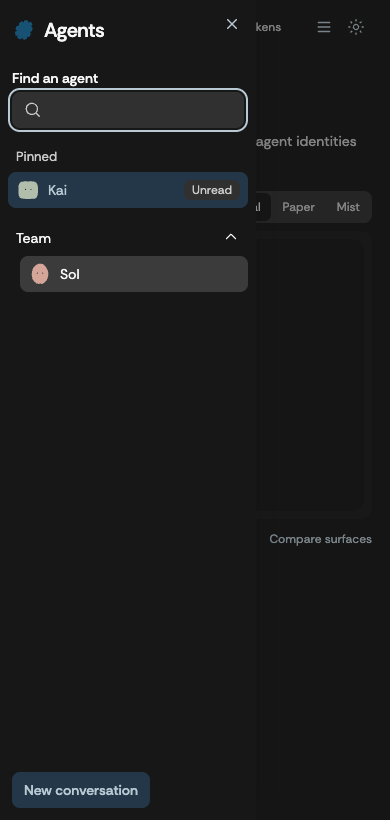
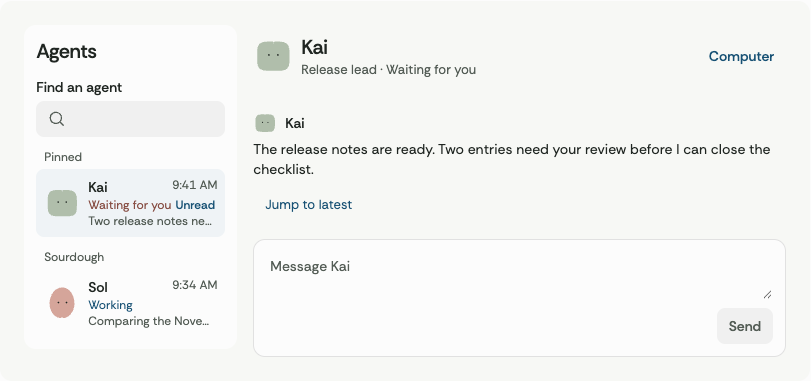
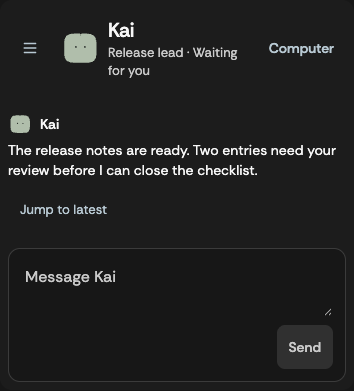
Search the roster and select a stable agent ID. Show a named current agent, recent context, unread and attention states. Keep a usable reading pane with optional computer status and inspector. Expose watch, request control and return only through explicit host callbacks. At narrow widths provide a way to reopen the roster and close the inspector. |
| Project workspace |
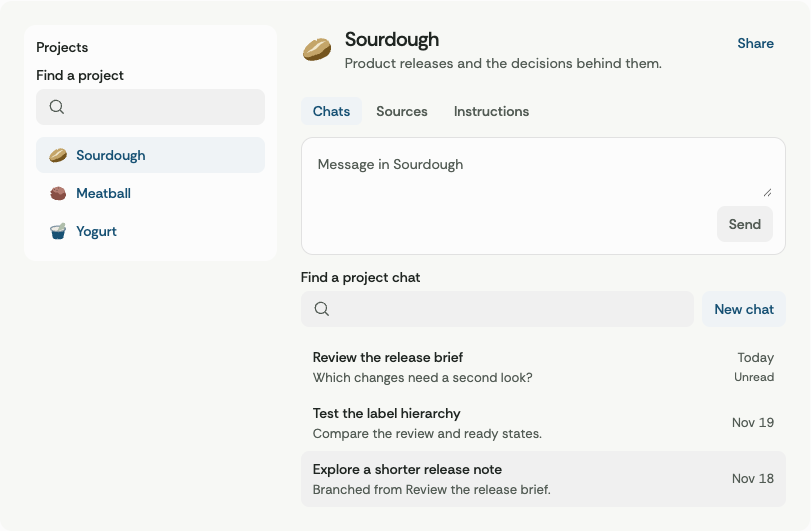
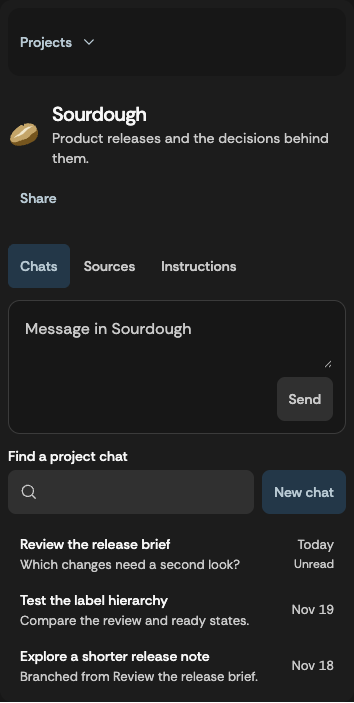
Show the project's own mark, title and list of threads. Scope tabs, filtering, sources and contextual instructions to the selected project. Include collection search, typed resources, actionable empty states and available sharing controls. |
| Conversation |
Compose a draft with the host's selected attachments and tools. Deliver send and stop on explicit activation. Render host-provided task, handoff, draft review, resource and voice states alongside text. Announce meaningful state changes in words. |
| Operations and results |
Read and filter attention items, routine rows, capability entries and artifacts. Show next occurrence, outcome, connection and access states. Give actionable previews and feedback for role review, approvals and delivery where the host supplies them. |
All fixtures are local and reversible. The consumer provides authorized projections, stable resource IDs, confirmation and effect results. Changing navigation only changes the view. Scope selection and draft state to their owning agent or project. With revoked access or a missing selection show only available records and remove the inaccessible view. The kit neither captures microphone input nor opens a terminal, accepts credentials, calls a computer or sends messages to services. Components and blocks expose key actions through named callback or typed Native bindings. Original layouts and artwork carry OpenBoa's own visual identity. This pass establishes structure, static states and behavior. Motion design follows separately.
Identify the rendered output of each new entry at desktop and narrow widths, in light and dark. Exercise roster search, empty recovery, agent switching, project-scoped tabs, filters, attachment removal and saving a draft. Verify that approving an action, editing a schedule and requesting control only report the explicit user intent. Maintain package and registry distribution and verify Native markup and widget construction where supported. Report presentation, callback and native-device evidence at their observed scope.
Composable project sidebars · local follow-up, revision 3
The owner requested a shared sidebar that each project can compose from independently usable parts. A layout owns the responsive shell, desktop presentation and mobile dismissal. Its header, scrollable content, footer, groups, submenus, item actions and toggle are independently chosen by the consumer. Keep existing Sidebar({ label, links, current }) consumers working.
- Use a start or end edge, an inset or flat panel, and optionally a desktop icon rail with legible access to every destination. A consumer can control desktop collapse. A narrow layout uses a dismissible modal drawer and retains the observed desktop setting when width changes.
- Keep links navigable, distinguish separate item actions, label each group and expose active identity through
aria-current on the active destination. Use plain links and buttons for ordinary navigation. Section and submenu disclosure uses keyboard-operable buttons. Collapsing the rail preserves group intent on return. Opening the drawer never changes the route.
- Return focus to the opener when dismissing with Escape, a backdrop or the close action. Selecting a destination can close the drawer. Persistent search, selected records, permissions and navigation data belong to the host. These choices carry no service effects.
- Ship two editable compositions with project or agent markup, host search and actions, active state and a narrow alternative. Use OpenBoa artwork and tokens. Native uses typed markup and host-controlled visibility. Exercise wide, rail, right edge, narrow modal, nesting, controlled state, and old props. Verify installed entry points and actual keyboard and pointer behavior.
Motion and visual craft · local follow-up, revision 4
The owner requested six distinguishable agent states and a motion review for each component. Review every catalog entry for a useful response to input or state. Apply continuous or transitional motion where it explains real behavior. Static reading, geometry and artwork retain stable content. The agent workspace and project workspace exercise these treatment decisions.
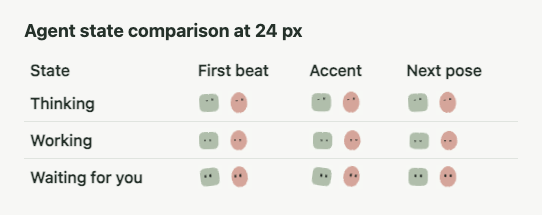
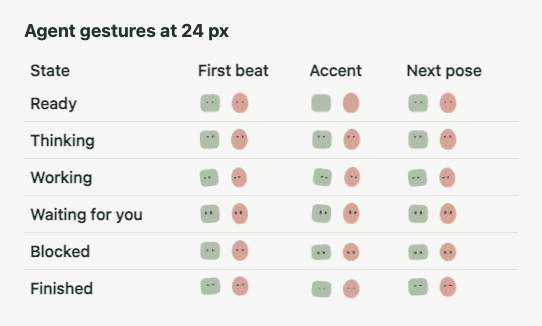
The host reports ready, thinking, working, waiting, blocked and done. Use the original open silhouettes with a fixed outline and motion confined to the eyes. A state label must remain available. A ready agent stays still. Only active work repeats. Offscreen work can suspend visible frame updates without affecting the host state. Waiting, blocked and completion settle to a readable pose without implying another task or advancing the host state. Reduced motion uses a stable pose. Match both identities at roster and conversation scale. Native hosts can use the same authored keyframe sequence with transparent frames registered into one owned image slot and their own elapsed time.
Share colors, easing, press, selection and layer values. Feedback begins under the initiating input. Do not delay real focus, selection, close, data or callback state for an animation. A quick reversal settles to the latest input. Menus and drawers appear from their opening edge, dismiss with focus recovery and keep the existing anchor contract. Pending actions keep the saved label footprint for their supported copy. Streamed replies retain reading position and separate current state from old replies. Reduced motion retains all information and eliminates travel, repeated decorative movement and tweening.
Record the Yogurt treatment and target scope for each component. Exercise the two compositions, active input, rapid interruption, cancellation, keyboard focus, direct manipulation and reduced motion. Retain screenshots or frame samples of real states and test archived artifacts, the installed package, the web renderers and typed native frame selection. Native system animation belongs to each consuming runtime. Motion guidance
Expressive agent eyes · local follow-up, revision 5
Make the Yogurt faces more active with gaze shifts, deliberate blinks and fully closed eyes. Keep state mapping, playback visibility and motion preferences explicit.
Keep each silhouette, dimple, palette and eye spacing fixed. A live ready agent can blink and glance occasionally. Working has a clear scanning rhythm. Other states use a short gesture and hold a recognizable pose. A finished agent can hold its eyes closed briefly and reopen. A transcript can explicitly render a static portrait. Repeating states pause when they are offscreen. The system motion preference presents centered open eyes and preserves the state label.
Use one set of authored frames for web and Zig. Verify a fully closed frame and visible positional change in both live loops, held and released completion, an opt-out for old messages, the fixed outline at small and large sizes, the OS motion preference and native frame selection.
Eye and body acting · local follow-up, revision 6
The owner asked to implement the approved eye-led 2D performance after the reference study. Kai and Sol retain their own artwork and colors. A turn couples an early gaze with a later body response, a narrower far eye and a wider near eye. The same flat path carries the notch throughout. Both avatars have a restrained version for roster sizes. The six host states and their text labels keep their existing meaning.
Use authored 2D poses to drive the original outline and two eye shapes. The web renderer can hand pose interpolation to the browser, pause outside the visible view, and blend state changes from the displayed pose. Archived portraits and the motion preference retain the neutral face. Rapid status changes and interruption preserve the current pose and the newest label. The views perform no service effects.
The Zig canvas adapter uses the same poses and original path to produce drawing commands. Live pose updates use affine transforms and keep each path stable. The host owns visibility, reduced motion, the clock and the submission of display commands. Existing image ID consumers retain their static art and compatible image playback API.
Acceptance requires actual frames at roster and detail sizes, stable outer bounds and transparent artwork, a gaze that leads the body, opposite turns with different near and far eye sizes, a held finish blink, continuity under rapid changes, and a still fallback. Cross-check representative Web and Zig poses, execute vector drawing with the pinned SDK, and compare local static and active rendering evidence before describing performance or device support.
Revision 6 follow-up · Longer state performances
The owner confirmed the current visual direction and asked for longer, less simple animation. Keep the same six host states, artwork, size profiles, motion preference, renderer bindings and uninterrupted current-pose transitions. Each state needs a recognizable beginning, development and rest. Build those beats with gaze targets, eye opening, small shifts in weight and well-placed holds. The state label changes immediately. An animation never delays or advances the host state.
| State |
Performance |
| Ready |
Two small checks separated by an unhurried hold. Blink once, return to the centered original pose and leave several seconds of stillness. |
| Thinking |
Recall with an upward glance, hold while considering it, then lift slightly as the gaze resolves to its final point. |
| Working |
Scan, blink, read a lower line in short steps and make one last check before the next cycle. |
| Waiting |
Turn toward the expected input, hold an attentive pose, briefly check back and settle. |
| Blocked |
Draw back, check the other side and lower the eyes before accepting the held pose. |
| Finished |
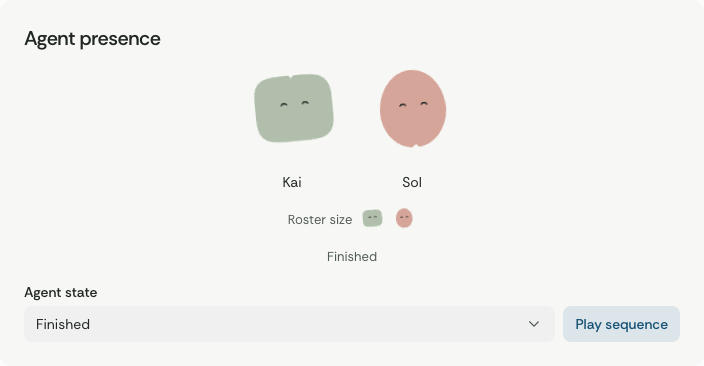
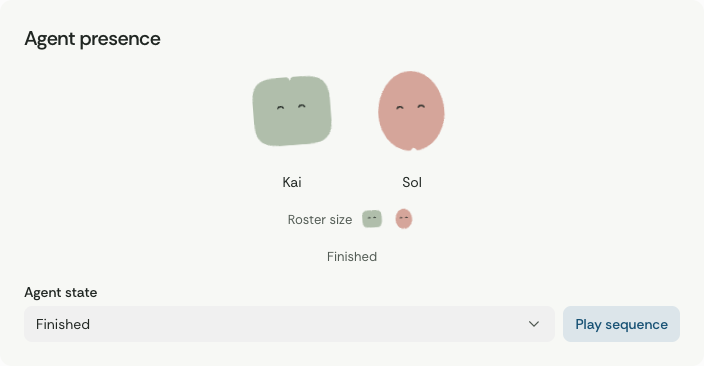
Anticipate a small nod, hold a closed-eye moment at the bottom and release to neutral. |
Let one-shot clips develop for roughly two to four seconds, then stop requesting updates at their final pose. Leave the repeating clips enough time for distinct beats and still intervals. Cap full-size body roll at 6.2 degrees and vertical offset at 3.2 view-box units in either direction. Maintain shared numeric poses for web and Zig, with static archived portraits and no timeline when reduced motion is enabled. Verify each clip at 96 and 24, timed changes in all six states, interrupted late poses, quiet tails and Native frame scheduling. The gallery sequence must leave enough time to see each performance.
Revision 6 follow-up · Expressions formed by the eyes
The owner asked for immediately distinguishable expressions carried by animation. Keep the original silhouettes and colors. Transform the eyes themselves within the shared avatar timeline. Retain the host's six state labels and the current outer dimensions. Use no emoji or thought bubbles in this treatment.
The face always has two separate eyes. Ready uses the original pair. Thinking makes an alternating upward glance. Working reshapes the eyes into horizontal ovals that follow the reading scan. Waiting stretches the eyes upright, blinks, and keeps its attentive pose. Blocked recoils and lets both eyes lower into an uneven squint. Finished nods with both lids narrowed and opens into a softer gaze. Each state interruption starts from the visible eye and body transforms.
Use the same generated geometry and poses on web and Zig. Keep an expressive still pose with reduced motion and the original face in archived portraits. Preserve the three-transform Zig interface and the existing path budget. Verify both eyes remain separate, their motion is interruptible, the outer bounds stay stable, and the intended gestures render at 96 and 24.
The owner then requested more assertive body motion in the same expressions. Allow full-size body roll up to 11 degrees and vertical displacement up to 5.4 view-box units on an accent. Coordinate the motion with the eyes. Thinking lifts after looking up, Working leads with the eyes and follows with a wider turn, Waiting leans in, Blocked recoils and sinks, and Finished compresses into the nod before the eyes open again. Keep Ready quiet and preserve the restrained roster gain. Confirm the whole silhouette stays inside its original viewport throughout the clips.
Revision 6 follow-up · Readable state rhythm and held posture
The owner approved improving the six gestures after a label-free comparison found that they shared the same early sideways tilt and nearly identical late faces. The silhouette, separate two-eye structure, status vocabulary, 112 ms handoff and outer dimensions remain the avatar contract.
| State |
First response |
Continuing cue |
| Ready |
Centered body and forward eyes |
Quiet blink and still, symmetric baseline |
| Thinking |
Eyes look up before the body lengthens |
Higher gaze and tall, upright posture |
| Working |
Sideways eye motion leads the body |
Repeated passes across a reading line. A forward-leaning pose remains through the loop seam. |
| Waiting |
Short lift and a forward gaze |
Upright eyes at one target. A blink returns to the same posture. |
| Blocked |
Short flinch, followed by a quick downward stop |
Compressed silhouette and low gaze remain until the state changes |
| Finished |
Quick dip and release |
Small raised lean and eased eyelids remain after the nod |
Give compact faces enough eye area to survive at 24 px. Preserve readable status text, the static original for archival portraits, and offscreen suspension. Reduced motion presents a representative authored pose for each state, with no timeline updates. Web and Zig use the same selected frame. No symbols or service effects are introduced.
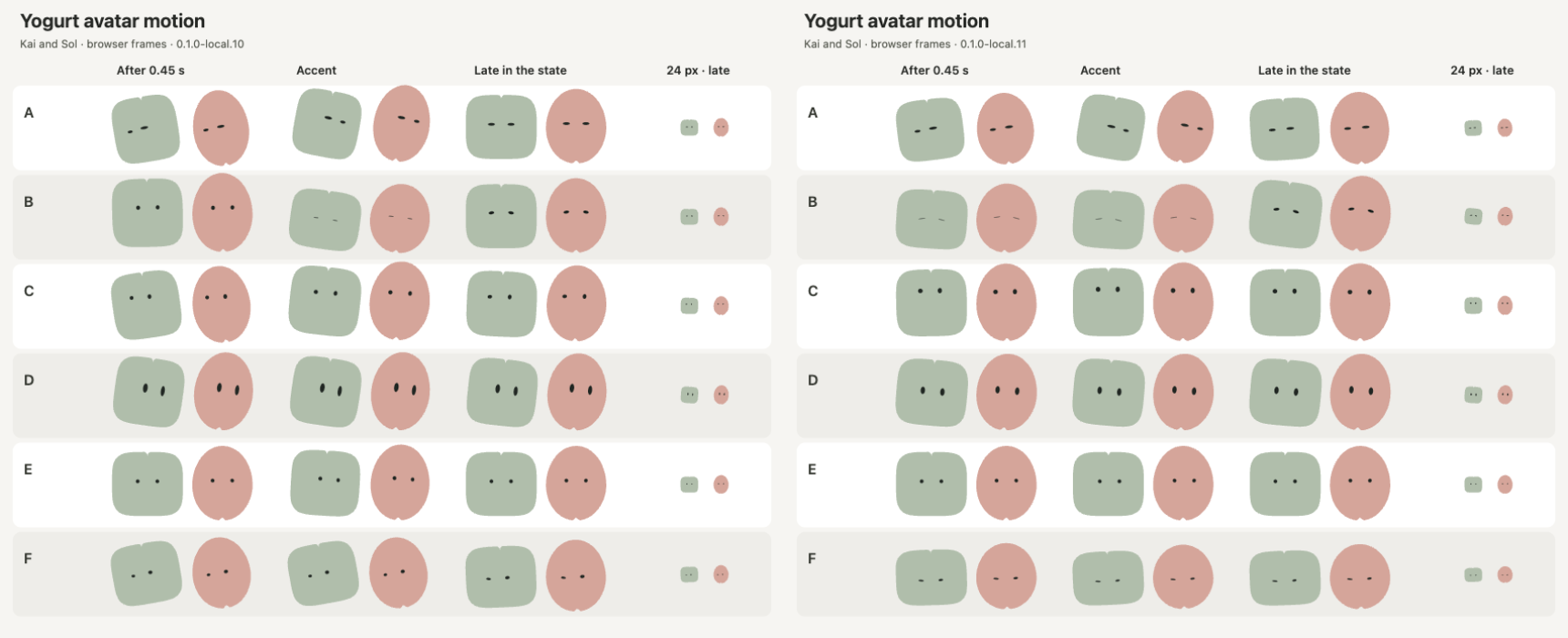
Verify the first half second, representative movement and late view at 96 and 24 px with labels hidden. Verify the working loop seam, waiting gaze before and after its blink, blocked and finished settling, interrupted handoff, the reduced-motion pose and separation of the two eyes. Confirm the stronger small-size gestures still stay in the original bounds. Frame comparison supports a design judgment. User recognition accuracy requires a separate human study.
Revision 6 follow-up · Separate eye shapes and contrasting gestures
The owner requested more easily distinguished states, including a Finished bounce and two separate X-shaped eyes in Blocked. The owner retained the current Blocked body drop. Keep its numeric body trajectory and held pose. Change the eyes in the narrowing phase at impact, then hold both X shapes low in the face. Finished makes two short spring jumps of different heights, landing between them and settling with two smiling eyelids. Thinking looks upward with a slower asymmetrical expression. Working follows a reading line with short sideways dashes. Waiting opens its eyes and looks from side to side. Ready stays quiet with a soft double blink.
Use shared outline data for the new eye shapes and shape transition times. Reuse the avatar's body and two eye drawing slots. Keep the original three-transform canvas entry for callers that supply their own round poses, and support authored shapes through Playback. Retain the base art, viewport, state labels, reduced-motion stills, archived portraits, and suspension. There are no images to decode or service effects. Confirm two distinct jumps and intervening landing, an unchanged Blocked body path, separate X eyes at 24 and 96 px, a smooth status interruption, and bounded visual motion.
The owner asked for Waiting for you to visibly search for the person. Keep the open, high posture and alternate a left look, right look and front-facing hold in one slow repeating search. Use longer holds and higher, wider eyes than the Working scan. Confirm the gaze travels to both sides, stays readable at 24 px, and resumes at the same pose across a loop seam.
The owner asked for Thinking to look up while the body makes a small orbit, and for Working to feel busier with more open, rounded eyes. Use a high, slow gaze and an asymmetrical upper eye posture in Thinking. Use several short saccades and line resets with rounder eyes in Working. Finished is a clearly upbeat reaction. The higher jump and the smaller rebound both show the smiling pair, with a visible launch, landing and release.
At roster size, increase the eye area and amplify the useful axis for each gesture. Working travels farther sideways, Thinking uses a wider small orbit, Waiting uses taller eyes, and Finished uses greater vertical travel. The Blocked body trajectory is unchanged at both sizes. Check 24 CSS px at a one-pixel device scale alongside the detail size.
Revision 6 follow-up · Distinguish thinking, working and searching
The owner found Thinking, Working and Waiting for you too similar. Use distinct posture, eye shape and timing throughout those three states, including their 24 px roster render and selected still pose.
- Thinking traces a slow upper orbit. A raised, open eye and a lower half-lid hold an asymmetric upward expression after the movement.
- Working stays low with open, round eyes. It makes fast horizontal reading steps, followed by a short drop when returning to a new line. The body follows sideways with little roll and retains an active reading pose through the seam.
- Waiting for you holds two tall eyes and turns its whole body toward each side. Keep each look long enough to read as checking for someone, then look forward before repeating.
Preserve the original artwork, two separate eyes, gesture definitions for Ready, Blocked and Finished, state vocabulary, and the same renderer and transition contract. Confirm the three silhouettes stay within the viewport. Compare their motion and posture concurrently at actual roster size, plus detail and reduced-motion checks. Use the same avatar implementation in the comparison.
Revision 6 follow-up · Distinct focus, searching and celebration
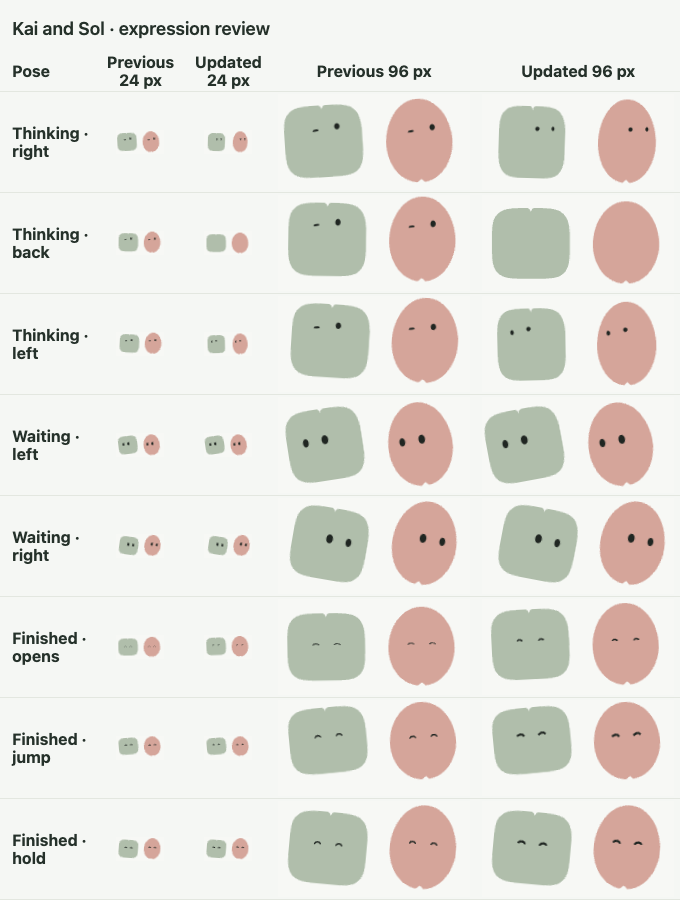
The owner requested a Thinking turn in place. Keep the body on a fixed vertical axis. Squeeze its width in the side views and reopen it as the back and front pass through. Let the eyes travel to the right edge, narrow out of sight as the body turns, then return from the left. Both eyes use rounded lids and remain distinct on either side of the turn. Finish with a high, slightly asymmetric gaze. Waiting for you keeps the original eye poses, blink and transition speeds. Translate the whole body farther to each side and tilt it in that direction while its eyes seek. Finished retains its two jumps and uses two constant-width, round-ended eyelids with a slight mirrored tilt and the same stroke weight as the Blocked X eyes. The rounded eyes close into the jump, and the smile opens gradually from the closed frame. Both arches lift at the two peaks and settle at the landing without thinning.
Extend all six performances. Ready makes a quiet second check much later in its loop. Thinking considers another point before the turn, then pauses and narrows its eyes in concentration as it settles. Working keeps its original fast steps and adds one more low reading pass before rejoining the loop. Waiting extends the held looks on both sides and the time spent facing forward while keeping the original transition lengths. Blocked keeps the first droop and X eyes, then sinks again slowly and settles into the same low pose. Finished keeps two jumps and adds a small, smiling sway before it settles.
Preserve the shared artwork, two eye slots, state names, outer dimensions, canvas entry points, current-pose transitions and reduced-motion stills. Host status changes still interrupt a performance immediately. Compare the previous and revised expressions for Kai and Sol at 24 and 96 px. Verify a centered Thinking turn, eyes hidden as the back comes into view and eyes reappearing from the left, a larger Waiting sweep with opposite tilts and matching gaze, and a closed transition into the Finished arches and the same eye stroke weight at both peaks and the landing. Sample the bounds and cross-check the Web and pinned Zig render paths from the shared source.
Revision 6 follow-up · Animate the agent family
The owner selected the local.14 performances and requested them for the complete existing agent family. Apply the six shared timelines to all 45 fitted outlines across 15 silhouettes. Derive stable variants from the source SVG and notch position. Keep the approved Kai and Sol geometry, durations, eye paths, playback and existing entry points byte-equivalent where their data is generated. Fit body travel, tilt and gaze range per silhouette. Color choices reuse shared palette tokens without allocating more timelines or changing geometry.
Use the same registry and fitted transforms to render React and the typed Zig canvas. The host supplies identity, state and time. Preserve reduced-motion stills, archived artwork, interrupted transitions and visibility behavior. Validate only registered shapes and notch positions, and keep the core components usable without network or encoded frames. Publish no identity assignments. Keep palette permutations as candidates until their visual distinguishability is reviewed.
Acceptance enumerates each of the 45 source outlines and exercises the six states at 24 and 96 px. Check interpolated outlines and both visible eye outlines for containment. Inspect the family in an interactive grid and verify the original two agents against local.14. Verify native rendering with stable path IDs and web behavior on narrow and wide screens.
All design recordsLocal SDK verification
0.1.0-local.15 · The animated agent family
Performance specification · Interactive family gallery · Roster capture
| Target |
Observation |
| Geometry |
The 45 registered paths match the source SVG notches across all 15 silhouettes. The bounds check sampled 102,870 poses across all six states and both size profiles, including intermediate frames. Every sampled body stayed within its view box and each visible eye outline stayed within its body. |
| Browser |
Chrome played the six states on every variant at actual 24 and 96 CSS px. The 320 px dark view exercised all 24 px variants. Shape selection, color changes, replay, sequence start and stop and reduced motion passed. |
| Zig |
The pinned reference host passed 154 tests. The variant test checked 540 combinations of size, geometry and state, verified current-pose interruption and drew the Finished expression for every variant at both sizes. |
| Existing avatars |
The generated Kai and Sol tracks and eye outlines matched local.14. The 556 component gallery renders and existing playback checks passed. |
| Palette |
Twenty-six shared palette options passed the 4.5:1 eye contrast check. The 1,170 combinations are candidates for review in the roster. |
0.1.0-local.14 · Longer performances and a drawn smile
Performance specification · Kai and Sol at 24 and 96 px
| Target |
Observation |
| Ready and Working |
Ready returned to center after a later glance in its 11.16-second loop. Working added a low reading pass and returned to the same starting transform in 6.16 seconds. |
| Thinking |
The 5.64-second timeline showed a high study glance, a centered turn with narrower side profiles, a hidden eye pair facing away, and eyes returning from the left. A short squint eased into the final high gaze. |
| Waiting for you |
Local eye poses and transition lengths match local.13. The 6.42-second loop holds longer on both sides. On full-size Kai the body travels 14.83 view-box units between side holds, with a 10.5-degree left tilt and a 10.8-degree right tilt. |
| Blocked and Finished |
Blocked retained its first drop and X eyes, then sank again and held the low pose. Finished switched to its curved eyelids at full closure and opened them gradually. The eye transform kept the same width and height at both peaks, the landing, and the final hold. |
| Browser and Zig |
Chrome passed all 556 gallery renders, playback checks and both comparison layouts. The pinned Native SDK host passed 153 tests, including current-pose transitions and reduced motion. The comparison contains 64 unscaled captures at 24 and 96 px. |
0.1.0-local.13 · distinguish thinking, working and searching
Performance specification · Kai and Sol at 24 px
| Target |
Observation |
| Browser playback |
Thinking held an asymmetric upward gaze after its orbit. Working moved laterally in short reading passes with a low, nearly level body and a continuous loop seam. Waiting held the left and right turns, then faced forward before repeating. Ready, Blocked and Finished kept their authored clips and expressions. |
| Roster and detail |
The review replayed the three states together at 24 px, with the original 96 px and 24 px Kai and Sol views still available. Eighteen captures recorded three poses per state and identity at device scale one. The 736 px light and 320 px dark reviews rendered without horizontal overflow. |
| Zig |
The pinned Native SDK host passed 153 tests for sampled gaze and body poses, loop seams, held poses, reduced motion, and the existing reference canvas. The clip and expression data are shared with the web renderer. |
0.1.0-local.12 · contrasting expressions and gestures
Performance specification
| Target |
Observation |
| Browser playback |
Thinking looked up through a small body orbit. Working followed short steps and lower-line resets with rounded eyes. Waiting looked left and right before returning to the forward pose and repeated seamlessly. Finished reached two different peaks with a landing between them and showed two smiling eyelids. |
| Blocked |
The authored body keys exactly matched local.11. The shape changed from round to two separate X eyes after the flinch. Web kept the prior visible eye shape at the start of an interrupted state and held the current shape with reduced motion. |
| Roster and detail |
Both avatars ran all six states at 24 and 96 px in the narrow and desktop views. The 24 px sheet uses 36 unscaled browser captures at device scale one. Every sampled body outline fit the original view box. |
| Zig |
The pinned Native SDK reference host passed 153 tests, including shape timing, cross rendering, two spring peaks, interruption and reduced-motion stills. The authored drawing entry continues to use the body and two eye paths. |
24 px frame comparison · Blocked X eyes · First jump · Second jump
0.1.0-local.11 · state rhythm and held poses
Performance specification · Label-free before and after
| Target |
Observation |
| Browser |
The Working track reached both sides, returned through the same loop pose, and retained a reading posture near the seam. Waiting returned to identical gaze and position after its blink. Blocked reached a compressed posture within 450 ms. Finished held the raised pose after the nod. The active avatar preserved the current pose on retargeting. Reduced motion showed a selected visible pose without active tracks. |
| Visual comparison |
Both releases were captured with the state names hidden, including the first 450 ms and held poses at 96 and 24 px. The new Thinking and Blocked poses separated vertically. Working, Waiting and Blocked used a scan, a fixed gaze and a downward stop. All six states fit the 736 px light and 320 px dark reviews. |
| Native |
The pinned Native SDK reference host passed 152 tests. Tests covered the working loop seam, fixed waiting pose, blocked stop, selected still pose, and the original drawing entry at both avatar sizes. |
The comparison shows a design difference. Human recognition accuracy was not measured.
0.1.0-local.10 · eye shapes and body accents
Performance specification
| Target |
Observation |
| Browser |
The existing two eyes changed shape and position. The Working turn reached approximately −9.45 and +10.55 degrees at detail size. Thinking lifted after alternating its gaze, Waiting held upright eyes, Blocked recoiled and settled into an uneven squint, and Finished narrowed both lids in the nod before reopening. Interruptions began from the current pose. Reduced motion held the current expression. |
| Geometry and visual review |
Both original silhouettes stayed inside the viewport across the sampled poses. The two eyes remained separate at every authored frame. All six states rendered with no horizontal overflow at both 736 and 320 px. Kai and Sol were inspected at 96 and 24 px. |
| Zig |
The Native SDK 0.11.1 host passed all 152 tests, including eye and body poses at both sizes, interruption, the still expression and reference rendering. The caller continues to pass the body and two eye transforms to the same canvas entry. |
Working left turn · Working right turn · Waiting · Finished nod
0.1.0-local.9 · distinct and longer state gestures
Performance specification · Timings and gestures
| Target |
Observation |
| Chrome |
The six states had distinct gestures and late poses. Working showed three successive lower gaze targets and a final check. Waiting and blocked settled at opposite body heights and eye openings. Finished held both eyes closed during its nod. A change during the late working gesture started from the displayed pose. The state labels, reduced-motion behavior and stable bounds passed. |
| Interactive review |
Kai and Sol displayed the sampled gestures at 96 and 24 px in the 736 px light and 320 px dark views. The sequence held Thinking for its full performance before Working. Direct selection reached all six states. |
| Zig |
All 151 tests passed with Native SDK 0.11.1. Representative poses matched the authored beats, and the scheduling test requested no next frame during the final holds of Thinking, Waiting and Blocked. The reference renderer still drew the two original bodies at detail and roster sizes. |
Thinking · Waiting · Blocked on narrow dark · Finished
0.1.0-local.8 · eye and body motion
Specification revision 6 · Authored avatar clips
| Target |
Observation |
| Browser |
All six state labels stayed in sync with the host. Working showed an early glance followed by the body turn, opposite eye widths on the two sides, and a full blink. Finished held both eyes closed before reopening. When interrupted, the new animation took its first pose from the pose on screen. The original path and outside bounds stayed stable. |
| Browser scheduling |
A visible 450 ms Working sample made zero SVG attribute writes after starting. The browser paused the three tracks out of view and resumed on return. Reduced motion and archived messages showed still artwork. All 556 gallery renders and the existing interaction checks passed. |
| Sandbox review |
Chrome rendered both agents and checked the 96 px and 24 px poses, fully closed eyes and zero horizontal overflow at 1024 px light and 320 px dark. |
| Zig |
The pinned 0.11.1 Native SDK reference canvas drew Kai and Sol at 24 and 96 points. Pixel comparisons showed each open pose drawing the eyes and each closed pose matching its body-only rendering. The 150-test host suite covered the early gaze, reduced motion, repeated interruption, held-pose scheduling and repaint bounds for a moved avatar. |
Working looks left · Working looks right · Dark roster · Working blink
The Native evidence covers the reference canvas and typed host. Measure GPU frame timing and power consumption in an integrated app before making device performance claims.
0.1.0-local.7 · expressive eyes
| Target |
Observation |
| Browser |
The ready gesture glances, closes one lid slightly ahead of the other and fully closes both eyes. The active scan moves 21 horizontal units between holds and blinks before reopening. Completion holds both eyes closed before returning to neutral. The archive portrait and reduced-motion scene retain static eyes. |
| Installed gallery |
The compositor kept the small original silhouettes fixed in all six states. The 556 gallery cases passed. The review exercised both faces with full closure on narrow and desktop layouts. |
| Zig |
The source generated 179 poses for each identity. All 358 pose masks matched the original silhouette. Ready, working and finished closed poses matched the silhouette without eyes. Frame tests covered looping, reduced motion, registration retry and scheduling the next change after a held pose. |
Both faces closed · Light motion review · Narrow dark motion review
0.1.0-local.5 · agent presence and control motion
The motion inventory records treatments for 125 components and 14 editable blocks. The state clips share one authored sequence for the web and Zig. The rest of the component library uses common press, choice, progress and layer timings.
| Target |
Observation |
| Web gallery |
Chrome rendered all 556 light, dark, desktop and narrow gallery combinations. A browser changed all six agent states, sampled two stages of the working gaze and verified that the outline, transparent surround and bounds stayed constant. Offscreen work paused. Reduced motion preserved the label and showed a steady face. |
| Real inputs |
The workspace preview acknowledged a sent message, advanced to working and stopped on cancellation. Reversing selection quickly moved the visual indicator to the actual selected option. The Select geometry, sidebar focus and prior workspace interactions passed. |
| Inline review |
The sandboxed preview exercised both identities, state selection, a save that held the control's dimensions, actual progress, a keyboard switch and the selected segment at desktop and narrow widths. |
| Native |
Native 0.11.1 with Zig 0.16.0 passed the 146-test typed widget suite and two dedicated frame-selection tests. In a separate typed fixture, the image registration binding was exercised with a fixture registry. The artwork pipeline decoded 184 frames and confirmed both silhouettes' alpha channels stayed exact. Native playback on a physical device remains unverified. |
Active conversation · Desktop motion review · Narrow dark motion review
0.1.0-local.4 · composable sidebars
The local gallery contains 125 component entries and 14 editable blocks. The SidebarLayout entry exports the layout and its independent parts. The two new presets exercise the same layout with distinct navigation, searches and actions. ProjectWorkspace now uses the shared web shell.
| Target |
Observation |
| Web |
Chrome 157 rendered the full gallery at 1120 px in light and dark, 320 px in light and 390 px in dark. All 556 renders passed. The sidebar test exercised controlled collapse, labelled icons, nested destinations, a right-side drawer, viewport changes, project search and the original Sidebar call. |
| Narrow drawer |
Pointer and keyboard opened a modal drawer. Escape and backdrop clicks dismissed it. Focus returned to its trigger. Selecting an agent updated the active view and closed the drawer. |
| Native |
All 125 individual markup files passed strict checking. The fresh macOS build with Native 0.11.1 and Zig 0.16.0 instantiated the panel, drawer and two recipes within a 146-test suite. The host owns mobile and desktop state for the Native templates. |
Project preset on desktop · Agent drawer on a narrow viewport · Composition guide
0.1.0-local.3 · workspace patterns
The local gallery and package contain 124 components and 12 editable blocks. Eight components and eight blocks cover agent and project workspaces.
| Target |
Observation |
| Web |
Chrome 157 rendered all 136 entries at 1120 px in light and dark, at 320 px in light and at 390 px in dark. The 544 renders passed without a page exception or horizontal overflow. |
| Workspace behavior |
The wide light and narrow dark views exercised roster search recovery, isolated drafts, computer request and return, project-scoped sources, attachments and send, approval and cancellation, schedule editing, membership removal, profile save and discard, and run retry and cancel. The rendered named agent's SVG uses one silhouette path with a transparent surround. |
| Native adapter |
The 124 components passed strict native markup validation. The macOS target using Zig 0.16.0 and Vercel Native 0.11.1 built typed widget trees for the components and all 12 blocks. The host suite passed 143 tests. |
Agent workspace · Narrow agent workspace · Project workspace · Narrow project workspace
The scenes use local sample data and callback results. Live voice, computer sessions, third-party authorization, touch interaction on physical devices and production rollout have separate target evidence.
0.1.0-local.2 · 20 November 2026
This recorded revision of the component library contained 116 components and four editable blocks.
| What was checked |
Observed result |
| Brand and layout |
All 72 foreground/background checks passed across light and dark Neutral, Paper and Mist. Chrome 157 rendered every component and block at 1120 px in both appearances, at 320 px in light and at 390 px in dark. All 480 renders fit their viewport without page errors. |
| Open Select |
The picker matched the trigger width, left a 4 px gap and aligned the selected label with the field value. Desktop options measured 36 px high and touch options 44 px. In macOS WKWebView 27, a pointer opened a 320 px picker, chose Yogurt and closed it with the new value committed. |
| Forms in consuming apps |
Vite 7.2.2 and Next.js 16.0.10 built production hosts from the installed SDK. Both submitted named fields and multiple values, omitted the disabled field, and restored the required field on reset. Escape preserved the controlled value and emitted no change. Keyboard selection skipped a disabled option and emitted one change. A 70-option list opened above the trigger and accepted the last option. |
| Component and block behavior |
Chrome exercised numeric table sorting with missing readings last, short and full drawer drags, focus return, calendar bounds, command selection, menu navigation, consent, keypad input and resizable panes. The four blocks saved or discarded settings, recovered an empty search and opened a record, canceled or confirmed a revision-bound decision, and sent a draft. shadcn CLI 4.23.0 created the editable ProjectSettings source in a consumer. |
| Native adapter |
All 116 component templates passed strict markup checking. Zig 0.16.0 and Vercel Native SDK 0.11.1 constructed the component and block widget trees on arm64 macOS. The host suite passed all 127 tests. Separate Zig tests covered civil date bounds and private keypad layouts. Native gestures and accessibility on physical iOS and Android devices remain unverified. |
Select in light · Select in dark · Touch-sized Select · Calendar
From the kit root, run npm ci, npm run build, npm run gallery, npm run check:ui and npm run check:web. The browser checks use installed Chrome by default. The installation guide documents the public entry points and the Zig example describes the native test host.
0.1.0-local.1 · initial SDK
Candidate @openboa/yogurt@0.1.0-local.1, 20 November 2026. The implementation spec records the owner-approved starting point. This record describes local consumption and the named runtimes.
| Requirement |
Target and observed result |
| 1. Brand and tokens |
Every UI color role resolved to a numbered primitive. 72 text/background contrast checks passed across light and dark Neutral, Paper and Mist. The default filled button resolved to #175174 on light and #B8C9D3 on dark. Rethink Sans and the original company and project art use the kit’s assets. |
| 2. Complete inventory |
64 entries across ten families rendered in the browser gallery. Each individual export loaded from the package. All 64 Native templates passed strict markup checking and compiled with a typed model into an actual SDK widget tree. The macOS native suite passed 68 tests including the individual templates. |
| 3. Interaction |
Chrome 157 exercised save, clear/no matches, combobox keyboard selection and Escape, menu selection and return focus, decision cancellation and confirmation, switch and chart readings. The interrupted switch returned to the last input without overshooting. Reduced motion used a zero-second transition. Touch used a 44 px action target and 16 px editable text. Checked widths of 320, 390, 736 and 1280 px and a 200% text setting. |
| 4. Consumer distribution |
A clean consumer installed the local tarball and used shadcn CLI 4.23.0 to add Button. Vite 7.2.2 and Next.js 16.0.10 built production hosts. A real browser activated the installed button before and after reload in each. Both targets installed each ID individually. Repeat installation preserved identical files and refused to replace an edited wrapper. A read-only consumer check accepted a mixed web/native fixture and identified three deliberately incorrect color or font declarations by file and line. |
| 5. Native runtime |
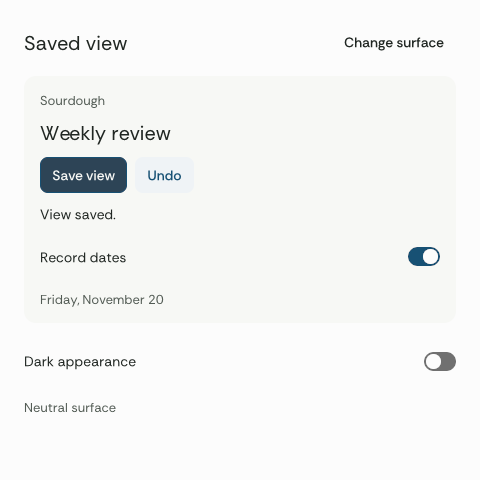
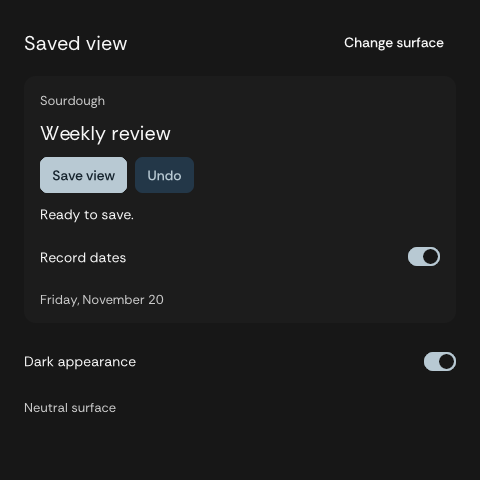
On arm64 macOS 27.0.1, Zig 0.16.0 and Vercel Native SDK 0.11.1 built a ReleaseFast executable. Its Metal surface reported a nonblank frame. The runtime exposed an 8 px radius token, a 36 px primary button and a 32×19 px switch in its 44 px row. Native automation operated Save, Undo, the record-date switch, appearance and all three neutral materials. The saved view imports the installed Button and Switch templates. |
| 6. Remote review |
The offline catalog contains its font, implementation, examples and brand data. The sandboxed preview ran a save and navigated to Brand & tokens. A macOS WKWebView loaded the gallery and returned the changed switch state. |
Initial SDK captures
Browser gallery · Narrow gallery · Zig saved view on light · Zig saved view on dark
The native PNGs use the SDK’s reference rendering of the running Metal window’s canvas. The named widget actions and values came from the running app. A typed construction check covers the rest of the Native catalog. Device accessibility, full interaction parity for individual complex controls, iOS, Android, Windows, Linux and comparative performance require their own target observations. A product owns live receipts, permissions, image registration and business effects. The receipts and records in the gallery are local examples.
Run npm ci && npm run build && npm run check:ui && npm run gallery. The Zig example includes the native host and the command for the full template check. The installation guide describes the local tarball, registry and project CI check.
All design recordsFour controls in one saved view
The owner selected the 8 px shape and approved extending this review. The component library record pins the four reviewed source digests. The comparison below preserves the original trial.
Design review · revision 2. Button proportions come first. Compare 6, 8 and 10 px corners at the same size, then use the chosen shape in the saved view. Eight is the starting proposal. A person opens a saved Sourdough view, edits its name and decides whether to show record dates. The on-screen list makes the difference between an unsaved edit and an immediate preference visible. Sourdough is an illustrative fixture here. The review opens with “Weekly notes” saved and “Weekly review” in the editor. Open the working study
| Component |
What the person can do |
Design records |
| Button |
Save the name once, see the result, and retry a failed save. |
Intent · Spec |
| Icon button |
Clear the draft in one movement and continue typing at the same place. |
Intent · Spec |
| Text field |
Know what is being edited and correct it without losing the draft. |
Intent · Spec |
| Switch |
Change the date display now and see which records it affects. |
Intent · Spec |
The records refine I08, U08A and U08B. The system owner reviews the four controls together. Each spec identifies the observer, a failure that would reject the design and the next renderer-specific proof.
What the four share
- Identity. Use Rethink Sans throughout. Put OpenBoa’s original ink blue,
slate.750 (#175174), on the principal action, focus and the active switch on paper. Use slate.200 on ink with slate.950 lettering on the active fill. The company mark keeps its own master color. The loaf identifies Sourdough. Ordinary controls keep their edges quiet.
- Type. One family. A primary action uses Rethink Sans 14/20 at 500. A section title uses 20/28 at 525, a row or field uses 14/20, supporting text uses 13/18 and metadata uses 12/16. Editable touch text uses 16/24.
- Proportion. Button and field align on a 36 px desktop height. The label gets 12 px at each end. The corner trial changes only radius. An 8 px corner leaves 20 px of straight edge on a 36 px high action. Touch actions and the field have at least 44 px of effective height.
- Grouping. Use one reading edge. Join companion actions with an 8 px gap, leave 4 px from a label to its own supporting text, and 16–24 px between tasks. Related rows sit together on a single surface. Sight lines, aligned text and whitespace separate the work. Reserve the visible outline for keyboard focus, invalid input or user-requested high contrast.
- Movement. A press moves the label 1 px over 80 ms. The switch follows the last input over 160 ms with a single ease-out. Reduced motion shows the final state immediately. Motion timings are Yogurt design proposals.
Proposed token bindings
The names below describe the contract a renderer must expose. Every color resolves to an existing numbered primitive. Paper and ink are the two appearances of the same control.
| Role |
Paper |
Ink |
| Brand primary |
slate.750 |
slate.750 |
| Surface / adjacent saved view |
neutral.0 / gray-green.50 |
neutral.950 / neutral.900 |
| Text / secondary text |
gray-green.950 / gray-green.700 |
neutral.50 / neutral.300 |
| Primary action and switch on / foreground |
slate.750 / gray-green.50 |
slate.200 / slate.950 |
| Primary hover / press |
slate.800 / slate.900 |
slate.100 / slate.300 |
| Focus / field fill |
slate.750 / neutral.100 |
slate.200 / neutral.850 |
| Switch off / thumb |
neutral.600 / neutral.0 |
neutral.500 / neutral.975 |
| Inactive action surface |
neutral.100 |
neutral.800 |
| Validation text and outline |
coral.700 |
coral.200 |
The saved view title, its row text and the actual timestamp provide working examples of the type hierarchy above. Check ordinary text at 4.5:1 or higher. An essential control edge, focus indicator or thumb needs at least 3:1 against its adjacent surface. These color and type roles are specified here for later package implementation. Numbered primitives
A product can take one control
The proposed web interface lets a team choose one item such as @yogurt/text-field from a version-bound shadcn-compatible registry. A registry:ui item places a small, editable entry under the project’s component alias. That entry imports one public primitive from the same pinned Yogurt release. The local file owns composition, labels and callbacks. Yogurt owns the primitive, typography, tokens and interaction contract. Each of the four specs gives its proposed item and inputs. These names are design examples for the future registry. Registry item format · Yogurt recipe contract
For the eventual web acceptance, add just the field in clean Vite and Next.js fixtures at the same release, render the visible label, and inspect both the generated files and built CSS. A customized wrapper must survive a later update. An unpinned or missing primitive must surface a diagnostic. For Vercel Native SDK the consumer selects the same component contract and uses a target-native adapter. A compiled native control must demonstrate the same name, effect and recovery on the named OS. The web recipe is specific to the web renderer. Each product owns its data, commands and release. Native stack · Web qualification
Review at actual size
- Look at the idle screen at 390 px and on a desktop. Find the editable value, its action and the saved result without consulting a legend. Judge the curve at the end of the action, the clear icon’s weight, and how much air separates naming from the date preference.
- Clear the field, try to save it, enter a valid name and save twice quickly. The field recovers focus, the name appears once in the saved view, and the adjacent controls stay still. Type a second name during saving. The second draft must survive the first response.
- Toggle dates rapidly and watch the thumb reverse from its current position. Keep the record titles and current name together. Repeat with keyboard, reduced motion and the dark palette. Use the failed-save fixture to inspect retry in place.
Reviewing these proportions is the next decision. An accepted revision will name the initial implementation slice and renderer. The full family inventory and later joins remain in the component inventory.
Observed in the design study
At 320, 390, 736 and 1280 CSS px the study retained its reading order, including a long view name and 200% text. The desktop action measured 36 px high with 14 px type at 500 and 12 px insets, and all three corners produced the same button width. The touch fixture measured 44 px. The primary label contrast was 7.99:1 on paper and 9.41:1 on ink. A double activation produced one simulated save. The draft survived rejection and an edit made during an earlier save. The switch reversed mid-transition and reached the latest value with or without motion. Watch the rehearsal
The first visual decision remains the button corner. Consumer installation and Vercel Native SDK qualification follow acceptance of the relevant spec.
All design recordsOpenBoa product art direction
The approved control basis and live library apply this direction to web and native product work.
Design revision 1. The system should feel clear enough to use at once and human enough to remember. Someone reviewing a decision should see what is at stake before they notice the styling. The character can have the opposite role in an agent roster, where recognizing an individual is the job. Company guide · Surface composition spec
What carries the identity
| Choice |
Use it on a real surface |
Check it at actual size |
| A flat paper or ink surface |
Set one reading edge for related facts. Use shared alignment, whitespace and a quiet second surface to distinguish successive records. Introduce a separate plane when content overlays or groups a genuinely separate task. |
Hide the logo. The person should still find the object, its condition and the next step in reading order. |
| Rounded geometry with a deliberate cut |
Keep the Upright 9 dimples for the company and a single fitted cut in the contour of a project or agent mark. The first four study starts with an 8 px button corner on a 36 px high action. Compare 6, 8 and 10 px in the same task. The switch keeps a capsule track to convey thumb travel. |
The mark reads as a silhouette on either surface. An ordinary button should read immediately as a button. |
| One family, distinct voices at size |
Use Rethink Sans throughout. In the active control study, action and row labels use 500, headings 525 and secondary text 400. The outlined B2 company nameplate uses 760. The existing body is 16/24 and compact interface text 14/20. Use tabular figures where people compare values. |
Read an actual action label and its consequence together. The label is clear, the paragraph has breathing room, and numbers stay aligned while a result changes. |
| Color in small, intentional areas |
Paper, ink and subtle rules carry most of the screen. Use one visually dominant action within a decision. Label state in words. Color in a project mark or a named agent can be more expressive because it identifies a subject. |
Remove hue. An action, selection, warning and missing value remain distinguishable. Both themes resolve colors from the same numbered palette. |
| Space as grouping |
The current product study uses 4 units between related lines, 8 between controls and 16–24 between tasks. These are working choices from the existing scale. Density can tighten around comparable rows. |
A person can tell which help, error or action belongs to which item at 320 px and at increased text size. |
| Movement from a cause |
A pressed control responds at its point of contact. An anchored menu emerges from the trigger, an indicator follows a selection, and a busy label holds its space. End the movement when the new relationship is clear. |
Watch the first frame, interrupt the movement and read the final state. With reduced motion, the same control and outcome remain apparent. |
OpenBoa’s primary color is the Upright 9 symbol’s Ink blue, slate.750 (#175174). Use the exact color for a main action on paper and a contrast-tested lighter slate on ink. The shared palette has room for colorful art without requiring colorful chrome. Token source · Signature study
Three surfaces, three first reads
| Surface |
First read |
Composition |
Where expression belongs |
| Company introduction |
“Every limit has a shelf life.” |
Place the B2 signature and give the headline a generous reading measure. Follow with the short About explanation. |
The wordplay and distinctive mark carry the character. Company copy |
| Meatball decision |
The object and consequence of the choice |
Lead with the decision. Put project, revision and consequence next to it. Place the explicit action after those facts and leave cancellation easy to find. |
The small peppered food mark identifies the project. Use direct confirmation and recovery language. Review pattern |
| Sourdough record |
The value, unit and time observed |
Place the value and unit on one reading line. Group source, time and coverage below. Put missing facts in words and show only an available action. |
The scored loaf identifies the owner. A stale or unknown value has a text treatment with its date or reason. Inspection pattern |
A named agent can own the first reading position in a roster or transcript. Give it the established fitted silhouette, eyes and name, on a transparent surround. The contour and its cut stay visible at row size. The state text stays beside it. The rest of that screen follows the same type and spacing as a decision or record. Agent identity · Agent response
How to review a new composition
Open the normal state, one difficult state and one narrow layout. Read them without the masthead, then without hue. Name the person’s task, the most important object or fact and the next available action. Restore the artwork and check that it identifies the right entity. Operate the control at normal speed before discussing its resting appearance. A visually plausible page can still present the wrong project, hide a consequence or celebrate an unknown result. Interaction quality · Design records
All design recordsThe component foundation
Yogurt owns the public component names, behavior, token roles and guide examples. Web and Native use separate renderers under the same component contract. Check renderer evidence for tested hosts and versions.
Install one component
Import a named entry such as @openboa/yogurt/text-field, or use yogurt add text-field --target web to install a local entry that delegates to the pinned package. The product owns the field's label, validation and submission. Installation
One action menu across layers
| Layer |
Responsibility |
| Product |
Supplies available actions, their stable IDs and any effects. |
| Shared contract |
Defines the trigger, available items, open state, dismissal and selection event. Opening or canceling dispatches no product command. |
| Design |
Supplies type, token roles, pressed and focus states, and motion at the trigger. |
| Renderer |
Handles keyboard navigation, focus return and selection in its platform. |
| Composition |
A product can arrange the menu with shared primitives or edit an installed block. |
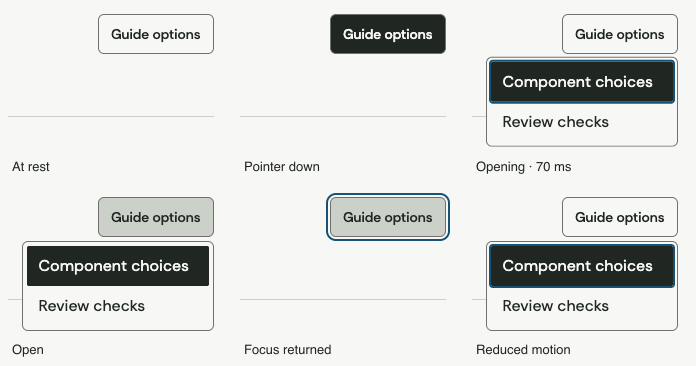
Exercise the same labels, sizes, options and behaviors in each renderer. Check selection, alternate dismissal paths, focus return, event count, rapid reversal, reduced motion and clean unmount. Existing web specimen · Component craft
All design recordsDefault application stack
The Zig example consumes the installed button and switch, and registers Rethink Sans. Current evidence
Platform decision. OpenBoa app clients use Vercel Native SDK (vercel-labs/native) as their default stack. Start the first app component in the native adapter. The website and browser documents use the web adapter in Next.js or Vite. An embedded WebView is a deliberately declared web surface inside a native app. Upstream repository
Native SDK compiles application logic and views into a native executable. Its model supports typed messages, state updates and effects. The SDK is experimental and its platform matrix describes different levels of support. The upstream release inspected for this design was v0.11.1. Record the exact supported release again when qualifying the first build. Versioned release · App model · Platform support
How a project uses it
| Boundary |
In the first decision or record screen |
Owner |
| Shared input |
A stable pattern ID fixes the required labels, state, typed values and recovery cases. The same token revision supplies palette, font files and dimensions. |
Yogurt catalog and foundations |
| Native presentation |
The adapter exposes a Native markup composition or supported SDK view for its documented parts. It translates a selection into a stable action ID and gives the operating system appropriate accessibility information. |
Yogurt native adapter |
| Product model |
The host provides the actual record, allowed choices, revision and receipt. Its typed update handles a message and its effect boundary determines whether anything is sent. Opening, navigating or canceling a choice only changes presentation. |
Consuming client |
| Web presentation |
The site's Next.js or Vite app renders the same task through the web adapter. A separately declared web view records its host navigation and return-to-native behavior. |
Yogurt web adapter and embedding host |
Choose Native markup and SDK controls appropriate to the pinned version. Keep React DOM dependencies, Tailwind and registry installers out of the native artifact. Bundle the needed Rethink Sans resources and selected assets. Resolve the primitive palette once at build time for the target; a button should not import the emoji collection. Component authoring · Component catalog
First control on a native target
Take a button, icon button, text field or switch after its design revision is accepted. Start with the named action to measure its resting size, single activation, focus, pending state and retry against an SDK-native baseline. A product’s typed handler supplies the result. The native choice and test cases are written into that component’s implementation plan. Component library
Later overlay fixture
Use a secondary-action menu on a revisioned item. The input contains a stable action key, label, availability and destination for focus after dismissal. Open it, choose once, dismiss without choosing, repeat quickly and unmount while open. Check that the selection reaches the host once and dismissal never emits an action. Run it with a keyboard, pointer, reduced motion and the OS accessibility inspector.
The SDK’s versioned menu example documents a specific Tab sequence. The first Tab can dismiss to the trigger and the next advances through ordinary controls. The existing Yogurt DOM specimen continues through document order on dismissal. Each target should make leaving predictable and keep a hidden menu out of the focus path. Record the actual sequence on the installed target. Native menu example at v0.11.1
What earns platform support
Start with a named desktop OS and device. Compare a small SDK-native baseline and the Yogurt fixture with identical content, build mode, window, display refresh rate and input sequence. Record cold start to usable UI, peak resident memory, input to first visible response, frame times and dropped frames under repeated interaction. Include trial counts and distributions. Agree tolerances against that named baseline before evaluating the candidate. Pair the trace with an actual screen recording, accessible state, focus sequence and callback count. Qualify another OS or mobile surface on its own supported host configuration. Native testing
The native package, qualified OS targets and measured performance each need their own delivery record. The current kit includes source assets, tokens and an offline web example. Renderer evidence
All design recordsComponent inventory
Browse 125 components · Install an individual entry · Current renderer evidence
Choose the task pattern first, then the smallest control that carries the intended meaning. Each family below has an owning spec. Its exact implementation and per-target availability are tracked separately for the current kit. A platform may use a native presentation while preserving the same input, outcome and recovery.
| Family |
Parts to design |
Decision the consumer makes |
Specification |
| Foundations and layout |
Text, heading, icon, stack, inline group, divider, surface, grid, scroll region |
Does this relationship need spacing, a reading edge, a distinct surface or a scroll region? |
Type and layout · Art direction |
| Actions |
Text button, icon button, button group, loading and unavailable action |
Name the action. Give one consequence primary emphasis and supply a genuine pending result. |
Action |
| Forms |
Field, label, help, error, text input, search, textarea, select, combobox, checkbox, radio group and switch |
Text or constrained choice? Independent choices or one selected value? Immediate setting or a draft awaiting submit? |
Labeled value · Searchable choices |
| Navigation |
Link, breadcrumb, tabs, segmented view, navigation list and paging |
Use a destination for a route, a tab for a panel and a value control for selecting an input. |
View change |
| Disclosure and overlays |
Disclosure row, action menu, popover, modal dialog and adaptive sheet |
Does the person need details, a secondary command, or a blocking decision? State the dismissal and focus destination. |
Menu · Dialog · Disclosure and popover · Existing disclosure |
| Collections |
Search and filter bar, count, navigable row, list, selection and empty result |
Keep a stable row ID, recovery path and distinction between empty source and no matches. |
Find records |
| Feedback |
Field error, status, inline notice, skeleton, progress, toast and full result |
Choose persistence and announcement from the impact of the event. A blocked task needs a persistent recovery. |
Task feedback |
| Display and data |
Record facts, source and as-of time, data table, chart, legend and text equivalent |
Expose units, coverage and missing readings honestly across visual and accessible representations. |
Observed values · Record |
| Decisions and receipts |
Context, consequence, bounded choice, original receipt and recovery |
A review may send an authorized action. Following the receipt reads the existing request. |
Decision · Receipt |
| Identity and conversation |
Project mark, agent avatar, gaze, message, activity, reading anchor and transcript |
Identify the speaker, preserve reading position and display only observed reply state. |
Agent · Reply |
Find a component
Find an entry by its Yogurt name, ID or family. Four editable blocks build settings, collection, decision and conversation screens from those components.
Accepted visual basis
Open Four controls in one saved view for the Button, Icon button, Text field and Switch intent/spec pairs. Operate them together in the working study. The table below describes the earlier kit’s implementation inventory.
The original ten static patterns
| Stable component ID |
What the product supplies |
What to observe |
Owning change |
button |
Label, availability, pending state and one callback |
A completed activation fires once. A canceled press fires zero times. |
U08A |
search-field |
Label, query, reset and current result generation |
The label persists during typing. Clearing restores the collection and focus. |
U08B · U11A |
select |
Stable option IDs, labels and the current key |
The selected value agrees with its label across filtering and option replacement. |
U08B |
disclosure-row |
Named summary and the permitted detail |
Visible expansion, accessible state and return focus agree. |
U09D |
status |
Current observed condition and its subject |
A word explains the condition on either surface and meaningful changes are announced once. |
U10A |
result |
Cause, available recovery and the related request |
Empty, filtered and failed conditions have distinct next steps. |
U10A |
record-facts |
Subject, authorized facts, original time and coverage |
The time stays with the observation. Revoked values leave visual and accessible views together. |
U12A |
confirm-dialog |
Consequence, current revision, allowed choice and fallback focus |
Cancel sends nothing. Explicit confirmation emits one valid tuple. |
U09B · U13A |
receipt |
Original request ID, authority to read it and its observed result |
A lost acknowledgement stays uncertain. Looking it up creates zero new business requests. |
U14A |
action-menu |
Trigger, permitted item IDs and host focus destination |
Selection returns one ID, dismissal emits zero and the layer releases focus. |
U09A · U16A native |
The workspace patterns compose the roster, project home, source library and operational views. Components and blocks record the complete SDK inventory. The pattern catalog records support for the original static patterns.
A publishable component entry
Describe its purpose and when to choose a neighboring control, the named anatomy and stable values, controlled/uncontrolled behavior where supported, keyboard and touch behavior, active/disabled/pending and interrupted states where meaningful, and how focus or source state recovers. Include English labels, light/dark token references, accessible output, a working example and evidence for each target claimed. Calendar uses local civil dates and named bounds. Command searches enabled actions by stable ID. Both have keyboard examples in the gallery.
Current component support · Machine-readable task catalog · Choosing the component foundation
All design recordsWorkspace patterns
Agent workspaces keep the current teammate, conversation and computer state in view. Project workspaces keep a project's chats, sources and decisions together. Both use the same controls, with the original OpenBoa silhouette for agents and the product's own mark for projects.
Sidebar compositions supply shared panel behavior with editable agent and project examples.
Browse the patterns
| Task |
Yogurt entries |
Behavior to try |
| Find a teammate |
AgentWorkspace, AgentRow, AgentAvatar |
Search the roster, recover from no matches, change agents and return to the original draft. The silhouette has a transparent surround. |
| Set an agent's role and scope |
AgentProfile, ProjectSettings |
Compare the two original silhouettes, edit the working instructions or memory scope, then save or discard the same agent's draft. |
| Check an agent's work |
RuntimePanel, AgentWorkspace |
Inspect availability, watch, request control, return it or recover from a lost connection through host-provided actions. |
| Work in a project |
ProjectWorkspace, ThreadRow |
Switch projects and browse each project's chats, sources and instructions. A draft and the context of selected sources follow their owning project. |
| Start or continue a conversation |
Composer, VoiceControl, Message, WorkEvent, Transcript |
Add or remove a source, choose an available tool, send or stop. The thread can carry artifacts, activity, handoffs and local review controls. |
| Find a source or delivered result |
ArtifactLibrary, ResourceRow, Attachment |
Search typed entries, filter, pin, open a preview and clear the filter. Unavailable preview contents are described in words. |
| Review work that needs a person |
AttentionInbox, DecisionReview, Receipt |
Filter unread and attention items. Read the reviewed revision, cancel or explicitly approve, then find the matching receipt. |
| Manage routines and connected capabilities |
OperationsLibrary, RoutineRow, RunInspector |
Inspect a skill, connection or schedule. Open a run's steps and result. Retry or cancel when enabled by the host. |
| Share a project |
ProjectAccess, ConfirmDialog |
Inspect roles, request an invite and confirm a member removal against the current revision. |
Host responsibilities
The patterns use the shared Yogurt tokens. The gallery exercises local drafts and typed sample states. Full template marketplaces, organization charts, publishing, account enrollment, connector credential screens, live calls and computer streaming depend on product-specific service contracts. The consumer supplies the state, authorization and result behind each available action. A hosted product may show additional signed-in screens and entitlements. Install the patterns · Target evidence
All design recordsDesign system rules
OpenBoa products share Yogurt tokens, basic components and common interaction behavior. Each product combines those parts for its tasks, information and actions.
Required reuse
| Layer |
Product requirement |
| Tokens |
Use the shared token for color, typography, spacing, corner radius, elevation and motion wherever the design system defines the role. Bind light and dark to semantic roles. Use project values for data and layout constraints, such as a document's reading measure or the width needed for a project column. |
| Basic components |
Use the supported Yogurt component for an interaction that already exists on the target. A button, field, tab, dialog or menu should keep the shared semantics, focus and states. Supply the product's labels, data, icons and callbacks through its public API. |
| Common behavior |
Reuse the shared implementation when it has the same purpose and state contract. This includes drawer dismissal and focus return, selection, loading and accessible feedback. Product code supplies route selection, permissions and effects. |
| Product composition |
Own the screen's layout, content hierarchy, navigation groups and available actions. Combine the shared parts to express the task. An editable preset is a starting point when a known composition fits. Its project-specific details stay in the product. |
When a role or state is missing, assemble the closest supported parts and record the gap. Extend the existing shared part when the missing behavior belongs to its contract. A new entry earns its place when it serves a distinct task or interaction.
When a composition becomes shared
Review real examples from the projects that use the same function. Compare inputs, normal use, narrow layouts, keyboard operation and failure recovery. Extract the common input and behavior and keep project context in slots and callbacks. Supply an editable preset when the whole combination recurs. Test the shared result with its actual consuming examples and record which renderers support it.
Design review checks the reuse decision and the screen. Run yogurt check against the project's declared presentation paths. That command checks detectable source conventions such as the SDK pin, adapter, literal colors, palette references, typography and known component imports. Review identifies duplicated behavior and inaccessible combinations that require inspection of the screen and its implementation. Consumer check
Lessons applied in Yogurt
- The sidebar examples share collapse, modal dismissal and focus behavior. The project chooses a directory, agent roster or another composition using the same shell. A fixed sidebar would require each app to work around its fields and menu structure. Sidebar composition
- A profile avatar and an agent silhouette convey different identities. The generic avatar's background covered the space around the agent's silhouette when they used the same style. Shared reuse must carry the same meaning as well as comparable geometry. Workspace patterns
- Two projects can have a source with the same local ID. The common project view preserves project scope and leaves authorization and selection with the host. Workspace verification
All design recordsComponent craft and motion
A person should be able to see what their input did, where the interface moved and when it is ready for the next action.
| Interaction |
What to verify |
| Select |
Keep the trigger value, selected option and accessible state in sync. |
| Segmented control |
After rapid changes, match the visible indicator and content to the last selected key. |
| Pending action |
Preserve the label footprint and reflect the result the host actually reports. |
Review the frames a person actually sees
| Moment |
Look for |
Reject the candidate when |
| At rest and on focus |
One readable action, an accessible name, predictable target and visible focus on both surfaces. |
The name changes on focus or the only visible focus treatment disappears into its surroundings. |
| Press and release |
Feedback begins at the control under input. The label stays readable. A canceled press has a distinct outcome. |
Text loses contrast, size jumps or an action fires before cancellation is known. |
| First and middle frames |
The menu is anchored, readable over the underlying page, and moves in the direction that explains its arrival. |
A surface flashes, text shows through, clipped content becomes clickable, or a selection indicator points at a different state. |
| Interruption |
Repeat input as the transition starts, reverse halfway, then pick a different destination. |
An obsolete animation or async result wins, a hidden layer takes focus, or the host sees duplicate actions. |
| Settled and dismissed |
Check focus, access tree, state and event count. Watch exit at normal speed, including deliberately immediate dismissal. |
A clean final screenshot hides a wrong callback or leaves the keyboard in a removed element. |
| Reduced motion and reflow |
Repeat with reduced motion, a narrow or enlarged view and a long label. Keep stable on-screen and spoken meaning. |
The state depends on movement or color, text clips or reducing motion removes feedback. |
Measure normal-text contrast against the actual background (4.5:1 for ordinary text, 3:1 for qualifying large text). Inspect non-text contrast where a visual boundary or state cue is required. Capture the adjacent colors actually present, including pressed or intermediate frames. Use native accessibility inspection on a native renderer. WCAG text contrast · WCAG non-text contrast · WAI-ARIA interaction patterns
What a component review contains
- Name the kit revision, current behavior, candidate, renderer, input device and interaction. List the supported states for this component. A checkbox and a receipt do not have identical state lists.
- Watch a normal-speed capture from real input to settled state and return. Keep a frame strip of rest, press, first change, midpoint, settle and dismissal plus the reduced-motion replay. For a static element, capture actual sizes, contrast, semantics and reflow instead.
- Record the selected identity, focus destination and callback count beside the film. For native, include an installed screen and the OS accessibility hierarchy. For a performance claim, include a same-device baseline and the measurements.
- Write the visible defect or the exact observed result. Repeat the identical input after a repair. A new artifact or a different renderer needs its own result.
The current action-menu sample has a recorded four-pixel, 140 ms opening and immediate dismissal. Its pressed label measured 14.47:1 in the recorded fixture. It supplies an example with a film and frame strip. The broader bar above includes rapid reversals, alternate themes and separate native observation, each subject to its own review. Web interaction · Frames · Change spec
All design recordsMotion
Use motion to make input, changes and current work legible. The component motion catalog records the intended treatment for each component and editable block. Check renderer evidence for observed behavior.
| Interaction |
Yogurt treatment |
| Press and result |
Keep the target and label steady. Show pending and success when the host reports them. |
| Direct manipulation |
Keep the visible value coupled to the pointer or keyboard input. Apply settling after release. |
| Choice and navigation |
Change displayed content and accessible selection together. A rapid reversal follows the latest input. |
| Layers |
Reveal the surface at its anchor. Set focus when it opens and restore focus when it closes. |
| Conversation |
Preserve draft and scroll position. Use text to report the host's current state. |
| Reduced motion |
Keep meaning, focus and input feedback available with travel and repeated animation removed. |
Eye and body motion
The current avatar uses six authored clips for its body and two eyes. Direction, posture and rhythm distinguish the states.
| State |
Timing and gesture |
| Ready |
An 11.16-second loop holds its stance, gives a soft double blink, then checks one side and later the other. |
| Thinking |
Over 5.64 seconds the eyes pause overhead, travel to the right edge, disappear during a centered turn, and return from the left. A brief squint leads into a slightly asymmetric upward look. |
| Working |
In a 6.16-second loop the round eyes read in quick passes with short resets to the start of each line. The body stays low and close to level as it follows the eyes across. |
| Waiting |
In a 6.42-second loop the wide-open eyes lead the body as it slides and leans to the left and then to the right. Each side holds for just over a second before the character blinks and looks ahead. |
| Blocked |
Over 4.32 seconds a short flinch gives way to a droop, followed by a slower second sink and a long hold. The two X eyes appear during the first drop and stay low. |
| Finished |
Over 4.27 seconds a taller spring and a smaller rebound share a distinct landing between them. A closed-eye frame leads into two rounded arches with the stroke weight of the Blocked eyes. The arches rise at both peaks and move with the sway at the same weight. |
Waiting uses the widest roll and Thinking holds the highest gaze. Blocked settles low, and Finished compresses at the launch and landing of each jump. Kai moves slightly more than Sol. Both have a restrained scale at 32 points and below. A state change blends for 112 ms from the pose already displayed. Reduced motion holds a representative body and face pose and preserves the state label. The original open pair is used for archived portraits.
The web implementation interpolates the shared poses. The Zig renderer samples the same authored poses and reuses stable path data.
Agent family
Open the family gallery to play the same six performances across fifteen silhouettes and forty-five fitted notches. Select a silhouette to see all of its notch placements at 96 px. The roster renders every placement at 24 px. The shared palette provides 26 fill options with at least 4.5:1 eye contrast.
The SVG inventory defines each outline and its eye center. Animation fits set travel, tilt and gaze ranges for each silhouette. The fit reuses the same durations, motion curves, eye outlines and phase boundaries across notch positions and colors. Kai and Sol keep their existing authored profiles.
Use a registered shape-and-notch ID such as round-star-right. The 1,170 geometry and color combinations are renderable candidates. An identity counts toward assignment only after the palette review confirms it is distinguishable at roster size.
All design recordsYogurt product intent
An OpenBoa product team should be able to start with what a person came to do and build a recognizable, usable screen. Designers, engineers and agents need one source for how OpenBoa looks, speaks and behaves, from a company signature to a receipt after a lost connection. An independent product should be able to pin and use that source on its own.
Recognizable success. A new team can use Yogurt to design a revisioned decision or a partially observed record. From the same Yogurt revision, independent projects find the appropriate patterns, English language and supported components or identify a gap on their target. A reader can tell who is speaking, what is known and which action is available. Each project keeps its own facts, commands and release dates.
Convincing failure. Two screens share a font and rounded corners, yet both celebrate an unconfirmed result, hide the source of their data, or use an agent mark as the company logo. A gallery of screenshots alone cannot carry the system into a working client.
Retained decisions. OpenBoa owns the identity, shared conventions and component support claims. Each product owns its authority, data model, user tasks and production adoption. App clients use Vercel Native SDK as their default stack. The main brand color is the original symbol’s Ink blue, slate.750 (#175174). The production web behavior provider remains under review.
Product specification · Visual direction · Working product examples
All design recordsYogurt product specification
Draft revision 2. Paired with the product intent. This design describes what a team can use today and how the system should grow into distributable client libraries.
The product boundary
| Observable outcome |
Owning design |
Independent witness |
| Recognize the company, a project and an agent, and read the right tone for the occasion. |
Brand signature, voice, art direction |
A reader identifies all three entities in the introduction, project header and roster, including a narrow screen. |
| Compose a legible, purposeful interface from one numbered palette and type family. |
Colors, layout, component inventory |
Someone completes an action by keyboard and touch on both surfaces. Actual values and controls resolve to the same kit. |
| Turn a task into a complete screen, including unavailable, interrupted and recovered states. |
Decision journey, record journey, agent response |
Product fixture, visible state, accessible output and command ledger agree. |
| Reuse the system in a named web or native host. |
Web, native |
An independent observer operates the declared host and records the actual renderer and version. |
| Discover, validate, pin and roll back the same design across tools. |
Guidance, quality, adoption |
Two independently pinned consumers can prove their own task and restore the previous release. |
Default app stack
OpenBoa app clients use Vercel Native SDK as their default. The first app surface uses Native markup and a typed host message. Next.js and Vite consume the web adapter for the website and deliberate WebViews. The common catalog and token source sit above both adapters.
First reviewable slice
The owner selected the 8 px corners in the first-four study and authorized extending its type, spacing and interaction to the full inventory. The component library specification records the sources and the two renderer boundaries. Use the SDK gallery to inspect the implementation. The original Upright 9 ink blue, slate.750, anchors both targets.
Ownership, failures and delivery
Yogurt supplies visual roles, words, interaction contracts, renderers and examples. Products decide permission, truth, scope, command execution and their own release. A missing adapter remains visible in tooling. An interrupted consumer upgrade keeps the prior selection. A stale record or unknown command outcome follows its owning task contract. Web and native evidence must name the actual target.
The complete scope and acceptance witnesses are indexed in the design portfolio. Current evidence identifies the previous working material and decisions still requiring a finished implementation and independent result.
All design recordsDesign and delivery status
The SDK gallery, installation guide and target evidence describe the current local implementation. The earlier pilot rows below retain their original scope.
The portfolio contains draft designs with individual revision numbers. The source includes earlier brand work, editable assets and a web pilot. The engineering records describe intended future evidence. A table entry, catalog ID, prerequisite or draft design is insufficient for changing a consumer or making a runtime support claim.
| Subject |
Current local evidence |
Next observation for the wider claim |
| Company and voice |
Upright 9, B2 master and outlined 760 wordmark, Rethink Sans, approved English company and repository wording. |
Review an actual consumer surface at its shipping size. The owner selected the original symbol’s Ink blue, slate.750 (#175174), as OpenBoa’s primary color. Brand guide |
| Assets |
Fifteen agent silhouettes with 45 animated notch variants, Kai and Sol references, three project marks, and a catalog of 3,831 general emoji with 104 optional peach face finishes. Family gallery |
Curate the distinguishable fill combinations and inspect roster-size pairs before counting 1,000+ usable identities. Source library · Emoji |
| Foundations |
One numbered palette, Rethink Sans, three neutral materials and light/dark role bindings generate CSS and Zig. |
Observe additional targets and real consuming products. Brand contract |
| Patterns and component entries |
125 SDK components and 14 editable blocks. Workspace patterns cover the agent, project, conversation, results and operation surfaces. |
Test product-specific effects, authorization and receipts at adoption. Gallery · Workspace patterns |
| Motion |
An actual local web-menu recording, a six-frame strip and an alternate reduced-motion path. The sample uses an immediate dismissal. |
Review remaining dark, interruption and target cases under the new standard. Menu · Quality benchmark |
| Renderer and distribution |
Individually importable web entries and editable Vercel Native templates from one local package. |
Qualify each additional OS, physical mobile input and production consumer. Verification |
First-four design record
Four basic controls each have a draft intent and spec. A working browser study lets the owner judge the four together. The local study uses an in-memory saved view and a simulated save. The SDK evidence record now covers the tested web hosts, registry and native fixture.
Moving a change forward
- Find the intent and paired design, then identify the engineering criterion in portfolio.json. Trace its predecessor changes and any accepted, reusable evidence.
- Review the exact design content and record the decision and digest. Scope the implementation plan to the actual base, writer, target and failure/recovery case before editing runtime code.
- Verify on the stated target, record the candidate and independent observation, and update support only for the cases that passed. A consumer upgrade has its own pin, fixture and recipient result.
The owner selected the 8 px control on November 20. The local SDK implements that basis. Product installation and publication are separate decisions. The first slice is described in the product specification. A later Meatball project descriptor is an independent adoption decision.
All design recordsHow projects use yogurt
A team can ask “How does someone review this decision?” and find a screen pattern, its building blocks, English wording, failure behavior and a way to check the result. A project can use the same material whether its implementer is a designer, an engineer or an agent. Open the working playbook
A product brief goes in. A screen can be built from the answer.
- The product owner identifies the person, their task, the facts the product can observe and the effect of each available action.
- A person selects a pattern in the guide or an agent reads its stable ID. Each entry supplies anatomy, component references, state and recovery rules, copy guidance, keyboard behavior, target availability and observable acceptance cases.
- The client maps its own projection and commands to those slots. Browsing a screen reads data. An explicit permitted action is what asks the product to make a change.
- Build with the adapter supported for that target. Exercise the same scene with a realistic fixture, a failure and recovery. Store the product-specific result with the product’s intent.
A decision flow can use pattern.review-decision followed by pattern.track-request. The host supplies the decision scope, exact revision, permitted alternatives and original receipt. Yogurt determines how the consequence, pending state and recovery read on screen. A record view can use pattern.inspect-record with its authorized projection, coverage and as-of time. When permission is withdrawn the screen clears cached values. When an authorized record is stale, its original timestamp stays visible. Consumer journeys
The design handbook and canonical portfolio connect these decisions to feature and engineering specifications. Read the visual direction and component foundation before selecting a new runtime dependency.
Keep one owner for each source
| Responsibility |
Edit here |
What consumes it |
| Brand and language |
Design sources, approved terms, numbered palette and UI roles |
The guide, SDK, brand CSS and Native theme |
| Design contracts |
Catalog and the paired design records |
The SDK, pattern lookup, guide and plugin |
| Public rendering |
Web and Native adapters, composition recipes and styles |
Product apps, the guide and examples |
| Guide presentation |
Guide sources, its browser runtime and the design records |
Hosted and offline guide, including the generated handbook |
| Product examples |
Examples |
The playbook, developers and design review |
| Installation and agent workflows |
Consumer CLI, agent plugin, installed design entry |
Products and their agents |
| Verification |
Checks, evals and the maintainers’ evaluation skill |
CI and Yogurt maintainers |
| Build and release |
Maintainer entry points and release records |
Maintainers and pinned SDK consumers |
The SDK build writes packages/web/dist/ and registry/ from the renderer sources and component catalog. Update the source and regenerate the output together. The guide owns its HTML sources in apps/guide/pages/ and its browser scripts in apps/guide/runtime/. The site build keeps the existing routes. The guide generator writes standalone galleries to apps/guide/generated/, and the SDK includes them for offline use. The SDK install guide and plugin instructions describe the pins each product selects.
The Web source layout separates foundations, controls, compositions and identity. Catalog IDs resolve to the implementation during the build. The maintainer tools divide generation by output owner. The hosted guide build stages the same site for hosted and offline use from the authored pages, generated pages and shared assets.
Use AGENTS.md when working on Yogurt itself. An adopting project can generate a short instruction index from its own binding. Scope and verification for the guide move
The original brand assets and copy have one editable owner. Each role color refers back to the common palette. A public token format or native theme can be generated from that source. The Design Tokens Community Group documents typed values and references for exchanging tokens across tools. Format specification
Design the library from complete tasks
| During design, someone needs to choose… |
Default decision to document |
| Which layer to start with |
Start from a task pattern. Use components directly when the task genuinely differs. Tokens supply the shared appearance at either level. |
| Which action deserves emphasis |
Give the decision one clear primary action. Use a named secondary action for a reversible alternative. |
| Inline feedback, a toast or a dialog |
Keep actionable errors by their source. Use a toast for brief nonblocking feedback. Use a dialog when the person must make a consequential choice before continuing. |
| Which screen states to show |
Derive the list from the product’s actual inputs. Distinguish empty, filtered, pending, denied, stale and unknown wherever those conditions have different consequences. |
| How far to follow the platform |
Preserve the meaning, copy and recovery across targets. Let focus, menu presentation, back navigation and touch behavior follow the platform. |
Build forms and fields, navigation and overlays, collections and detail views, feedback, data visualization and agent conversations in the order working screens need them. A component entry should show when to choose it, its public inputs, real variants and interaction on each supported target. A pattern entry supplies hierarchy and the order in which people encounter those components.
Give each design tool a job
Keep reference boards, generated alternatives and Stitch or Figma prototypes in exploration until an owner chooses a direction. Translate the chosen direction into tokens, named states and a working example. Where a Figma library is useful, publish matching variables and component variants together with their yogurt IDs. An agent can then resolve a frame or component name against the same version an engineer builds. Store the state fixtures beside each working adapter and render them in the guide. A motion rehearsal exercises that actual control. Figma library publishing · Storybook component stories
Bind once per project
The proposed release manifest identifies a compatible version of the rules, tokens, adapter artifacts and notices, with immutable digests and per-target support. Record the accepted release once per consumer. A web-only project may derive that binding from its package lock if the guide, skill and checks can resolve the same manifest. A mixed-target project can declare surface paths in yogurt.config.json and generate a shared yogurt.lock for its builds and agent tools. Never maintain two independent version selections.
An intent refers to one or more pattern IDs. It keeps the project-owned state mapping, permission source, effect, and test case. The optional agent skill reads the installed version. A developer can use the same catalog and check without installing a plugin.
Build app clients on Vercel Native SDK by default. The native stack decision describes the markup, typed host messages and first native fixture. Build web clients on the same React DOM/CSS adapter for Next.js and Vite. Support a deliberate WebView as a web surface and test its return to the native host. For native-rendered views, map the common contract to the Native SDK and its supported native-rendered controls. Check keyboard and accessibility on that renderer. One adopting team can upgrade independently of the others. Rehearse the changed screens before switching its pin and retain the preceding working release. Native SDK · Adoption and rollback
Decide what can be enforced
- When authoring, read the selected pattern and the project’s available adapter. Use its implementation and terms. Report a gap where the implementation is missing. Visual judgment remains reviewable.
- Before a release, exercise token and export integrity, accessible names, keyboard access and focus return. Capture the opening, press, mid-transition, settled state and close at normal speed. Show the reduced-motion path too. A browser screenshot documents the browser renderer. A native claim needs a running native screen, its accessibility tree and a performance comparison on the target device. Dialog keyboard behavior
- In consumer CI, run repeatable checks against its accepted version and declared presentation sources. Check references, supported targets, token bindings and accessible behavior. An intentionally broken fixture should fail before a project makes a check required. Keep original artwork, user content and generated token files out of a source-color lint. The product owner decides what a state means and whether the resulting client is fit to serve.
Improve the system from a real screen
Launch with a task each product already needs. The first pilot should show that a fresh implementer can find the right pattern, build the web version, identify a missing native capability and supply evidence against the product’s own facts. The guide should name each platform as it passes. Verify a pinned install and one rollback in both independent consumers before calling distribution ready.
A wrong business state goes to the product. A shared design gap goes to Yogurt with a minimal reproduction, the affected renderer and the expected experience. After Yogurt prepares a fix, each affected consumer replays the scene against the candidate and decides when to adopt it.
All design recordsDesign ownership
A domain groups related capabilities. The area named on an intent owns its behavior. Changes are ordered only by their recorded predecessors.
Brand expression
- Company identity (
identity). Company signature, editorial attribution and the relationship to project and agent identities.
- Language and naming (
language). English voice, terms and truthful interface wording.
- Artwork and agents (
artwork). Individual assets, repertoire, agent silhouettes and eye expression.
System foundations
- Design foundations (
foundations). Shared values, accessible roles, type and layout.
- Data visualization (
data-visualization). Presentation of authorized series, values and missing coverage.
Product interface
- Components (
controls). Accessible behavior of individual controls and their immediate compositions.
- Product patterns (
patterns). Joined screen states that answer a complete task, including product-owned recovery.
System delivery
- Platform adapters (
renderers). Packages for the web and native platform, including compatibility evidence.
- Guide and authoring (
guidance). Discovery, examples and versioned guidance for designers, developers and agents.
- Interaction quality (
quality). Independent observations of appearance, motion and accessibility.
- Consumer adoption (
adoption). Distribution, pinning, checks, upgrades and recipient feedback.
Portfolio · Machine-readable areas and changes
All design recordsYogurt design records
Use Yogurt on web and Zig · Live components and brand tokens
Start with the visual direction when composing a screen. Start with a task intent when changing the shared system. Each promise has a paired design and one or more reviewable engineering changes. Product teams can use the current guide while proposed changes move through review.
The Yogurt skills proposal covers product decisions, implementation, review, GitHub feedback and evaluating skill quality and model cost.
Read the design handbook in a browser · Art direction · Component foundation · Default native stack · Component inventory · Motion and craft
Product intent · Product specification · Area owners · Machine-readable portfolio · Existing evidence and open decisions · Repository and distribution
The first component review covers a button, icon button, text field and switch. Operate the scene · Read the four intent and spec pairs
Brand expression
System foundations
Product interface
System delivery
Maintain the browser edition
The Markdown files and portfolio are the editable design sources. Install the pinned generator with npm --prefix apps/guide/tooling ci and regenerate the handbook with npm --prefix apps/guide/tooling run build:handbook. The generated reader works directly from disk. Guide source
Journeys
All design recordsSave the name I just edited
Draft intent r1. A person renaming a view needs to see when a draft becomes its saved name. The button describes that single change. “Save name” leaves the immediate date preference independent.
Success. On release, the edited name stays readable, the action holds its place while saving, and the saved view shows the confirmed name. A second press during the same request reaches the host zero additional times.
Failure worth catching. A button looks finished when a timer expires while the saved record still carries its old name.
The consumer supplies the intended action, availability and confirmed outcome. Yogurt owns the appearance and activation contract. Paired spec · Shared study
All design recordsButton
Draft design r2 · parent save the name · U08A. Proposed item @yogurt/button. Public inputs are a visible label, emphasis, availability, pending state and an activation callback. The product owns the save operation.
Form. Give the single primary action a 36 px minimum desktop height, 12 px of horizontal padding and 14/20 Rethink Sans 500. Start with an 8 px corner. Compare 6, 8 and 10 px using the same label, font, height and padding. The chosen radius must be recorded explicitly before implementation. At coarse pointer use at least 44 px. Let multi-line labels increase the height. Reserve the larger of the resting and pending label widths. Use the shared light and dark roles.
State and input. Rest → pressed → activated → pending → confirmed or failed. Pointer release inside, Enter or Space each use the host’s single activation path. Press then release outside cancels. Disabled actions expose their availability. While pending the control keeps keyboard focus and blocks additional activation. Keep “Saving…” until the host settles. Show “Name saved” only for a confirmed change. A failed save keeps the draft and presents the same reachable action. A clean draft presents an unavailable save.
Acceptance. A keyboard and pointer reviewer measures the button box at rest and while pending. Width drift is at most 1 CSS px. One activation produces one callback, a canceled press zero and repeated activation while pending zero additional callbacks. Reject once and retry. The saved title changes once on success. On an edit made during a pending request the earlier result can update the saved title and must leave the newer draft intact.
Implementation handoff. Expose the same contract to an individual web recipe and a typed native action. A native observer must check focus, accessibility name, callback count and control size in the installed build. The browser drawing is the visual proposal.
All design recordsClear this draft and keep typing
Draft intent r1. A person replacing a view name should be able to clear the current text in one action. The clear sign sits inside the field because its reach ends at that value.
Success. Activate “Clear view name”. The draft empties, the insertion point returns to the field and the saved name stays visible beside it.
Failure worth catching. The icon is visually 18 px and its entire touch target is also 18 px. A missed tap or lost keyboard focus forces a second search for the field.
The product supplies an explicit action name and the target field. Yogurt owns the hit area, focus treatment and activation semantics. Paired spec · Shared study
All design recordsIcon button
Draft design r2 · parent clear this draft · U08A. Proposed item @yogurt/icon-button. Public inputs are a glyph, accessible action name, availability and activation callback. The host decides the destination after an action removes its own trigger.
Form. Center an 18 px icon box in a 32 × 32 px pointer target, 44 × 44 px on touch. Use the existing close glyph geometry. Keep the neutral resting face quiet and bring in a soft 6 px corner surface on hover or focus. Reserve the trailing slot when the glyph disappears so text and field width stay still.
State and input. Expose a button named “Clear view name”. The glyph is decorative to assistive technology. Rest → pressed → cleared uses the ordinary button activation path. Hide the clear action for an empty value. Return focus to the labeled input on activation. A canceled pointer press retains the value. The web entry in a form defaults to a non-submit button.
Acceptance. A keyboard reviewer tabs from the field to the named icon and presses Space. Observe one edit to the empty string, zero save requests and focus in the input. Its empty tab order skips the hidden icon. On touch, a tap inside the target and outside the painted lines must still clear it. Place focus outside the fixture and confirm the page never pulls it back.
Implementation handoff. A native accessibility inspector must expose the spoken action name and one actionable element. Consumers can swap the glyph within the approved icon set and name its actual effect.
All design recordsEdit a name without losing my place
Draft intent r1. A person should always know what they are naming, what is already saved and what they can do when an entry is invalid. Typing creates a draft. Save commits that draft.
Success. “View name” remains visible after typing. An empty submission explains the missing name next to the field. A correction removes the error and preserves the new text and caret.
Failure worth catching. A delayed save replaces the second edit with the first name, or the placeholder disappears with the only explanation of the field.
The product owns validation and the committed value. Yogurt owns the label, value connection, focus and presentation of feedback. Paired spec · Shared study
All design recordsText field
Draft design r2 · parent edit a name · U08B. Proposed item @yogurt/text-field. Public inputs are field ID, persistent label, string value, change callback, optional trailing action, description, invalid state and availability. The host keeps the draft and saved value as separate fields.
Form. Place the 14/20 label at the reading edge. Use a 36 px desktop field with 12 px leading inset, 8 px corners, 14/20 editable text at 400, and a trailing icon with its own target. The field and Save button align on the same baseline with an 8 px gap. Use 16/24 editable text and a 44 px target on touch. The field has a quiet surface fill. Keyboard focus adds a visible 2 px ring, an error adds an inline message, and high-contrast mode exposes the input boundary.
State and input. Empty, populated, focused, invalid and corrected states share one label. Typing, paste and composition update the draft. An IME confirmation must not submit a partial name. On an empty or whitespace-only submission show “Enter a view name.”, associate the message with the input, mark it invalid and move focus there. A nonempty correction removes the error. Only an explicit save commits the current candidate. A host denial preserves editable text and leaves retry reachable. Empty-on-clear alone does not raise an error.
Acceptance. A reviewer compares the input’s accessible name and visible label across every state, then types with the keyboard, clears, submits and corrects it. The validation text is visible and programmatically associated. On 320 px and with enlarged text the next control stays usable. The value survives a rejected save. A response for draft A never overwrites draft B or moves its caret.
Implementation handoff. Use native single-line editing semantics on each target. Verify actual composition, selection, caret and platform text scaling on an installed native host before claiming support there.
All design recordsChange which dates I see
Draft intent r1. A person reading records should be able to hide or show their dates and immediately see the consequence. The preference is independent of editing the view name.
Success. Pressing anywhere on the labeled switch row changes the displayed dates and the spoken checked state together. Reversing the setting mid-motion lands on the most recent choice.
Failure worth catching. The thumb comes to rest on the right after the user switched it off, or an unsaved name is submitted along with the preference.
The host owns the preference and whether it can apply it. Yogurt owns the labeled control, hit area and transition. Paired spec · Shared study
All design recordsSwitch
Draft design r2 · parent change which dates I see · U08B. Proposed item @yogurt/switch. Public inputs are a stable label, boolean checked value, optional description, availability and change callback. Use it for an immediate binary preference.
Form. A 32 × 19 px track leaves a 3 px inset around a 13 px thumb. Moving 13 px puts the thumb at the opposite inset. Keep the track the same size on touch and make the entire label row at least 44 px high. Give the row label the same type as the field label. Position and accessible checked state distinguish on from off. The right end of the track aligns with the group’s trailing edge.
State and input. Use a named switch with a boolean checked state. Space or label activation requests the opposite value once. The first paint shows the current value already at rest. The track reflects the applied value. The thumb reverses from its current position on a second input and settles within 160 ms of the last input. Reduced motion shows the endpoint immediately. The label stays “Record dates” in both states. A disabled switch ignores activation. If a remote host declines a change, restore the confirmed value and give a reason.
Acceptance. A keyboard and touch reviewer operates the label as well as the track. Compare checked state, thumb endpoint and every date cell at each release. A rapid off–on–off sequence ends off with no lingering transition. No activation submits the name. In reduced motion both endpoints differ by 13 px with zero programmed travel time.
Implementation handoff. The desktop web recipe and native adapter consume the same boolean contract. Record the platform switch or equivalent accessible role, spoken value and actual touch target on each shipping host.
All design recordsI01 · Recognize who is signing a surface
Status: DRAFT, revision 2. Decision owner: OpenBoa design-system owner with the company identity maintainer. Source: product intent, revision 1. Paired specification · Recognize the same company across surfaces.
Need
An editor is placing the name of the company beside a project and an agent. A reader should recognize which entity speaks before reading the attribution.
Success and counterexample
Success. Open a company header at its 160 px example width and a project detail at message size. A fresh reader can locate the company signature, the project mark and the named agent in their respective roles.
Convincing failure. A project food drawing or an agent face occupies the company signature slot. An approximation of the nine-dimple mark looks credible at poster size but its outline changes in the header.
Limits
Use the selected Upright 9, B2 proportions and outlined 760 nameplate. The brand owner selected the original symbol’s Ink blue, slate.750 (#175174), as OpenBoa’s main color.
Company signature · upright-9.svg · openboa-lockup.svg · Signature study
All design recordsI01 design · Recognize who is signing a surface
Parent: originating intent, revision 2. Review: NOT ACCEPTED. Design revision 2. Recognize the same company across surfaces.
Requirements
- I01-U01A. Keep the Upright 9 silhouette, the outlined Rethink Sans wordmark at 760 and the B2 relation: 80 symbol units to 60 cap-height units, an 18-unit gap and a 3-unit optical center adjustment.
Constraint. Use the selected Upright 9, B2 proportions and outlined 760 nameplate. The brand owner selected the original symbol’s Ink blue, slate.750 (#175174), as OpenBoa’s main color.
Design alternative to rule out. A project food drawing or an agent face occupies the company signature slot. An approximation of the nine-dimple mark looks credible at poster size but its outline changes in the header.
Changes and joins
| Change and contract |
Proposed writer boundary |
Consumer |
Independent observer |
| U01A · Place the master on a company surface |
design/assets/logo |
Website headers, release credits and company introductions |
A brand reviewer comparing the rendered header with the supplied master |
The change specifications identify their individual predecessors. The scene below checks their joined behavior.
Integrated acceptance
Compare the company header, source master and co-attribution together. On a narrow layout use the dedicated symbol where it fits and preserve an accessible company name.
End scene. Open a company header at its 160 px example width and a project detail at message size. A fresh reader can locate the company signature, the project mark and the named agent in their respective roles.
Current sources and open decisions. Company signature · upright-9.svg · openboa-lockup.svg · Signature study · Delivery status and owner decisions
All design recordsI02 · Know what happened and what to do next
Status: DRAFT, revision 1. Decision owner: OpenBoa design-system owner with the language and naming maintainer. Source: product intent, revision 1. Paired specification · Recognize the same company across surfaces.
Need
An editor needs a short company introduction, a project description and a message following a lost acknowledgement. The writing should sound like one company while allowing the user to act on the actual facts.
Success and counterexample
Success. Read the three project descriptions beside their food names. In a separate interrupted action, a reader can say what was sent, what remains unknown and where to check.
Convincing failure. A clever error says the work is done because the button was pressed. An invented food pun makes a repository description harder to understand.
Limits
Write public and UI copy in English. The product owns observed state and allowed recovery. The brand owner owns company wording, naming and additions to the terms list.
terms.json · Brand voice · Company introduction
All design recordsI02 design · Know what happened and what to do next
Parent: originating intent, revision 1. Review: NOT ACCEPTED. Design revision 1. Recognize the same company across surfaces.
Requirements
- I02-U02A. Keep the company line “Every limit has a shelf life.” and the three maintained repository descriptions in their intended contexts. UI copy names the object, condition and supported next action.
Constraint. Write public and UI copy in English. The product owns observed state and allowed recovery. The brand owner owns company wording, naming and additions to the terms list.
Design alternative to rule out. A clever error says the work is done because the button was pressed. An invented food pun makes a repository description harder to understand.
Changes and joins
| Change and contract |
Proposed writer boundary |
Consumer |
Independent observer |
| U02A · Choose copy from the observed state |
design/content/terms.json |
Brand writers and any client presenting an action or result |
A product editor given the state fixture and the final screen, without the proposed wording |
The change specifications identify their individual predecessors. The scene below checks their joined behavior.
Integrated acceptance
Review one introduction, one short repository description and one denied or uncertain action in context. When the receipt is unavailable, show the uncertainty and the recovery the product actually supports.
End scene. Read the three project descriptions beside their food names. In a separate interrupted action, a reader can say what was sent, what remains unknown and where to check.
Current sources and open decisions. terms.json · Brand voice · Company introduction · Delivery status and owner decisions
All design recordsI03 · Use one palette across the product
Status: DRAFT, revision 2. Decision owner: OpenBoa design-system owner with the design foundations maintainer. Source: product intent, revision 1. Paired specification · Recognize the same company across surfaces.
Need
A theme author needs a color for a status, chart series and agent. A designer should be able to trace all three to the same numbered hue and lightness system.
Success and counterexample
Success. Inspect a light and a dark specimen, resolve every role to an existing primitive and read each state without recognizing its hue. One palette supplies all of the assets.
Convincing failure. A separate chart or character palette copies a nearly identical hex. A dark theme switches the background but leaves muted text unreadable. A framework default silently replaces the primary color.
Limits
The foundation owner owns primitive IDs and role bindings. Keep neutral endpoints within the existing range. The brand owner selected the original symbol’s Ink blue, slate.750 (#175174), as the primary. Theme-specific controls resolve to a numbered primitive with readable contrast.
brand.json · tokens.css · Color in context
All design recordsI03 design · Use one palette across the product
Parent: originating intent, revision 2. Review: NOT ACCEPTED. Design revision 2. Recognize the same company across surfaces.
Requirements
- I03-U03A. Keep hue families at one primitive level. All text, focus, state, series and artwork color roles resolve to one of those values. Preserve gray ramps through near-white and near-black. Keep the existing neutral.0 and neutral.1000 at #FCFCFC and #121212 in this revision.
Constraint. The foundation owner owns primitive IDs and role bindings. Keep neutral endpoints within the existing range. The brand owner selected the original symbol’s Ink blue, slate.750 (#175174), as the primary. Theme-specific controls resolve to a numbered primitive with readable contrast.
Design alternative to rule out. A separate chart or character palette copies a nearly identical hex. A dark theme switches the background but leaves muted text unreadable. A framework default silently replaces the primary color.
Changes and joins
| Change and contract |
Proposed writer boundary |
Consumer |
Independent observer |
| U03A · Resolve visual roles from one numbered palette |
design/tokens/brand.json |
Token exporters, themes, artwork and data series |
A foundation reviewer who resolves the token references and samples rendered foregrounds and backgrounds |
The change specifications identify their individual predecessors. The scene below checks their joined behavior.
Integrated acceptance
Render the same treatment over paper and ink, compare actual adjacent foreground and background values and inspect the provenance of each color. A missing primitive blocks a new export.
End scene. Inspect a light and a dark specimen, resolve every role to an existing primitive and read each state without recognizing its hue. One palette supplies all of the assets.
Current sources and open decisions. brand.json · tokens.css · Color in context · Delivery status and owner decisions
All design recordsI04 · Read and operate the same layout at different sizes
Status: DRAFT, revision 1. Decision owner: OpenBoa design-system owner with the design foundations maintainer. Source: product intent, revision 1. Paired specification · Recognize the same company across surfaces.
Need
A reader switches from a pointer-driven desktop window to a narrow touch screen or increases text size. Labels, facts and actions must stay legible and reachable.
Success and counterexample
Success. Read a long English label at 320 CSS px and with enlarged text. Reach the same action by keyboard and touch, with a visible focus indicator and a stable reading order.
Convincing failure. A second typeface or a squashed font makes the screenshot fit. An ellipsis hides the only differing suffix on two actions. The visible button is larger than its actual clickable region.
Limits
Rethink Sans is the only authored family. The 760 outline belongs to the wordmark. The client owns any locale or platform fallback needed for user-supplied characters.
brand.json · OFL.txt · Type scale · Dimensions
All design recordsI04 design · Read and operate the same layout at different sizes
Parent: originating intent, revision 1. Review: NOT ACCEPTED. Design revision 1. Recognize the same company across surfaces.
Requirements
- I04-U04A. Use Rethink Sans with the existing heading 525, body 425 and UI 550 as the baseline. The wordmark’s 760 stays scoped to its artwork. Use the actual type, line, space, radius, stroke and control tokens.
Constraint. Rethink Sans is the only authored family. The 760 outline belongs to the wordmark. The client owns any locale or platform fallback needed for user-supplied characters.
Design alternative to rule out. A second typeface or a squashed font makes the screenshot fit. An ellipsis hides the only differing suffix on two actions. The visible button is larger than its actual clickable region.
Changes and joins
| Change and contract |
Proposed writer boundary |
Consumer |
Independent observer |
| U04A · Lay out text, spacing and operable controls |
design/tokens/brand.json |
Responsive screens, chart labels and native text styles |
A reviewer operating a narrow viewport and enlarged text with keyboard and touch |
The change specifications identify their individual predecessors. The scene below checks their joined behavior.
Integrated acceptance
Test a long owner name and a three-digit value in the same row. Let them wrap or reflow with the action still available. Verify the hit area separately from the visual size.
End scene. Read a long English label at 320 CSS px and with enlarged text. Reach the same action by keyboard and touch, with a visible focus indicator and a stable reading order.
Current sources and open decisions. brand.json · OFL.txt · Type scale · Dimensions · Delivery status and owner decisions
All design recordsI05 · Recognize the right artwork at message size
Status: DRAFT, revision 1. Decision owner: OpenBoa design-system owner with the artwork and agents maintainer. Source: product intent, revision 1. Paired specification · Recognize the same company across surfaces.
Need
Someone adding a project to a release note needs its food mark. Someone labeling a command needs a functional icon. A person writing a message needs a recognizable emoji.
Success and counterexample
Success. At 16, 24 and 32 px a reader distinguishes the yogurt cup, scored loaf and peppered meatball. A search by name or full Unicode sequence returns the matching original drawing and accessible name.
Convincing failure. The meatball grows a stick, a background-colored patch poses as the notch, or a general emoji silently drops a skin modifier when exported.
Limits
The original project masters, single contour notch and accepted face finishes are selected. The art owner curates additional drawings. The functional icon owner specifies semantics and accessible labels.
emoji.json · README.md · catalog.json · Project emoji · search.svg
All design recordsI05 design · Recognize the right artwork at message size
Parent: originating intent, revision 1. Review: NOT ACCEPTED. Design revision 1. Recognize the same company across surfaces.
Requirements
- I05-U05A. Use the current yogurt cup, scored sourdough and freestanding peppered meatball. Each has one fitted, transparent cut into its exterior contour. Token names in the editable source are authoritative.
- I05-U05B. Functional icons carry one action and can use the bundled icon family. Emoji identify a drawing by its full sequence. The existing 3,831-entry repertoire has 104 eligible expression faces with bright yellow and soft peach finishes.
Constraint. The original project masters, single contour notch and accepted face finishes are selected. The art owner curates additional drawings. The functional icon owner specifies semantics and accessible labels.
Design alternative to rule out. The meatball grows a stick, a background-colored patch poses as the notch, or a general emoji silently drops a skin modifier when exported.
Changes and joins
| Change and contract |
Proposed writer boundary |
Consumer |
Independent observer |
| U05A · Preserve each food mark at small sizes |
design/assets/projects |
Project headers, chat messages and release notes |
An illustrator checking exported marks at 16, 24 and 32 px on both system surfaces |
| U05B · Resolve an icon or emoji to its intended drawing |
design/assets/emoji |
Message galleries, accessible controls and local asset exporters |
A reader finding a drawing by name or sequence and identifying it at actual display size |
The change specifications identify their individual predecessors. The scene below checks their joined behavior.
Integrated acceptance
Review crops on both surfaces, then export an emoji with a joined sequence. Compare its identity, contour and color with the SVG and confirm that a labeled icon is announced once.
End scene. At 16, 24 and 32 px a reader distinguishes the yogurt cup, scored loaf and peppered meatball. A search by name or full Unicode sequence returns the matching original drawing and accessible name.
Current sources and open decisions. emoji.json · README.md · catalog.json · Project emoji · search.svg · Delivery status and owner decisions
All design recordsI06 · Recognize an agent before it moves
Status: DRAFT, revision 1. Decision owner: OpenBoa design-system owner with the artwork and agents maintainer. Source: product intent, revision 1. Paired specification · Recognize the same company across surfaces.
Need
A roster shows many named agents in a small space. A reader should recognize a returning identity even when color cues or animation are unavailable.
Success and counterexample
Success. The same assigned identity retains its outline, fitted notch, fill and name across renders. Kai and Sol retain their original gestures. A working state remains legible with motion reduced.
Convincing failure. A mathematical combination is counted though its notch clips an eye or disappears at roster size. Random placement makes a returning agent look new. Idle animation suggests work has started.
Limits
Fifteen rounded silhouettes form the current set. Three or four sides are a design vocabulary, with only the fitted subset allowed on each silhouette. The art owner approves distinguishable fills and the product owns assignment and activity.
silhouettes.json · kai.svg · sol.svg · eye-motion.json · Agent motion
All design recordsI06 design · Recognize an agent before it moves
Parent: originating intent, revision 1. Review: NOT ACCEPTED. Design revision 1. Recognize the same company across surfaces.
Requirements
- I06-U06A. Keep the 15 distinct rounded silhouettes, Kai’s pinched upper notch and Sol’s shallow lower notch. Each permitted position has a hand-fitted path. Merge visually redundant options before counting them.
- I06-U06B. Use the two eyes as one subtle gesture tied to an observed state. Keep the outline, notch and resting identity fixed. Reduced motion conveys the same activity through text and a stable face.
Constraint. Fifteen rounded silhouettes form the current set. Three or four sides are a design vocabulary, with only the fitted subset allowed on each silhouette. The art owner approves distinguishable fills and the product owns assignment and activity.
Design alternative to rule out. A mathematical combination is counted though its notch clips an eye or disappears at roster size. Random placement makes a returning agent look new. Idle animation suggests work has started.
Changes and joins
| Change and contract |
Proposed writer boundary |
Consumer |
Independent observer |
| U06A · Assign a stable, visually fitted agent identity |
design/assets/agents/silhouettes.json |
Rosters and agent detail surfaces |
An art reviewer using the actual roster and a registry reader resolving saved assignments |
| U06B · Express activity with the eyes |
design/assets/agents/eye-motion.json |
Agent rows, detail views and conversation attribution |
A motion reviewer viewing the same named agent at roster and detail sizes |
The change specifications identify their individual predecessors. The scene below checks their joined behavior.
Integrated acceptance
Compare the current 45 fitted pairs at actual roster size. The illustrative 45 × 23 yields 1,035 candidates. Count a candidate as usable only after it passes the visual and identity checks.
End scene. The same assigned identity retains its outline, fitted notch, fill and name across renders. Kai and Sol retain their original gestures. A working state remains legible with motion reduced.
Current sources and open decisions. silhouettes.json · kai.svg · sol.svg · eye-motion.json · Agent motion · Delivery status and owner decisions
All design recordsI07 · Read a value and understand its coverage
Status: DRAFT, revision 1. Decision owner: OpenBoa design-system owner with the data visualization maintainer. Source: product intent, revision 1. Paired specification · Read a partial Sourdough record.
Need
A person checking a trend wants to distinguish a measured zero, a missing reading and older data. A second person using a screen reader needs the same answer.
Success and counterexample
Success. Given one zero, one missing interval and a stamped observation, the chart and its accessible table agree on the value, unit, gap and observation time.
Convincing failure. A continuous line silently bridges the gap, an empty cell becomes zero or a green mark is the only way to identify a series.
Limits
The client owns measures, units, authorization, coverage and time. Yogurt owns the encoding, text equivalent, legend and layout. Chart roles use the shared palette.
notch-positions.csv · notch-positions.svg · Source library · brand.json
All design recordsI07 design · Read a value and understand its coverage
Parent: originating intent, revision 1. Review: NOT ACCEPTED. Design revision 1. Read a partial Sourdough record.
Requirements
- I07-U07A. Use the same observation records for the graphic and table. Carry units, precision, as-of time and coverage. Provide non-color distinction for series and a reading order for the accompanying values.
Constraint. The client owns measures, units, authorization, coverage and time. Yogurt owns the encoding, text equivalent, legend and layout. Chart roles use the shared palette.
Design alternative to rule out. A continuous line silently bridges the gap, an empty cell becomes zero or a green mark is the only way to identify a series.
Changes and joins
| Change and contract |
Proposed writer boundary |
Consumer |
Independent observer |
| U07A · Present a plot and its textual equivalent |
design/assets/charts |
Chart primitives, table alternatives and detail views |
A data reviewer who reads the source fixture and both rendered representations |
The change specifications identify their individual predecessors. The scene below checks their joined behavior.
Integrated acceptance
Switch surface and narrow the viewport. Compare each plotted observation with the table supplied from the same input. Clearing a revoked series must clear its textual and graphical forms together.
End scene. Given one zero, one missing interval and a stamped observation, the chart and its accessible table agree on the value, unit, gap and observation time.
Current sources and open decisions. notch-positions.csv · notch-positions.svg · Source library · brand.json · Delivery status and owner decisions
All design recordsI08 · Submit only the value or action I intended
Status: DRAFT, revision 2. Decision owner: OpenBoa design-system owner with the components maintainer. Source: product intent, revision 1. Paired specification · Review and recover a Meatball decision.
Need
A person using a form needs to enter a value, choose an option and know when an action is available. The host must receive an intentional edit or activation once.
Success and counterexample
Success. Type into a named field, correct a validation error, then activate a labeled action with a keyboard. Observe the exact value and one callback. Repeating input while pending cannot submit a second command.
Convincing failure. A placeholder disappears with the only field label. A button changes width at the first spinner frame or fires from both keydown and click.
The first four component intents separate an explicit save, a local clear, a draft edit and an immediate preference. Each can be judged against the saved record.
Limits
Yogurt owns control semantics and callbacks. The client owns validation rules, submission, authorization and idempotency. New control families require a real product case.
patterns.json · Controls · components.css
All design recordsI08 design · Submit only the value or action I intended
Parent: originating intent, revision 2. Review: NOT ACCEPTED. Design revision 2. Review and recover a Meatball decision.
Requirements
- I08-U08A. Button, icon button and action groups share visible pressed, focus, pending and unavailable states. An icon-only action has an explicit accessible name. The host chooses the single primary consequence in context.
- I08-U08B. Specify text, search, textarea and select fields plus checkbox, radio and switch. Use radio for an exclusive set, checkbox for independent choices, and switch for an immediate setting. Keep a persistent label and associate help and errors.
- I08-U08C. A combobox edits or filters a value and exposes a related suggestion list. Typed text, active suggestion and committed value are separate states. Choosing a command and choosing a value have different host effects.
Constraint. Yogurt owns control semantics and callbacks. The client owns validation rules, submission, authorization and idempotency. New control families require a real product case.
Design alternative to rule out. A placeholder disappears with the only field label. A button changes width at the first spinner frame or fires from both keydown and click.
Changes and joins
| Change and contract |
Proposed writer boundary |
Consumer |
Independent observer |
| U08A · Activate one named action |
catalog/components/actions |
Forms, toolbar actions and primary commands |
A keyboard and pointer tester observing the host callback counter |
| U08B · Edit and validate a labeled value |
catalog/components/fields |
Forms, search, filters and short single or multiple choices |
A field tester comparing the source model, keyboard order and accessible descriptions |
| U08C · Choose the intended value from a long list |
catalog/components/combobox |
Searchable option pickers in forms and filters |
A keyboard and screen-reader tester who knows the option IDs in the fixture |
The change specifications identify their individual predecessors. The scene below checks their joined behavior.
The first four design pairs provide the first visual review. They refine U08A and U08B at the level of one named control. Their browser study is a design specimen.
Integrated acceptance
Exercise an enabled action, disabled or pending action, empty field, invalid edit and recovered state in one form. Confirm that a failed field retains safe input and its recovery message is reachable.
End scene. Type into a named field, correct a validation error, then activate a labeled action with a keyboard. Observe the exact value and one callback. Repeating input while pending cannot submit a second command.
Current sources and open decisions. patterns.json · Controls · components.css · Delivery status and owner decisions
All design recordsI09 · Move through choices and return to the right place
Status: DRAFT, revision 1. Decision owner: OpenBoa design-system owner with the components maintainer. Source: product intent, revision 1. Paired specification · Review and recover a Meatball decision.
Need
A person needs a secondary command, a different view or a consequential confirmation. Each surface needs the appropriate focus model and a predictable way back.
Success and counterexample
Success. Navigate a secondary action menu, change a tab, then open and dismiss a confirmation. Keyboard and pointer users reach the same destinations and can tell which item or panel is active.
Convincing failure. A menu masquerades as a persistent selection. A menu traps Tab like a modal. A modal closes but leaves keyboard focus behind a hidden panel.
Limits
Yogurt owns choice of control and its interaction. The host identifies the target and its lifetime, permitted commands and fallback focus destination.
Current web menu · Product playbook · patterns.json
All design recordsI09 design · Move through choices and return to the right place
Parent: originating intent, revision 1. Review: NOT ACCEPTED. Design revision 1. Review and recover a Meatball decision.
Requirements
- I09-U09A. The trigger identifies the menu and its open state. Use a supported keyboard entry, arrow navigation and typeahead on targets that implement it. Escape returns focus. Tab provides a predictable way to leave. Record each target’s stepping behavior and anchor the moving surface to the trigger.
- I09-U09B. A modal has an accessible name, context, dismiss path and intentional initial focus. Constrain keyboard focus while open. A consequential action is explicit. A sheet can use the same decision contract on a compact target.
- I09-U09C. Tabs select a panel; links navigate to another location; segmented inputs select a value according to their role. Make the selected tab, heading and accessible panel agree. Secondary views retain meaningful labels.
- I09-U09D. Use a disclosure for an embedded section. A nonmodal popover may contain a related lightweight control. A tooltip supplies supplemental noninteractive text. Essential names and instructions remain visible or accessible without hovering.
Constraint. Yogurt owns choice of control and its interaction. The host identifies the target and its lifetime, permitted commands and fallback focus destination.
Design alternative to rule out. A menu masquerades as a persistent selection. A menu traps Tab like a modal. A modal closes but leaves keyboard focus behind a hidden panel.
Changes and joins
| Change and contract |
Proposed writer boundary |
Consumer |
Independent observer |
| U09A · Open, use and interrupt an action menu |
catalog/components/action-menu |
A row, toolbar or guide that exposes secondary commands |
An interaction reviewer who compares the visible layer, accessibility tree and selection counter |
| U09B · Resolve or cancel a modal prompt |
catalog/components/dialog |
Confirmation flows and sheet presentations on constrained screens |
A keyboard or assistive-technology tester observing focus and the host effect log |
| U09C · Switch the active destination or view |
catalog/components/navigation |
Tabs, segmented view selectors and page-level navigation |
A tester comparing destination, selection, focus and content after rapid switching |
| U09D · Reveal related detail without taking over the task |
catalog/components/disclosure |
Record rows, supporting information, popovers and contextual help |
A reviewer operating the trigger and inspecting focus, expanded state and the revealed content |
The change specifications identify their individual predecessors. The scene below checks their joined behavior.
Integrated acceptance
Interrupt an opening transition, reopen it and remove the invoker in a separate case. Only one surface owns focus at a time. Return to the surviving invoker or the next meaningful host destination.
End scene. Navigate a secondary action menu, change a tab, then open and dismiss a confirmation. Keyboard and pointer users reach the same destinations and can tell which item or panel is active.
Current sources and open decisions. Current web menu · Product playbook · patterns.json · Delivery status and owner decisions
All design recordsI10 · Recognize progress and recover from a failed task
Status: DRAFT, revision 1. Decision owner: OpenBoa design-system owner with the components maintainer. Source: product intent, revision 1. Paired specification · Review and recover a Meatball decision.
Need
A person sees a page load, update or fail. They need to know whether they can wait, retry, fix a field or read a completed result.
Success and counterexample
Success. Display loading, filtered-empty, failed and recovered views from a controlled fixture. A reader can name the current condition and use the appropriate recovery without losing context.
Convincing failure. A spinner lasts forever after failure. A toast is the only place to learn how to recover. An indeterminate request presents a precise completion percentage.
Limits
The product owns progress facts and whether a retry is safe. Yogurt owns placement, announcements and text hierarchy. Motion must not imply confirmation.
Working task states · Component inventory · patterns.json
All design recordsI10 design · Recognize progress and recover from a failed task
Parent: originating intent, revision 1. Review: NOT ACCEPTED. Design revision 1. Review and recover a Meatball decision.
Requirements
- I10-U10A. Use field errors near their source, persistent results when the task is blocked and brief notifications for nonblocking events. Skeletons reserve useful geometry. Label indeterminate progress and include a denominator for known progress.
Constraint. The product owns progress facts and whether a retry is safe. Yogurt owns placement, announcements and text hierarchy. Motion must not imply confirmation.
Design alternative to rule out. A spinner lasts forever after failure. A toast is the only place to learn how to recover. An indeterminate request presents a precise completion percentage.
Changes and joins
| Change and contract |
Proposed writer boundary |
Consumer |
Independent observer |
| U10A · Present feedback that matches the observed task |
catalog/components/feedback |
Inline validation, task results, status messages and progress displays |
A tester observing the visible result, accessible announcements and recovery callback |
The change specifications identify their individual predecessors. The scene below checks their joined behavior.
Integrated acceptance
Run a failure between loading and success. Sample the visible text and spoken status, then recover. An earlier response cannot overwrite a newer state.
End scene. Display loading, filtered-empty, failed and recovered views from a controlled fixture. A reader can name the current condition and use the appropriate recovery without losing context.
Current sources and open decisions. Working task states · Component inventory · patterns.json · Delivery status and owner decisions
All design recordsI11 · Find an item and recover from no matches
Status: DRAFT, revision 1. Decision owner: OpenBoa design-system owner with the product patterns maintainer. Source: product intent, revision 1. Paired specification · Review and recover a Meatball decision.
Need
A person searches or filters a collection and needs to distinguish an empty collection from an overly narrow filter and from a failed load.
Success and counterexample
Success. Search for a known ID, apply a conflicting filter, then clear filters. The correct record, count, empty explanation and focus destination appear in order.
Convincing failure. “No items yet” appears while a query is in flight, or clearing filters empties the underlying collection.
Limits
Bind pattern.find-records to the product’s authorized projection and stable IDs. Search and reset are view changes. Row actions belong to their own product contracts.
patterns.json · Working roster · Working task states
All design recordsI11 design · Find an item and recover from no matches
Parent: originating intent, revision 1. Review: NOT ACCEPTED. Design revision 1. Review and recover a Meatball decision.
Requirements
- I11-U11A. Compose a labeled search, optional filters, result count, navigable rows and a recovery result. Define empty source, no matches, loading, error, retry and restored content where supplied.
Constraint. Bind pattern.find-records to the product’s authorized projection and stable IDs. Search and reset are view changes. Row actions belong to their own product contracts.
Design alternative to rule out. “No items yet” appears while a query is in flight, or clearing filters empties the underlying collection.
Changes and joins
| Change and contract |
Proposed writer boundary |
Consumer |
Independent observer |
| U11A · Find and reset an authorized collection |
catalog/patterns/find-records |
Rosters, decisions and other searchable projections |
A fixture reader checking IDs, result count, focus and the host mutation log |
The change specifications identify their individual predecessors. The scene below checks their joined behavior.
Integrated acceptance
Begin with an authorized result, stage two out-of-order queries, reset, and confirm that the visible collection and keyboard focus follow the final query.
End scene. Search for a known ID, apply a conflicting filter, then clear filters. The correct record, count, empty explanation and focus destination appear in order.
Current sources and open decisions. patterns.json · Working roster · Working task states · Delivery status and owner decisions
All design recordsI12 · Inspect only what is available about this record
Status: DRAFT, revision 1. Decision owner: OpenBoa design-system owner with the product patterns maintainer. Source: product intent, revision 1. Paired specification · Read a partial Sourdough record.
Need
A Board Client reader opens a record with partial coverage. They need its source and age, and should see the correct state if access changes while the detail is open.
Success and counterexample
Success. A stale, authorized record shows its original as-of time and missing fields. Revocation immediately clears its facts from the detail and accessibility tree.
Convincing failure. A refreshed shell gives older values a new timestamp, “unknown” becomes zero, or a previous account’s detail remains visible after an access switch.
Limits
Bind pattern.inspect-record to the product’s authorized projection. The product owns credentials, access, revision and coverage. The pattern reads facts and offers only supported recovery.
patterns.json · Product fixtures · Product playbook
All design recordsI12 design · Inspect only what is available about this record
Parent: originating intent, revision 1. Review: NOT ACCEPTED. Design revision 1. Read a partial Sourdough record.
Requirements
- I12-U12A. Show subject, source, observed time, coverage and units together. Distinguish unavailable, partial, stale, denied and withdrawn states. Reserve value slots for facts actually supplied.
Constraint. Bind pattern.inspect-record to the product’s authorized projection. The product owns credentials, access, revision and coverage. The pattern reads facts and offers only supported recovery.
Design alternative to rule out. A refreshed shell gives older values a new timestamp, “unknown” becomes zero, or a previous account’s detail remains visible after an access switch.
Changes and joins
| Change and contract |
Proposed writer boundary |
Consumer |
Independent observer |
| U12A · Render one authorized record projection |
catalog/patterns/inspect-record |
Sourdough Board Client and other read-only detail views |
A reader comparing visible and accessible facts with a revisioned fixture |
The change specifications identify their individual predecessors. The scene below checks their joined behavior.
Integrated acceptance
Switch between two subjects sharing a display name, revoke the first and deliver its response late. Verify that screen, table and accessible text belong to the current authorized subject.
End scene. A stale, authorized record shows its original as-of time and missing fields. Revocation immediately clears its facts from the detail and accessibility tree.
Current sources and open decisions. patterns.json · Product fixtures · Product playbook · Delivery status and owner decisions
All design recordsI13 · Review the consequence before committing
Status: DRAFT, revision 1. Decision owner: OpenBoa design-system owner with the product patterns maintainer. Source: product intent, revision 1. Paired specification · Review and recover a Meatball decision.
Need
A Meatball user sees a decision requiring their action. They need to know the affected item, revision, consequence and alternatives before sending a response.
Success and counterexample
Success. Inspect two similarly named decisions, cancel one review, then confirm an authorized revision. Only that exact target produces one host request, and the UI shows it as sent.
Convincing failure. Opening a dialog sends a command. An optimistic success replaces a receipt. A stale revision silently reuses a previously valid choice.
Limits
Bind pattern.review-decision to caller-supplied actor scope, project, record, revision and choices. Only the product can authorize or execute the action.
patterns.json · Product fixtures · Product playbook
All design recordsI13 design · Review the consequence before committing
Parent: originating intent, revision 1. Review: NOT ACCEPTED. Design revision 1. Review and recover a Meatball decision.
Requirements
- I13-U13A. Display the target, revision, consequence, alternatives and cancellation before a consequential request. Give the committing control a verb and object. Separate opening the review from sending its answer.
Constraint. Bind pattern.review-decision to caller-supplied actor scope, project, record, revision and choices. Only the product can authorize or execute the action.
Design alternative to rule out. Opening a dialog sends a command. An optimistic success replaces a receipt. A stale revision silently reuses a previously valid choice.
Changes and joins
| Change and contract |
Proposed writer boundary |
Consumer |
Independent observer |
| U13A · Present and confirm the scoped choice |
catalog/patterns/review-decision |
Meatball decision review and other host-authorized decisions |
A fixture observer with two similar records and a host command ledger |
The change specifications identify their individual predecessors. The scene below checks their joined behavior.
Integrated acceptance
Change the revision while the decision is open. Clear the previous confirmation, preserve the explanation and let the person inspect the new evidence before another explicit action.
End scene. Inspect two similarly named decisions, cancel one review, then confirm an authorized revision. Only that exact target produces one host request, and the UI shows it as sent.
Current sources and open decisions. patterns.json · Product fixtures · Product playbook · Delivery status and owner decisions
All design recordsI14 · Learn what happened to the original request
Status: DRAFT, revision 1. Decision owner: OpenBoa design-system owner with the product patterns maintainer. Source: product intent, revision 1. Paired specification · Review and recover a Meatball decision.
Need
Someone sends a decision and the connection drops. They need to distinguish a lost acknowledgement from a failed action without submitting it again.
Success and counterexample
Success. Reopen the same request and reconcile its stable receipt. Sent, unknown, confirmed and rejected each show only the action and facts justified by the source.
Convincing failure. An automatic retry creates a second decision. A success animation claims the task completed because a request was accepted for processing.
Limits
Bind pattern.track-request to an existing host-owned receipt, status and lookup permission. Yogurt never creates business commands or new tracking IDs.
patterns.json · Product fixtures · Product playbook
All design recordsI14 design · Learn what happened to the original request
Parent: originating intent, revision 1. Review: NOT ACCEPTED. Design revision 1. Review and recover a Meatball decision.
Requirements
- I14-U14A. Display distinct sent, unknown, confirmed and rejected states with the source request ID or an authorized reference. The available recovery on uncertain delivery is a lookup when the host permits it.
Constraint. Bind pattern.track-request to an existing host-owned receipt, status and lookup permission. Yogurt never creates business commands or new tracking IDs.
Design alternative to rule out. An automatic retry creates a second decision. A success animation claims the task completed because a request was accepted for processing.
Changes and joins
| Change and contract |
Proposed writer boundary |
Consumer |
Independent observer |
| U14A · Track the original request through uncertainty |
catalog/patterns/track-request |
Decision receipts and client command histories |
A reader of the independent command ledger, receipt history and rendered state |
The change specifications identify their individual predecessors. The scene below checks their joined behavior.
Integrated acceptance
Deliver an out-of-order status, restore connectivity and inspect the original receipt again. Only matching authoritative evidence changes the visible outcome.
End scene. Reopen the same request and reconcile its stable receipt. Sent, unknown, confirmed and rejected each show only the action and facts justified by the source.
Current sources and open decisions. patterns.json · Product fixtures · Product playbook · Delivery status and owner decisions
All design recordsI15 · Use the same web component in each web host
Status: DRAFT, revision 1. Decision owner: OpenBoa design-system owner with the platform adapters maintainer. Source: product intent, revision 1. Paired specification · Adopt a shared component and roll back.
Need
Teams using Next.js, Vite and a web view need one accessible import and the same observable behavior despite different boot and focus lifecycles.
Success and counterexample
Success. Render the same fixture in Next.js with server rendering, a Vite client and a supported embedded web view. Navigate away and back, activate once and compare name, layout and event count.
Convincing failure. A demo depends on a browser global during server rendering. A remount registers two listeners. Importing a button downloads the whole emoji catalog.
Limits
Yogurt owns the proposed web adapter and exported styles. Host routing, embedding, navigation and authority live with the consumer. Support is recorded per host.
Repository blueprint · Current web menu · components.css · Project binding · Component foundation
All design recordsI15 design · Use the same web component in each web host
Parent: originating intent, revision 1. Review: NOT ACCEPTED. Design revision 1. Adopt a shared component and roll back.
Requirements
- I15-U15A. The first candidate is @ui-sdk/react over @ui-sdk/core inside the web adapter. Pin the exact pair under test. The public yogurt contract owns the parts, labels, tokens, event and focus result. One primitive owns focus and key handling per rendered control.
- I15-U15B. Expose yogurt-owned component entry points with typed states and token styles. Keep DOM-safe server output and minimal client islands. Fonts and artwork are individually reachable resources. Record web-view support against a named host.
Constraint. Yogurt owns the proposed web adapter and exported styles. Host routing, embedding, navigation and authority live with the consumer. Support is recorded per host.
Design alternative to rule out. A demo depends on a browser global during server rendering. A remount registers two listeners. Importing a button downloads the whole emoji catalog.
Changes and joins
The change specifications identify their individual predecessors. The scene below checks their joined behavior.
Integrated acceptance
Install only declared artifacts in each fixture and use the shipped entry. Record first render, hydration or remount, keyboard focus and the actual assets requested.
End scene. Render the same fixture in Next.js with server rendering, a Vite client and a supported embedded web view. Navigate away and back, activate once and compare name, layout and event count.
Current sources and open decisions. Repository blueprint · Current web menu · components.css · Project binding · Component foundation · Delivery status and owner decisions
All design recordsI16 · Operate the same task through native controls
Status: DRAFT, revision 1. Decision owner: OpenBoa design-system owner with the platform adapters maintainer. Source: product intent, revision 1. Paired specification · Adopt a shared component and roll back.
Need
An OpenBoa client team builds on Vercel Native SDK, the selected default application stack. It needs a native surface that uses real input, focus and accessibility while retaining the vocabulary and recovery of the shared task.
Success and counterexample
Success. On a named OS/device, open the installed build, navigate with native controls and complete the same fixture. Compare the accessible state and measured interaction with a baseline on that device.
Convincing failure. A browser recording is presented as native evidence, or a WebView silently replaces the target control when the SDK lacks a capability.
Limits
Vercel Native SDK (vercel-labs/native) is the selected default stack for OpenBoa app clients. The adapter owner owns SDK mapping, version qualification and per-OS support. The consumer owns its model, effects and host navigation. A deliberately embedded WebView follows the web contract.
Default native stack · Repository blueprint · Adoption guide · brand.json
All design recordsI16 design · Operate the same task through native controls
Parent: originating intent, revision 1. Review: NOT ACCEPTED. Design revision 1. Adopt a shared component and roll back.
Requirements
- I16-U16A. Use the selected Vercel Native SDK as the default app runtime. Bind shared values and control states to Native markup or SDK-supported native views. Preserve the host’s typed messages and native accessibility conventions. Qualify each capability on the actual target.
Constraint. Vercel Native SDK (vercel-labs/native) is the selected default stack for OpenBoa app clients. The adapter owner owns SDK mapping, version qualification and per-OS support. The consumer owns its model, effects and host navigation. A deliberately embedded WebView follows the web contract.
Design alternative to rule out. A browser recording is presented as native evidence, or a WebView silently replaces the target control when the SDK lacks a capability.
Changes and joins
| Change and contract |
Proposed writer boundary |
Consumer |
Independent observer |
| U16A · Map shared behavior to a native control |
packages/native |
An installed client using Vercel Native |
A native reviewer operating the installed process with accessibility tools on a named OS and device |
The change specifications identify their individual predecessors. The scene below checks their joined behavior.
Integrated acceptance
Exercise focus return, reduced motion and unmount during an active request in a native process. Declare a gap for any unsupported control and request specific evidence before expanding support.
End scene. On a named OS/device, open the installed build, navigate with native controls and complete the same fixture. Compare the accessible state and measured interaction with a baseline on that device.
Current sources and open decisions. Default native stack · Repository blueprint · Adoption guide · brand.json · Delivery status and owner decisions
All design recordsI17 · Find the same answer as a designer, engineer or agent
Status: DRAFT, revision 1. Decision owner: OpenBoa design-system owner with the guide and authoring maintainer. Source: product intent, revision 1. Paired specification · Adopt a shared component and roll back.
Need
A new contributor has a task description and a target. They need one place to find the right pattern, its copy, working entry or known gap and an example to run.
Success and counterexample
Success. A reader beginning in the web guide and an agent beginning at DESIGN.md select the same pattern and revision for a Sourdough inspection and a Meatball pending receipt.
Convincing failure. The guide showcases a polished concept under a shipping badge, or an agent uses unpinned current guidance with an older library.
Limits
Yogurt owns maintained guidance and catalog IDs. The optional skill and any Figma representation read the same contract. The project owns its design brief and chosen pin.
DESIGN.md · Yogurt plugin · patterns.json · Repository blueprint · Product playbook
All design recordsI17 design · Find the same answer as a designer, engineer or agent
Parent: originating intent, revision 1. Review: NOT ACCEPTED. Design revision 1. Adopt a shared component and roll back.
Requirements
- I17-U17A. Index each stable component or pattern by task, parts, permitted inputs, states, copy, keyboard behavior, recovery, evidence and target availability. The guide and agent entry reference one catalog. A future Figma component may map its name/variant to the same ID.
Constraint. Yogurt owns maintained guidance and catalog IDs. The optional skill and any Figma representation read the same contract. The project owns its design brief and chosen pin.
Design alternative to rule out. The guide showcases a polished concept under a shipping badge, or an agent uses unpinned current guidance with an older library.
Changes and joins
| Change and contract |
Proposed writer boundary |
Consumer |
Independent observer |
| U17A · Resolve a task to design guidance on the pinned version |
catalog |
The web guide, DESIGN.md, local lookup, optional skill and future design-tool mapping |
A fresh designer or agent given only a product brief, a kit revision and a target |
The change specifications identify their individual predecessors. The scene below checks their joined behavior.
Integrated acceptance
Repeat lookup offline from an installed kit, then ask for a missing target. Both readers find the gap and the correct owner without inventing a local API.
End scene. A reader beginning in the web guide and an agent beginning at DESIGN.md select the same pattern and revision for a partial record inspection and a decision with confirmation pending.
Current sources and open decisions. DESIGN.md · Yogurt plugin · patterns.json · Repository blueprint · Product playbook · Delivery status and owner decisions
All design recordsI18 · Judge a component while it is moving
Status: DRAFT, revision 1. Decision owner: OpenBoa design-system owner with the interaction quality maintainer. Source: product intent, revision 1. Paired specification · Adopt a shared component and roll back.
Need
A reviewer deciding whether a control belongs in yogurt needs to see the press, change, interruption and recovery at actual speed. Still screenshots cannot show an extra action or a bad middle frame.
Success and counterexample
Success. Operate the real control at normal speed, reverse it while in flight, change input mode and repeat with reduced motion. Use the film, intermediate frames, focus and callback record to judge the exact build.
Convincing failure. A beautiful rest frame hides a flashing label, a stray focus ring or duplicated commands. Every control inherits a spring regardless of its purpose.
Limits
The design owner judges visual craft. Accessibility and event correctness are independently observable. Each renderer earns its own support.
Component craft and motion · Current web menu · menu-rehearsal.webm · menu-frames.png
All design recordsI18 design · Judge a component while it is moving
Parent: originating intent, revision 1. Review: NOT ACCEPTED. Design revision 1. Adopt a shared component and roll back.
Requirements
- I18-U18A. Verify motion and feedback for each control family. Watch press, opening or state change, interruption, settling and dismissal. Declare deliberately immediate behavior. Verify accessible meaning and reduced motion separately.
Constraint. The design owner judges visual craft. Accessibility and event correctness are independently observable. Each renderer earns its own support.
Design alternative to rule out. A beautiful rest frame hides a flashing label, a stray focus ring or duplicated commands. Every control inherits a spring regardless of its purpose.
Changes and joins
| Change and contract |
Proposed writer boundary |
Consumer |
Independent observer |
| U18A · Review craft and correctness on a real transition |
checks/interaction |
All component and pattern maintainers claiming target support |
A design reviewer watches normal-speed footage and a separate observer checks semantics and callback results |
The change specifications identify their individual predecessors. The scene below checks their joined behavior.
Integrated acceptance
Watch the settled scene first, replay the transition at normal speed, then inspect press, first change, midpoint, settle and dismissal. A failed frame or incorrect state identifies the affected renderer and exact revision.
End scene. Operate the real control at normal speed, reverse it while in flight, change input mode and repeat with reduced motion. Use the film, intermediate frames, focus and callback record to judge the exact build.
Current sources and open decisions. Component craft and motion · Current web menu · menu-rehearsal.webm · menu-frames.png · Delivery status and owner decisions
All design recordsI19 · Adopt and roll back the shared system per project
Status: DRAFT, revision 2. Decision owner: OpenBoa design-system owner with the consumer adoption maintainer. Source: product intent, revision 1. Paired specification · Adopt a shared component and roll back.
Need
A team needs one reproducible yogurt version across tools, a check that catches rule violations and a safe way to receive an upstream fix without waiting on another project.
Success and counterexample
Success. Two independent fixture consumers resolve their own pins. Upgrade one, reject a deliberately broken fixture and roll back to the former version while the other remains reproducible.
Convincing failure. A skill implicitly pulls latest, developers must have Meatball to render UI, or CI turns green for a product that never ran the affected task.
Limits
Each OpenBoa product UI is intended to use a pinned Yogurt release. The Yogurt owner owns compatibility. Each product owner operates its own pin, adoption and required UI checks. Future Meatball enrollment is independent of being a consumer.
Release design · Repository blueprint · Product fixtures
All design recordsI19 design · Adopt and roll back the shared system per project
Parent: originating intent, revision 2. Review: NOT ACCEPTED. Design revision 2. Adopt a shared component and roll back.
Requirements
- I19-U19A. One accepted version resolves design rules, catalog, tokens, compatible adapter exports and notices. A web-only consumer may use its package lock; a mixed-target manifest may bind multiple outputs to one release selection.
- I19-U19B. Run deterministic checks on declared presentation sources for token references, supported exports, accessible names and state coverage. Keep artwork sources, generated token output and user content out of source-style lint.
- I19-U19C. Offer each named web control as a shadcn-compatible registry item. A screen or form may compose those entries and refer to stable pattern IDs. Each entry imports its pinned Yogurt primitive. Keep shared behavior and tokens at their owned package entries.
Constraint. Each OpenBoa product UI is intended to use a pinned Yogurt release. The Yogurt owner owns compatibility. Each product owner operates its own pin, adoption and required UI checks. Future Meatball enrollment is independent of being a consumer.
Design alternative to rule out. A skill implicitly pulls latest, developers must have Meatball to render UI, or CI turns green for a product that never ran the affected task.
Changes and joins
The change specifications identify their individual predecessors. The scene below checks their joined behavior.
Integrated acceptance
Report a shared presentation issue from one fixture, reproduce in yogurt, then retest the candidate and previous pin. A change in domain meaning stays with the product owner.
End scene. Two independent fixture consumers resolve their own pins. Upgrade one, reject a deliberately broken fixture and roll back to the former version while the other remains reproducible.
Current sources and open decisions. Release design · Repository blueprint · Product fixtures · Delivery status and owner decisions
All design recordsI20 · Follow an agent response as it arrives
Status: DRAFT, revision 1. Decision owner: OpenBoa design-system owner with the product patterns maintainer. Source: product intent, revision 1. Paired specification · Follow an agent across a roster and a reply.
Need
A person following a named agent needs to read partial output, interrupt when supported and understand whether the reply finished or lost its connection.
Success and counterexample
Success. Stream two parts for one reply, stop at an authorized boundary and reopen it. The visible transcript preserves exactly the confirmed text and names the state of the remaining reply.
Convincing failure. An eye movement implies the task succeeded. A stale chunk appears under another agent, or a screen reader announces the entire growing paragraph on every token.
Limits
The host owns agent and message identity, order, capability, retention and effects of stop or retry. The pattern owns transcript layout, status, reading order and user-controlled following.
eye-motion.json · terms.json · Agent motion · Repository blueprint
All design recordsI20 design · Follow an agent response as it arrives
Parent: originating intent, revision 1. Review: NOT ACCEPTED. Design revision 1. Follow an agent across a roster and a reply.
Requirements
- I20-U20A. Identify speaker and reply with stable keys. Distinguish streaming, interrupted, completed and unavailable replies in English. Use a restrained activity indication and avoid announcing each token.
Constraint. The host owns agent and message identity, order, capability, retention and effects of stop or retry. The pattern owns transcript layout, status, reading order and user-controlled following.
Design alternative to rule out. An eye movement implies the task succeeded. A stale chunk appears under another agent, or a screen reader announces the entire growing paragraph on every token.
Changes and joins
| Change and contract |
Proposed writer boundary |
Consumer |
Independent observer |
| U20A · Follow a partial agent reply without losing place |
catalog/patterns/agent-response |
Conversational surfaces and task transcripts |
A reader observing the message fixture, scroll position, accessible announcements and host action log |
The change specifications identify their individual predecessors. The scene below checks their joined behavior.
Integrated acceptance
While reading an older turn, receive a new chunk. Keep the reading position, offer a return to the latest update and prevent a late chunk or decorative avatar from changing the reported outcome.
End scene. Stream two parts for one reply, stop at an authorized boundary and reopen it. The visible transcript preserves exactly the confirmed text and names the state of the remaining reply.
Current sources and open decisions. eye-motion.json · terms.json · Agent motion · Repository blueprint · Delivery status and owner decisions
All design recordsI21 · Recognize an OpenBoa screen in everyday use
Status: DRAFT, revision 2. Decision owner: OpenBoa design-system owner with the company identity maintainer. Source: product intent, revision 1. Paired specification · Recognize the same company across surfaces.
Need
A team building an inbox or a record detail should be able to compose a screen that feels like OpenBoa even when the company logo is outside the viewport.
Success and counterexample
Success. Compare a Meatball review, Sourdough detail and agent roster in light and dark examples. Each has a clear first read, a common typographic rhythm and only the emphasis its task needs.
Convincing failure. Every surface has the same generic stack of rounded cards, lightly colored badges and a floating mascot. The layout is quiet but the decision, evidence and available action are impossible to rank.
Limits
The brand owner owns art direction, foundation tokens and shared expression. Products own the facts, consequences and order implied by their tasks. The system-wide primary is the original symbol’s Ink blue, slate.750 (#175174).
Visual direction · Type scale · brand.json · Product playbook · Component foundation
All design recordsI21 design · Recognize an OpenBoa screen in everyday use
Parent: originating intent, revision 2. Review: NOT ACCEPTED. Design revision 2. Recognize the same company across surfaces.
Requirements
- I21-U21A. Use a paper or ink plane, soft geometry, a strong reading edge and Rethink Sans throughout. Let type, spacing and alignment carry hierarchy; reserve the richest color and the contour detail for the entity or decision that merits it.
Constraint. The brand owner owns art direction, foundation tokens and shared expression. Products own the facts, consequences and order implied by their tasks. The system-wide primary is the original symbol’s Ink blue, slate.750 (#175174).
Design alternative to rule out. Every surface has the same generic stack of rounded cards, lightly colored badges and a floating mascot. The layout is quiet but the decision, evidence and available action are impossible to rank.
Changes and joins
| Change and contract |
Proposed writer boundary |
Consumer |
Independent observer |
| U21A · Compose a recognizable product surface |
docs/design-direction.md |
Brand editors and the designers of brand, operational and agent surfaces |
A designer comparing three unbranded screen crops at normal size and enlarged text |
The change specifications identify their individual predecessors. The scene below checks their joined behavior.
Integrated acceptance
Read each surface without its masthead, then resize and remove color. The task, supporting evidence and next action must remain clear. Restore the chosen company, project or agent artwork only where it identifies its owner.
End scene. Compare a Meatball review, Sourdough detail and agent roster in light and dark examples. Each has a clear first read, a common typographic rhythm and only the emphasis its task needs.
Current sources and open decisions. Visual direction · Type scale · brand.json · Product playbook · Component foundation · Delivery status and owner decisions
All design recordsU01A · Place the master on a company surface
Design: DRAFT, revision 2. Implementation: NOT ADMITTED. Evidence for this change: NOT_RUN.
Parent: I01 design r2 · criterion I01-U01A. Parent specification SHA-256 73c90485eb2ce68cad797f52749b48dabbef567b01b68be08a02ae795e5a2306.
Decision and ownership
Keep the Upright 9 silhouette, the outlined Rethink Sans wordmark at 760 and the B2 relation: 80 symbol units to 60 cap-height units, an 18-unit gap and a 3-unit optical center adjustment.
Proposed writer. Company identity maintainer, design/assets/logo. Consumer. Website headers, release credits and company introductions. Independent verifier. A brand reviewer comparing the rendered header with the supplied master. The OpenBoa design-system owner decides acceptance of this change. Product-owned facts and effects stay with the source named in the intent.
Contract
Given company attribution, available width and surface, choose the supplied lockup or standalone symbol. Place the master once and give the company an accessible name. Consumer layout supplies the outer inset.
Predecessors. No engineering predecessor.
Denied case. A consumer cannot redraw the dimples, substitute live text inside the lockup, introduce letter or snake imagery, or substitute another hue for the approved symbol color.
Failure and compatibility
A missing signature falls back to the company name in accessible text until the master is available. Preserve the existing master paths and compare replacements against the prior approved outline.
Independent acceptance
| Criterion |
Setup and action |
Expected observation |
Convincing failure |
| U01A-A |
Place the source lockup in a 160 px header and next to a project credit. |
The rendered geometry matches the master and both identities are understandable at normal size. |
The bounding box is right but the symbol-to-cap ratio or wordmark weight changed. |
| U01A-B |
Remove the image resource and inspect the header with assistive technology. |
Company attribution is available once and remains separate from the named project. |
Two company names are announced or the project becomes the company logo. |
Collect the observations above against the exact candidate and target. Record the reviewer, revision and outstanding results in a review or verification record when they exist. Current evidence and open decisions · Originating need
All design recordsU02A · Choose copy from the observed state
Design: DRAFT, revision 1. Implementation: NOT ADMITTED. Evidence for this change: NOT_RUN.
Parent: I02 design r1 · criterion I02-U02A. Parent specification SHA-256 02311e93b202e14e71ed124bb42cfac567067d15aa7495f84423aca46e685194.
Decision and ownership
Keep the company line “Every limit has a shelf life.” and the three maintained repository descriptions in their intended contexts. UI copy names the object, condition and supported next action.
Proposed writer. Language and naming maintainer, design/content/terms.json. Consumer. Brand writers and any client presenting an action or result. Independent verifier. A product editor given the state fixture and the final screen, without the proposed wording. The OpenBoa design-system owner decides acceptance of this change. Product-owned facts and effects stay with the source named in the intent.
Contract
Accept a context, actor-facing object, host observation and available recovery. Choose the term or phrase for that context. A send acknowledgement may justify “Request sent”; completion needs a verified result.
Predecessors. No engineering predecessor.
Denied case. An editor cannot turn an uncertain receipt into success or a permission message into an instruction to bypass access. Food wordplay belongs where it carries meaning in the introduction or description.
Failure and compatibility
Keep stable term IDs when editing language. An unknown state falls back to an honest description and a permitted next step. Reopen an affected example before replacing a public line.
Independent acceptance
| Criterion |
Setup and action |
Expected observation |
Convincing failure |
| U02A-A |
Read the home line and project descriptions, then review a sent request beside a confirmed one. |
The home and repository copy retain their chosen wordplay. The two product states describe different facts. |
Both states say “Done” because the button completed its animation. |
| U02A-B |
Remove lookup permission from the uncertain-receipt fixture. |
The message explains what is known and includes only the recovery still available. |
The screen offers a recovery action the product has denied. |
Collect the observations above against the exact candidate and target. Record the reviewer, revision and outstanding results in a review or verification record when they exist. Current evidence and open decisions · Originating need
All design recordsU03A · Resolve visual roles from one numbered palette
Design: DRAFT, revision 2. Implementation: NOT ADMITTED. Evidence for this change: NOT_RUN.
Parent: I03 design r2 · criterion I03-U03A. Parent specification SHA-256 a70bdf6e44531c56df6c3aa58c76c912d0f1ed2fe5362f7edc367a88bf4a4ce3.
Decision and ownership
Keep hue families at one primitive level. All text, focus, state, series and artwork color roles resolve to one of those values. Preserve gray ramps through near-white and near-black. Keep the existing neutral.0 and neutral.1000 at #FCFCFC and #121212 in this revision.
Proposed writer. Design foundations maintainer, design/tokens/brand.json. Consumer. Token exporters, themes, artwork and data series. Independent verifier. A foundation reviewer who resolves the token references and samples rendered foregrounds and backgrounds. The OpenBoa design-system owner decides acceptance of this change. Product-owned facts and effects stay with the source named in the intent.
Contract
Input is a numbered primitive ID, role, theme and foreground/background use. Resolve both ends from the same token revision. Compare actual pairs, including selected, disabled and outlined controls where meaningful.
Predecessors. No engineering predecessor.
Denied case. A new arbitrary hex, dangling alias, cycle or separately maintained semantic palette cannot enter a release. The brand primary resolves to the approved symbol color, slate.750. Substituting a framework default fails this design.
Failure and compatibility
Preserve published IDs or accompany a rename with a migration and compatible rollback. An invalid role leaves the prior export intact and identifies the unresolved ID.
Independent acceptance
| Criterion |
Setup and action |
Expected observation |
Convincing failure |
| U03A-A |
Resolve the light and dark status samples and a project fill, then sample the normal-size state label. |
All values trace to one numbered registry. The label reaches 4.5:1 on both surfaces and has a text cue. |
A role resolves to a copied literal that only happens to give the same screenshot. |
| U03A-B |
Introduce a nonexistent primitive and a reference cycle in two isolated copies. |
Both candidates fail with a named reference and the preceding valid artifact remains usable. |
A missing value silently becomes black, white or a renderer-specific color. |
Collect the observations above against the exact candidate and target. Record the reviewer, revision and outstanding results in a review or verification record when they exist. Current evidence and open decisions · Originating need
All design recordsU04A · Lay out text, spacing and operable controls
Design: DRAFT, revision 1. Implementation: NOT ADMITTED. Evidence for this change: NOT_RUN.
Parent: I04 design r1 · criterion I04-U04A. Parent specification SHA-256 11003260c4b48180ef71c9c25dfbc416a5fdca71e3c689d8b82628b5f2afa615.
Decision and ownership
Use Rethink Sans with the existing heading 525, body 425 and UI 550 as the baseline. The wordmark’s 760 stays scoped to its artwork. Use the actual type, line, space, radius, stroke and control tokens.
Proposed writer. Design foundations maintainer, design/tokens/brand.json. Consumer. Responsive screens, chart labels and native text styles. Independent verifier. A reviewer operating a narrow viewport and enlarged text with keyboard and touch. The OpenBoa design-system owner decides acceptance of this change. Product-owned facts and effects stay with the source named in the intent.
Contract
Given a text role, available width, input modality and scale, allow labels to wrap, keep their reading order and expose the control’s true hit area. The current control is 40 units high with a 44-unit touch target.
Predecessors. No engineering predecessor.
Denied case. Do not shrink the body type to conceal overflow, convert body text into outlines or introduce a second authored family. A clipped action label cannot be the only way to identify a choice.
Failure and compatibility
On font failure, show readable system fallback while preserving semantics. Preserve the font license in redistributable output. Reflowing the layout preserves focused control identity and does not activate it.
Independent acceptance
| Criterion |
Setup and action |
Expected observation |
Convincing failure |
| U04A-A |
At 320 CSS px and desktop at 200% zoom, read two long labels and tab through them. |
Both actions can be distinguished and reached. Content reflows without horizontal scrolling of the whole view. |
Keyboard focus reaches a clipped action that cannot be identified visually. |
| U04A-B |
Switch to touch and inspect the hit region of a compact control; temporarily withhold the bundled font. |
Touch still has its intended target and the accessible name and action survive the font failure. |
Only the inner glyph is clickable or the label vanishes during font loading. |
Collect the observations above against the exact candidate and target. Record the reviewer, revision and outstanding results in a review or verification record when they exist. Current evidence and open decisions · Originating need
All design recordsU05A · Preserve each food mark at small sizes
Design: DRAFT, revision 1. Implementation: NOT ADMITTED. Evidence for this change: NOT_RUN.
Parent: I05 design r1 · criterion I05-U05A. Parent specification SHA-256 df5c94ee0746fab7b492a9b30aff5ca5b410af59aa0b954f4dc1cebb2d8af0c0.
Decision and ownership
Use the current yogurt cup, scored sourdough and freestanding peppered meatball. Each has one fitted, transparent cut into its exterior contour. Token names in the editable source are authoritative.
Proposed writer. Artwork and agents maintainer, design/assets/projects. Consumer. Project headers, chat messages and release notes. Independent verifier. An illustrator checking exported marks at 16, 24 and 32 px on both system surfaces. The OpenBoa design-system owner decides acceptance of this change. Product-owned facts and effects stay with the source named in the intent.
Contract
Resolve the chosen project ID against its master, map each named primitive from the selected token revision and export SVG or transparent PNG for the target. Compare at native display size.
Predecessors. U03A
Denied case. Never place a skewer on the meatball, turn the notch into a painted background-colored patch or substitute a project food mark as the company signature.
Failure and compatibility
Re-exporting an unchanged master preserves its identity and transparent cut. A missing fill or unrecognized project ID must surface a clear missing asset without borrowing another project’s mark.
Independent acceptance
| Criterion |
Setup and action |
Expected observation |
Convincing failure |
| U05A-A |
Overlay each size on paper and ink and compare the three project identities. |
The substrate shows through the single cut and all three foods are distinguishable at message size. |
A white patch matches the light surface but becomes a white dot on ink. |
| U05A-B |
Request a missing project ID and re-export an unchanged known ID. |
The missing request is explicit and the known project keeps its original silhouette. |
The missing project silently receives the meatball or a generic agent face. |
Collect the observations above against the exact candidate and target. Record the reviewer, revision and outstanding results in a review or verification record when they exist. Current evidence and open decisions · Originating need
All design recordsU05B · Resolve an icon or emoji to its intended drawing
Design: DRAFT, revision 1. Implementation: NOT ADMITTED. Evidence for this change: NOT_RUN.
Parent: I05 design r1 · criterion I05-U05B. Parent specification SHA-256 df5c94ee0746fab7b492a9b30aff5ca5b410af59aa0b954f4dc1cebb2d8af0c0.
Decision and ownership
Functional icons carry one action and can use the bundled icon family. Emoji identify a drawing by its full sequence. The existing 3,831-entry repertoire has 104 eligible expression faces with bright yellow and soft peach finishes.
Proposed writer. Artwork and agents maintainer, design/assets/emoji. Consumer. Message galleries, accessible controls and local asset exporters. Independent verifier. A reader finding a drawing by name or sequence and identifying it at actual display size. The OpenBoa design-system owner decides acceptance of this change. Product-owned facts and effects stay with the source named in the intent.
Contract
Input an intended role, sequence or icon name, finish and size. For emoji return the matching editable drawing and display asset with its label. For a functional control, give the control an accessible name and hide a redundant decorative glyph.
Predecessors. U03A
Denied case. Never replace a Unicode skin modifier with an optional face finish or collapse a joined sequence into its first code point. The food masters remain separately owned.
Failure and compatibility
Unknown IDs or unavailable finishes disclose the gap. An available base drawing can be chosen explicitly. Existing full IDs, notices and download links must continue to resolve across a compatible change.
Independent acceptance
| Criterion |
Setup and action |
Expected observation |
Convincing failure |
| U05B-A |
Retrieve an eligible face in both finishes and a separate modified or joined sequence. |
Face geometry matches across finishes and the separate sequence resolves to its own original SVG and PNG. |
The visible drawing comes from the wrong sequence while its filename appears valid. |
| U05B-B |
Compare the glyph on both surfaces at 16, 24 and 32 px and navigate a labeled search control. |
The intended object or action reads at size and its accessible name appears once. |
A duplicated icon title is announced or only the enlarged drawing is identifiable. |
Collect the observations above against the exact candidate and target. Record the reviewer, revision and outstanding results in a review or verification record when they exist. Current evidence and open decisions · Originating need
All design recordsU06A · Assign a stable, visually fitted agent identity
Design: DRAFT, revision 1. Implementation: NOT ADMITTED. Evidence for this change: NOT_RUN.
Parent: I06 design r1 · criterion I06-U06A. Parent specification SHA-256 0970fe984d88d8ec112fb075e840f4384b4d9a832b19fa539fa4e1c8cc55ede8.
Decision and ownership
Keep the 15 distinct rounded silhouettes, Kai’s pinched upper notch and Sol’s shallow lower notch. Each permitted position has a hand-fitted path. Merge visually redundant options before counting them.
Proposed writer. Artwork and agents maintainer, design/assets/agents/silhouettes.json. Consumer. Rosters and agent detail surfaces. Independent verifier. An art reviewer using the actual roster and a registry reader resolving saved assignments. The OpenBoa design-system owner decides acceptance of this change. Product-owned facts and effects stay with the source named in the intent.
Contract
An existing identity resolves to its saved silhouette, fitted position and shared fill token. A new identity may select only a reviewed tuple. Persist a stable tuple or stable asset key with a version and a visible name.
Predecessors. U03A
Denied case. An arbitrary rotation, square corner, extra notch or all-sides Cartesian product cannot create a valid identity. A name or color alone is insufficient to certify a distinguishable drawing.
Failure and compatibility
A returning ID keeps its assignment when new shapes arrive. If a source tuple is missing, show the agent name and mark the asset gap. An unreviewed candidate is excluded from the usable count.
Independent acceptance
| Criterion |
Setup and action |
Expected observation |
Convincing failure |
| U06A-A |
Enumerate the 45 fitted pairs and compare candidate fills on both surfaces at roster size. |
Report separate counts for proposed and visually accepted tuples. A claim of 1,000+ requires at least 1,000 distinct accepted tuples. |
Multiplying pairs by 23 is the entire evidence for 1,035 approved identities. |
| U06A-B |
Reload two saved agents after adding another candidate and force one tuple lookup to fail. |
Assignments that resolve keep their names and geometry. The unresolved name remains identifiable. |
A retry silently rerolls a different silhouette under a returning name. |
Collect the observations above against the exact candidate and target. Record the reviewer, revision and outstanding results in a review or verification record when they exist. Current evidence and open decisions · Originating need
All design recordsU06B · Express activity with the eyes
Design: DRAFT, revision 1. Implementation: NOT ADMITTED. Evidence for this change: NOT_RUN.
Parent: I06 design r1 · criterion I06-U06B. Parent specification SHA-256 0970fe984d88d8ec112fb075e840f4384b4d9a832b19fa539fa4e1c8cc55ede8.
Decision and ownership
Use the two eyes as one subtle gesture tied to an observed state. Keep the outline, notch and resting identity fixed. Reduced motion conveys the same activity through text and a stable face.
Proposed writer. Artwork and agents maintainer, design/assets/agents/eye-motion.json. Consumer. Agent rows, detail views and conversation attribution. Independent verifier. A motion reviewer viewing the same named agent at roster and detail sizes. The OpenBoa design-system owner decides acceptance of this change. Product-owned facts and effects stay with the source named in the intent.
Contract
Given an assigned agent, previous state, new host-reported state and motion preference, move both eyes together and update the adjacent state text. Kai’s ready/working study is a reference for amplitude.
Predecessors. U06A
Denied case. An idle timer cannot imply work started or completed. Do not use gaze alone to announce a consequential status or replay it for every unrelated row update.
Failure and compatibility
A quick reversal settles to the latest valid state. Reopening a roster renders the current state directly. A missing or erased state remains unknown until the host reports it.
Independent acceptance
| Criterion |
Setup and action |
Expected observation |
Convincing failure |
| U06B-A |
Toggle ready to working and back while tracking the outline and eyes. |
The silhouette never shifts and both eyes settle together at the current state. |
An old animation finishes late and leaves working eyes under a ready label. |
| U06B-B |
Enable reduced motion and read the same row at small size. |
The state text remains accurate, the face is recognizable and the eyes stay still. |
Removing movement also removes the only indication of activity. |
Collect the observations above against the exact candidate and target. Record the reviewer, revision and outstanding results in a review or verification record when they exist. Current evidence and open decisions · Originating need
All design recordsU07A · Present a plot and its textual equivalent
Design: DRAFT, revision 1. Implementation: NOT ADMITTED. Evidence for this change: NOT_RUN.
Parent: I07 design r1 · criterion I07-U07A. Parent specification SHA-256 5383cd41d47c829f6e4e2c21aa5d070005b50ce30bb63c4b10323f7eb968b1da.
Decision and ownership
Use the same observation records for the graphic and table. Carry units, precision, as-of time and coverage. Provide non-color distinction for series and a reading order for the accompanying values.
Proposed writer. Data visualization maintainer, design/assets/charts. Consumer. Chart primitives, table alternatives and detail views. Independent verifier. A data reviewer who reads the source fixture and both rendered representations. The OpenBoa design-system owner decides acceptance of this change. Product-owned facts and effects stay with the source named in the intent.
Contract
Map authorized series and domain to a suitable plot or legible table. Draw zero only for an observed numeric zero. Break or explicitly annotate a gap and show the relevant unit at the point of reading.
Predecessors. U03A · U04A
Denied case. The renderer cannot interpolate unknown facts as measured values, change a denominator or expose a hidden series through a legend or accessible description.
Failure and compatibility
Duplicate readings refer to the source’s observation identity. Revisions replace only their corresponding data. When access narrows, remove affected series and table values together.
Independent acceptance
| Criterion |
Setup and action |
Expected observation |
Convincing failure |
| U07A-A |
Supply a zero, a missing interval and a late observed value; inspect both themes and the table. |
A reader can identify all three, their unit and the original timestamp from either representation. |
The table says missing while the chart draws a zero or a continuous trend. |
| U07A-B |
Withdraw permission for one series while its prior revision is being rendered. |
Axis labels, tooltip, series and table no longer reveal the withdrawn data. |
The line disappears but a tooltip or accessible row retains the value. |
Collect the observations above against the exact candidate and target. Record the reviewer, revision and outstanding results in a review or verification record when they exist. Current evidence and open decisions · Originating need
All design recordsU08A · Activate one named action
Design: DRAFT, revision 2. Implementation: NOT ADMITTED. Evidence for this change: NOT_RUN.
Parent: I08 design r2 · criterion I08-U08A. Parent specification SHA-256 6663e9731fe491d44a8f34684208f1e065498cc15e5dadd0cb1393833ef9ff3a.
Decision and ownership
Button, icon button and action groups share visible pressed, focus, pending and unavailable states. An icon-only action has an explicit accessible name. The host chooses the single primary consequence in context.
Proposed writer. Components maintainer, catalog/components/actions. Consumer. Forms, toolbar actions and primary commands. Independent verifier. A keyboard and pointer tester observing the host callback counter. The OpenBoa design-system owner decides acceptance of this change. Product-owned facts and effects stay with the source named in the intent.
Contract
Given a label, permission, busy state and callback, one completed activation emits one intent to the host. A pressed pointer that leaves and cancels has no effect. Pending preserves the action’s width and accessible meaning.
Predecessors. U03A · U04A
Denied case. Rendering, focusing, pressing Escape or interacting with an unavailable action may not start a command. An async callback settling cannot stand in for a domain receipt.
Failure and compatibility
Handle keyboard-generated clicks through the same activation path. Repeated input while a host action is pending does not duplicate the in-flight intent. Recover focus when the host reports failure.
First design review. Button and Icon button supply individual intent, geometry, transitions and failure cases, with one joined study.
Independent acceptance
| Criterion |
Setup and action |
Expected observation |
Convincing failure |
| U08A-A |
Activate with Enter, Space and a pointer in separate reset fixtures while counting callbacks. |
Each completed action emits once. The resting and pending labels occupy a stable slot. |
A screen reader says the right words but Enter emits two callbacks. |
| U08A-B |
Press, cancel, then activate a deliberately slow action twice and reject its promise. |
Cancellation emits zero; one pending intent reaches the host. The action returns to a reachable recovery state. |
The second press creates another request or the button becomes permanently disabled. |
Collect the observations above against the exact candidate and target. Record the reviewer, revision and outstanding results in a review or verification record when they exist. Current evidence and open decisions · Originating need
All design recordsU08B · Edit and validate a labeled value
Design: DRAFT, revision 2. Implementation: NOT ADMITTED. Evidence for this change: NOT_RUN.
Parent: I08 design r2 · criterion I08-U08B. Parent specification SHA-256 6663e9731fe491d44a8f34684208f1e065498cc15e5dadd0cb1393833ef9ff3a.
Decision and ownership
Specify text, search, textarea and select fields plus checkbox, radio and switch. Use radio for an exclusive set, checkbox for independent choices, and switch for an immediate setting. Keep a persistent label and associate help and errors.
Proposed writer. Components maintainer, catalog/components/fields. Consumer. Forms, search, filters and short single or multiple choices. Independent verifier. A field tester comparing the source model, keyboard order and accessible descriptions. The OpenBoa design-system owner decides acceptance of this change. Product-owned facts and effects stay with the source named in the intent.
Contract
The host supplies a stable field ID, type, controlled value, constraints, error and change callback. Edits preserve entered text until the host accepts a different value. Selection reports its real key even when labels coincide.
Predecessors. U03A · U04A
Denied case. A placeholder cannot be the sole label. Unknown options are never coerced to the first valid value. Date, number and complex picker inputs use a separately qualified use case and value model.
Failure and compatibility
Preserve safe input through validation and only expose the latest validation result. Replacing an option list or receiving an out-of-order error cannot silently commit a different value.
First design review. Text field and Switch supply individual intent, geometry, transitions and failure cases, with one joined study.
Independent acceptance
| Criterion |
Setup and action |
Expected observation |
Convincing failure |
| U08B-A |
Submit a labeled empty field, enter a valid value and select the second of two similarly named choices. |
The error is associated with that field, the corrected value persists and the chosen stable key reaches the host. |
The visible label is correct but the first matching text is submitted. |
| U08B-B |
Replace available choices while the old one is selected and respond to an older validation request. |
The field shows the unresolved choice or prompts reselection. Older results do not overwrite the current state. |
The form silently selects an unseen option or revives a stale error. |
Collect the observations above against the exact candidate and target. Record the reviewer, revision and outstanding results in a review or verification record when they exist. Current evidence and open decisions · Originating need
All design recordsU08C · Choose the intended value from a long list
Design: DRAFT, revision 2. Implementation: NOT ADMITTED. Evidence for this change: NOT_RUN.
Parent: I08 design r2 · criterion I08-U08C. Parent specification SHA-256 6663e9731fe491d44a8f34684208f1e065498cc15e5dadd0cb1393833ef9ff3a.
Decision and ownership
A combobox edits or filters a value and exposes a related suggestion list. Typed text, active suggestion and committed value are separate states. Choosing a command and choosing a value have different host effects.
Proposed writer. Components maintainer, catalog/components/combobox. Consumer. Searchable option pickers in forms and filters. Independent verifier. A keyboard and screen-reader tester who knows the option IDs in the fixture. The OpenBoa design-system owner decides acceptance of this change. Product-owned facts and effects stay with the source named in the intent.
Contract
Given a visible label, query generation, stable option IDs and an allowed value model, announce the current list. Arrows move the active option, Enter commits an allowed current item and Escape dismisses.
Predecessors. U08B
Denied case. Typing a query or highlighting a suggestion cannot commit it. A stale match or display-name collision cannot select another ID. Command-palette composition needs an explicit command boundary.
Failure and compatibility
On a late results page, discard the obsolete generation. On dismissal restore the committed value according to the documented free-text or restricted-choice model. Keep focus recoverable if the active option disappears.
Independent acceptance
| Criterion |
Setup and action |
Expected observation |
Convincing failure |
| U08C-A |
Type, highlight by keyboard, Escape, then choose the second of two repeated labels in a fresh query. |
Dismissal commits nothing. The later explicit selection reports the intended stable ID once. |
The highlighted item was already committed before Enter. |
| U08C-B |
Replace the results while a prior query resolves, and inspect the active option with reduced motion. |
No stale suggestion can be committed; the current active state and list are identified by the accessibility tree. |
An invisible active descendant refers to the previous list. |
Collect the observations above against the exact candidate and target. Record the reviewer, revision and outstanding results in a review or verification record when they exist. Current evidence and open decisions · Originating need
All design recordsU09A · Open, use and interrupt an action menu
Design: DRAFT, revision 1. Implementation: NOT ADMITTED. Evidence for this change: NOT_RUN.
Parent: I09 design r1 · criterion I09-U09A. Parent specification SHA-256 f2a5574f5e73bb24ba2a924991ef2f0e365a1cc15e2ace08f18d178f511aaf73.
Decision and ownership
The trigger identifies the menu and its open state. Use a supported keyboard entry, arrow navigation and typeahead on targets that implement it. Escape returns focus. Tab provides a predictable way to leave. Record each target’s stepping behavior and anchor the moving surface to the trigger.
Proposed writer. Components maintainer, catalog/components/action-menu. Consumer. A row, toolbar or guide that exposes secondary commands. Independent verifier. An interaction reviewer who compares the visible layer, accessibility tree and selection counter. The OpenBoa design-system owner decides acceptance of this change. Product-owned facts and effects stay with the source named in the intent.
Contract
Given one trigger, uniquely identified enabled items and a surviving focus target, open and focus the appropriate item. On selection emit a single item ID. The host owns any command or navigation.
Predecessors. U03A · U04A
Denied case. Opening or dismissing cannot invoke an item. A menu is unsuitable as the persistent value field or as confirmation of an irreversible decision.
Failure and compatibility
Handle open–dismiss–open before the previous movement settles. Remove obsolete listeners on unmount. If the trigger disappears, the host identifies a meaningful focus destination.
Independent acceptance
| Criterion |
Setup and action |
Expected observation |
Convincing failure |
| U09A-A |
Open from the keyboard, navigate by prefix, select once and inspect normal-speed opening and closing. |
One enabled ID reaches the host. The active text and focus remain legible in intermediate frames. |
The final screenshot looks correct while a translucent panel reveals overlapping text as it opens. |
| U09A-B |
Reverse quickly, dismiss with Escape and Tab in separate runs, then repeat with reduced motion. |
The final layer is unambiguous. Web follows document order. The native reference may return to the trigger and continue on the next Tab. Dismissal emits zero actions. |
An invisible panel still receives keys, focus loops indefinitely, or reduced motion skips focus restoration. |
Collect the observations above against the exact candidate and target. Record the reviewer, revision and outstanding results in a review or verification record when they exist. Current evidence and open decisions · Originating need
All design recordsU09B · Resolve or cancel a modal prompt
Design: DRAFT, revision 1. Implementation: NOT ADMITTED. Evidence for this change: NOT_RUN.
Parent: I09 design r1 · criterion I09-U09B. Parent specification SHA-256 f2a5574f5e73bb24ba2a924991ef2f0e365a1cc15e2ace08f18d178f511aaf73.
Decision and ownership
A modal has an accessible name, context, dismiss path and intentional initial focus. Constrain keyboard focus while open. A consequential action is explicit. A sheet can use the same decision contract on a compact target.
Proposed writer. Components maintainer, catalog/components/dialog. Consumer. Confirmation flows and sheet presentations on constrained screens. Independent verifier. A keyboard or assistive-technology tester observing focus and the host effect log. The OpenBoa design-system owner decides acceptance of this change. Product-owned facts and effects stay with the source named in the intent.
Contract
The host provides a decision revision, alternatives and fallback destination. Opening displays the facts. Cancel closes it. Confirm reports the selected current choice once, and the host decides the domain effect.
Predecessors. U04A · U08A
Denied case. Opening, outside dismissal or platform back cannot submit confirmation. A hidden background item cannot receive interactive focus while the modal owns it.
Failure and compatibility
On revision change invalidate the prior confirmation. If the invoker was removed, move focus to the documented surviving destination. Restore page scrolling after interruption and unmount.
Independent acceptance
| Criterion |
Setup and action |
Expected observation |
Convincing failure |
| U09B-A |
Open at keyboard focus, tab through the modal, cancel, then confirm in a new fixture. |
Background controls are unreachable while open. Cancel emits zero and explicit confirmation reports one choice. |
The layer looks modal but focus traverses the obscured page. |
| U09B-B |
Replace the record while the prompt is open and remove its original trigger. |
The old decision cannot be confirmed, scrolling recovers and focus lands on a named surviving element. |
An earlier confirmation applies to a new record or leaves focus on the document root. |
Collect the observations above against the exact candidate and target. Record the reviewer, revision and outstanding results in a review or verification record when they exist. Current evidence and open decisions · Originating need
All design recordsU09C · Switch the active destination or view
Design: DRAFT, revision 1. Implementation: NOT ADMITTED. Evidence for this change: NOT_RUN.
Parent: I09 design r1 · criterion I09-U09C. Parent specification SHA-256 f2a5574f5e73bb24ba2a924991ef2f0e365a1cc15e2ace08f18d178f511aaf73.
Decision and ownership
Tabs select a panel; links navigate to another location; segmented inputs select a value according to their role. Make the selected tab, heading and accessible panel agree. Secondary views retain meaningful labels.
Proposed writer. Components maintainer, catalog/components/navigation. Consumer. Tabs, segmented view selectors and page-level navigation. Independent verifier. A tester comparing destination, selection, focus and content after rapid switching. The OpenBoa design-system owner decides acceptance of this change. Product-owned facts and effects stay with the source named in the intent.
Contract
Given stable view IDs, selected key and availability, choose a destination by its proper interaction model. Use manual activation when fetching a panel would delay keyboard traversal. Define where Back returns for navigation.
Predecessors. U04A
Denied case. A tab switch may not trigger a product command. Do not apply tab semantics to a row of unrelated links or let a sliding highlight become the only indication of selection.
Failure and compatibility
After a rapid reversal, pointer and key selection settle on the latest allowed view. Restore or safely replace a removed tab by its ID. Ignore late content from previous views.
Independent acceptance
| Criterion |
Setup and action |
Expected observation |
Convincing failure |
| U09C-A |
Change Month to Week to Day quickly and inspect focus, selected name and visible content. |
The last requested Day view wins in the indicator, panel and accessible selection. |
The capsule settles under Day while the panel still reports a previous range. |
| U09C-B |
Remove the selected view and repeat using keyboard and reduced motion. |
A valid destination receives focus and its content is identifiable without travel. |
The active item is invisible or an old response changes the selected panel. |
Collect the observations above against the exact candidate and target. Record the reviewer, revision and outstanding results in a review or verification record when they exist. Current evidence and open decisions · Originating need
All design recordsU09D · Reveal related detail without taking over the task
Design: DRAFT, revision 1. Implementation: NOT ADMITTED. Evidence for this change: NOT_RUN.
Parent: I09 design r1 · criterion I09-U09D. Parent specification SHA-256 f2a5574f5e73bb24ba2a924991ef2f0e365a1cc15e2ace08f18d178f511aaf73.
Decision and ownership
Use a disclosure for an embedded section. A nonmodal popover may contain a related lightweight control. A tooltip supplies supplemental noninteractive text. Essential names and instructions remain visible or accessible without hovering.
Proposed writer. Components maintainer, catalog/components/disclosure. Consumer. Record rows, supporting information, popovers and contextual help. Independent verifier. A reviewer operating the trigger and inspecting focus, expanded state and the revealed content. The OpenBoa design-system owner decides acceptance of this change. Product-owned facts and effects stay with the source named in the intent.
Contract
The host provides the permitted detail and a labeled trigger. Expansion toggles the related region, updates its state and preserves a sensible focus path. An interactive popover declares dismissal and its fallback destination.
Predecessors. U04A
Denied case. Opening detail may not trigger a domain command, expose unauthorized facts, or place interactive controls inside a tooltip. A tooltip is not a substitute for a required field label.
Failure and compatibility
Collapsing while focus is inside moves it to the surviving trigger or a meaningful host destination. Withdrawing inputs removes the detail. Reopening never replays the last contained action.
Independent acceptance
| Criterion |
Setup and action |
Expected observation |
Convincing failure |
| U09D-A |
Expand a record row, enter its detail and collapse it by keyboard. |
The correct region, state and focus are observable; no command is sent. |
The disclosure icon rotates but the accessible content stays collapsed. |
| U09D-B |
Open a popover with a control, revoke the underlying fact and repeat with touch-only input. |
Revoked content disappears, focus remains reachable and an essential instruction is available without hover. |
A hidden node or tooltip still exposes the prior fact. |
Collect the observations above against the exact candidate and target. Record the reviewer, revision and outstanding results in a review or verification record when they exist. Current evidence and open decisions · Originating need
All design recordsU10A · Present feedback that matches the observed task
Design: DRAFT, revision 1. Implementation: NOT ADMITTED. Evidence for this change: NOT_RUN.
Parent: I10 design r1 · criterion I10-U10A. Parent specification SHA-256 aaa1c1e72ecd9b1f5236452e7a920340dc7b31b4ecef45fe051799ac4a85b1f6.
Decision and ownership
Use field errors near their source, persistent results when the task is blocked and brief notifications for nonblocking events. Skeletons reserve useful geometry. Label indeterminate progress and include a denominator for known progress.
Proposed writer. Components maintainer, catalog/components/feedback. Consumer. Inline validation, task results, status messages and progress displays. Independent verifier. A tester observing the visible result, accessible announcements and recovery callback. The OpenBoa design-system owner decides acceptance of this change. Product-owned facts and effects stay with the source named in the intent.
Contract
Given an observation type, correlation ID, description and supported recovery, transition from loading or ready to an accurate result. Announce a meaningful transition once. Recovery invokes the supplied callback.
Predecessors. U02A · U03A
Denied case. A toast may not be the only home for a blocking error. Displaying a result cannot confirm a domain mutation for which the client has no receipt.
Failure and compatibility
Ignore stale responses. Preserve the last authorized context only when the product permits it and clearly labels its age. When authorization ends, clear the context and related accessible text.
Independent acceptance
| Criterion |
Setup and action |
Expected observation |
Convincing failure |
| U10A-A |
Render empty, filtered, failed and recovered fixtures, including a keyboard retry. |
Each has the appropriate cause and next action. Announcements match the visible state once. |
All four use the same friendly illustration and “Nothing here yet.” |
| U10A-B |
Deliver an earlier failed event after a later success and repeat a progress update. |
The current result remains stable. Duplicate progress does not create repeated announcements. |
An obsolete error returns focus to a retry button after success. |
Collect the observations above against the exact candidate and target. Record the reviewer, revision and outstanding results in a review or verification record when they exist. Current evidence and open decisions · Originating need
All design recordsU11A · Find and reset an authorized collection
Design: DRAFT, revision 1. Implementation: NOT ADMITTED. Evidence for this change: NOT_RUN.
Parent: I11 design r1 · criterion I11-U11A. Parent specification SHA-256 50264faa641a00a81ecf9c6069acc4e01a403b8685d21c40ff6414be53dccb21.
Decision and ownership
Compose a labeled search, optional filters, result count, navigable rows and a recovery result. Define empty source, no matches, loading, error, retry and restored content where supplied.
Proposed writer. Product patterns maintainer, catalog/patterns/find-records. Consumer. Rosters, decisions and other searchable projections. Independent verifier. A fixture reader checking IDs, result count, focus and the host mutation log. The OpenBoa design-system owner decides acceptance of this change. Product-owned facts and effects stay with the source named in the intent.
Contract
Input is an authorized projection with stable keys, query, filters and request generation. Apply the latest query to that projection. A reset clears view parameters, restores rows and focuses the search field.
Predecessors. U08B · U10A
Denied case. A filter control may not alter underlying records or expose matches outside the current scope. Do not report an empty result before data exists.
Failure and compatibility
Ignore out-of-order query completion. When a selected row disappears, keep the remaining collection navigable. Preserve only query state the consumer allows across account changes.
Independent acceptance
| Criterion |
Setup and action |
Expected observation |
Convincing failure |
| U11A-A |
Find a known ID, constrain the filter until nothing matches, then clear. |
Only the expected stable keys appear. Count, recovery text and focus follow each transition. |
Reset appears successful but the search input still contains the prior query. |
| U11A-B |
Send two queries, complete the older one last and withdraw access to a previously visible item. |
Neither the row nor the accessible count exposes the removed result. Source mutation count stays zero. |
The authorized row count briefly shows the previous scope. |
Collect the observations above against the exact candidate and target. Record the reviewer, revision and outstanding results in a review or verification record when they exist. Current evidence and open decisions · Originating need
All design recordsU12A · Render one authorized record projection
Design: DRAFT, revision 1. Implementation: NOT ADMITTED. Evidence for this change: NOT_RUN.
Parent: I12 design r1 · criterion I12-U12A. Parent specification SHA-256 c01648aac6d1a60cb889be7301a0f917696f68637484208b34af142f38b7b83b.
Decision and ownership
Show subject, source, observed time, coverage and units together. Distinguish unavailable, partial, stale, denied and withdrawn states. Reserve value slots for facts actually supplied.
Proposed writer. Product patterns maintainer, catalog/patterns/inspect-record. Consumer. Sourdough Board Client and other read-only detail views. Independent verifier. A reader comparing visible and accessible facts with a revisioned fixture. The OpenBoa design-system owner decides acceptance of this change. Product-owned facts and effects stay with the source named in the intent.
Contract
The input binds subject, authorized scope, projection revision and as-of timestamp. Opening reads that projection. A permitted refresh asks the host for a read of that same subject.
Predecessors. U10A
Denied case. The component cannot infer access from a cached value, issue a business command, label an unknown balance as zero or represent a new shell load as a fresh observation.
Failure and compatibility
Access loss clears affected data and chart/table alternatives before displaying further subject content. Late responses for the previous account, subject or scope cannot repopulate it.
Independent acceptance
| Criterion |
Setup and action |
Expected observation |
Convincing failure |
| U12A-A |
Open an authorized stale fixture with missing coverage. |
The source fixture matches every visible value, displayed original as-of time and explicitly missing field. |
The page looks current because the UI substituted the render time. |
| U12A-B |
Revoke access and deliver the old read after the next subject opens. |
A reviewer finds no previous facts in visible DOM, accessibility output or state-derived tooltips. No write was sent. |
Removing the card visually leaves the old values in an accessible description. |
Collect the observations above against the exact candidate and target. Record the reviewer, revision and outstanding results in a review or verification record when they exist. Current evidence and open decisions · Originating need
All design recordsU13A · Present and confirm the scoped choice
Design: DRAFT, revision 1. Implementation: NOT ADMITTED. Evidence for this change: NOT_RUN.
Parent: I13 design r1 · criterion I13-U13A. Parent specification SHA-256 64896a0ceb6a7213199d58f846621abda0f06c8aa3ca35dca8814dc8f27bca4b.
Decision and ownership
Display the target, revision, consequence, alternatives and cancellation before a consequential request. Give the committing control a verb and object. Separate opening the review from sending its answer.
Proposed writer. Product patterns maintainer, catalog/patterns/review-decision. Consumer. Meatball decision review and other host-authorized decisions. Independent verifier. A fixture observer with two similar records and a host command ledger. The OpenBoa design-system owner decides acceptance of this change. Product-owned facts and effects stay with the source named in the intent.
Contract
The host provides scope, exact subject/revision and allowed choice. Only explicit confirmation emits that tuple once. Hand any returned request identifier to the host’s tracking view.
Predecessors. U09B · U10A
Denied case. A stale, missing or unauthorized revision cannot emit the decision callback. Yogurt cannot widen the scope, supply a missing choice or execute the effect itself.
Failure and compatibility
If the underlying decision changes, dismiss or re-present the updated consequences. A lost acknowledgement after dispatch goes to the original request path rather than repeating the confirmation.
Independent acceptance
| Criterion |
Setup and action |
Expected observation |
Convincing failure |
| U13A-A |
Compare records with matching short names, cancel A, then explicitly confirm B at the displayed revision. |
The ledger contains exactly one entry for B and none for A. The UI reports only the observed stage. |
The screen confirms B but the ledger records A or two submissions. |
| U13A-B |
Change the revision between opening and confirmation, then remove permission. |
No stale or denied response reaches the host. The reason and available recovery are legible. |
A disabled-looking control still calls the original callback. |
Collect the observations above against the exact candidate and target. Record the reviewer, revision and outstanding results in a review or verification record when they exist. Current evidence and open decisions · Originating need
All design recordsU14A · Track the original request through uncertainty
Design: DRAFT, revision 1. Implementation: NOT ADMITTED. Evidence for this change: NOT_RUN.
Parent: I14 design r1 · criterion I14-U14A. Parent specification SHA-256 e205860c75f7a81e1fb8088a342713ee6fb4e33b036055c63fede4d9a05bd205.
Decision and ownership
Display distinct sent, unknown, confirmed and rejected states with the source request ID or an authorized reference. The available recovery on uncertain delivery is a lookup when the host permits it.
Proposed writer. Product patterns maintainer, catalog/patterns/track-request. Consumer. Decision receipts and client command histories. Independent verifier. A reader of the independent command ledger, receipt history and rendered state. The OpenBoa design-system owner decides acceptance of this change. Product-owned facts and effects stay with the source named in the intent.
Contract
Bind display to the original host request, subject and admissible state revision. Reopening or refreshing reads the same receipt. A matching authoritative result can update the visible outcome.
Predecessors. U02A · U10A
Denied case. A timeout is never proof of failure. A check-status action cannot generate a fresh business command. A different subject’s receipt cannot be joined by label or time alone.
Failure and compatibility
Ignore older receipts and correlate after remount. If access or the correlation key is unavailable, make the uncertainty explicit and stop the lookup at the permitted boundary.
Independent acceptance
| Criterion |
Setup and action |
Expected observation |
Convincing failure |
| U14A-A |
Send once, lose the acknowledgement, reopen and return the matching authoritative outcome. |
One command exists throughout. The identifier and final UI match the original receipt. |
A completed animation or second submission supplies the success state. |
| U14A-B |
Deliver a receipt with another subject or revision; disable lookup permission. |
The foreign result is ignored and the unavailable recovery cannot be invoked. |
The UI resolves “Done” because the unrelated request has a similar description. |
Collect the observations above against the exact candidate and target. Record the reviewer, revision and outstanding results in a review or verification record when they exist. Current evidence and open decisions · Originating need
All design recordsU15A · Evaluate the headless web behavior behind one control
Design: DRAFT, revision 1. Implementation: NOT ADMITTED. Evidence for this change: NOT_RUN.
Parent: I15 design r1 · criterion I15-U15A. Parent specification SHA-256 58479ef486024a552ea589a18679b853ae26bbf7e85010a0e17b1d24271e00d8.
Decision and ownership
The first candidate is @ui-sdk/react over @ui-sdk/core inside the web adapter. Pin the exact pair under test. The public yogurt contract owns the parts, labels, tokens, event and focus result. One primitive owns focus and key handling per rendered control.
Proposed writer. Platform adapters maintainer, packages/web/qualification. Consumer. Web adapter maintainers comparing behavior providers. Independent verifier. A web reviewer running the same bounded fixture against the existing menu and the candidate. The OpenBoa design-system owner decides acceptance of this change. Product-owned facts and effects stay with the source named in the intent.
Contract
From one action-menu fixture, run the existing DOM example and the candidate headless implementation with the same labels, CSS intent, cases and callback observer. Record React compatibility, SSR, requested bytes and keyboard behavior.
Predecessors. U09A
Denied case. Do not expose a vendor prop as a required consumer field, import the vendor’s default theme as brand identity, or stack two menu/focus implementations on one tree. A package export is not a qualification result.
Failure and compatibility
The current example remains an independent reference while the provider is evaluated. If the beta fails a required case, preserve the fixture, evaluate another provider against it and record the chosen provider and pin.
Independent acceptance
| Criterion |
Setup and action |
Expected observation |
Convincing failure |
| U15A-A |
Operate each fixture by keyboard, pointer and rapid close/reopen with normal and reduced motion. |
The record compares actual focus, accessible names, action count, motion frames and version for both builds. |
The candidate wins because its documentation promises accessibility. |
| U15A-B |
Hydrate then remount, disable an item, and observe imported assets and runtime warnings. |
The result identifies SSR, duplicate-handler and import cost separately. A required failure keeps that candidate unqualified. |
A passing static screenshot or total app bundle is accepted as complete evidence. |
Collect the observations above against the exact candidate and target. Record the reviewer, revision and outstanding results in a review or verification record when they exist. Current evidence and open decisions · Originating need
All design recordsU15B · Expose one web entry across supported hosts
Design: DRAFT, revision 1. Implementation: NOT ADMITTED. Evidence for this change: NOT_RUN.
Parent: I15 design r1 · criterion I15-U15B. Parent specification SHA-256 58479ef486024a552ea589a18679b853ae26bbf7e85010a0e17b1d24271e00d8.
Decision and ownership
Expose yogurt-owned component entry points with typed states and token styles. Keep DOM-safe server output and minimal client islands. Fonts and artwork are individually reachable resources. Record web-view support against a named host.
Proposed writer. Platform adapters maintainer, packages/web. Consumer. Next.js, Vite and explicitly embedded web views. Independent verifier. An implementer installing the candidate in each clean, independently observed host fixture. The OpenBoa design-system owner decides acceptance of this change. Product-owned facts and effects stay with the source named in the intent.
Contract
A consuming screen imports a supported component from the pinned artifact. Server rendering emits stable names and IDs; hydration attaches behavior once. Unmount releases handlers and portal content.
Predecessors. U15A
Denied case. Do not make Next.js or Vite the foundation of the design contract. Loading a button may not eagerly import the emoji inventory or native adapter. Host bridges require explicit, product-owned navigation and effects.
Failure and compatibility
Track build/import compatibility by host. On unsupported host capability surface the gap. Roll back to the previous compatible export; preserve the current standalone HTML/CSS example during migration.
Independent acceptance
| Criterion |
Setup and action |
Expected observation |
Convincing failure |
| U15B-A |
Install the same candidate in Next.js and Vite; hydrate or mount, navigate away and back, and select once. |
Both emit the same one event, preserve names and focus, have no hydration errors and load no unused asset catalog. |
A sample imports local source that is absent from the candidate package. |
| U15B-B |
Open the same control in the declared WebView, dismiss it, then return to the native host. |
Back/focus ownership and actual WebView version are recorded with one control action. |
A desktop browser fixture supplies the embedded-host support badge. |
Collect the observations above against the exact candidate and target. Record the reviewer, revision and outstanding results in a review or verification record when they exist. Current evidence and open decisions · Originating need
All design recordsU16A · Map shared behavior to a native control
Design: DRAFT, revision 1. Implementation: NOT ADMITTED. Evidence for this change: NOT_RUN.
Parent: I16 design r1 · criterion I16-U16A. Parent specification SHA-256 a1aecb3c9fedfdc2124f4d884c5541f2d01a289e07634baae0984025e6f19cbf.
Decision and ownership
Use the selected Vercel Native SDK as the default app runtime. Bind shared values and control states to Native markup or SDK-supported native views. Preserve the host’s typed messages and native accessibility conventions. Qualify each capability on the actual target.
Proposed writer. Platform adapters maintainer, packages/native. Consumer. An installed client using Vercel Native. Independent verifier. A native reviewer operating the installed process with accessibility tools on a named OS and device. The OpenBoa design-system owner decides acceptance of this change. Product-owned facts and effects stay with the source named in the intent.
Contract
Start with the same menu or decision fixture used on the web, without depending on a web implementation. Map a native item selection to one stable product-supplied action ID. Record SDK pin, OS, device and release build. Compare the SDK reference app and yogurt on repeated matched trials of cold start, peak memory, frame delay and input-to-visible response.
Predecessors. U03A · U04A · U09A
Denied case. React DOM, @ui-sdk/core and the shadcn installer belong to web tooling. An embedded web recording cannot qualify an SDK-rendered control. A missing platform capability remains a named gap. Performance claims include device, build mode, fixture, trial count and baseline.
Failure and compatibility
Handle suspension or unmount without replaying an action. On resume read the host’s current state. Agree a budget from the measured device baseline before proposing support and report regressions against that budget.
Independent acceptance
| Criterion |
Setup and action |
Expected observation |
Convincing failure |
| U16A-A |
Open and dismiss the installed native control, navigate by keyboard and screen reader, then repeat with reduced motion. |
The OS tree, focus and actual screen agree with the shared task; the candidate measurement is comparable to the device baseline. |
A WebView recording is labeled as an OS control or a single timing sample is called a performance guarantee. |
| U16A-B |
Suspend during a pending operation, resume with a new revision and an unsupported optional control. |
One original action persists, the latest permitted projection is displayed and the missing capability is declared. |
A native-looking fallback silently resubmits or claims the missing control is supported. |
Collect the observations above against the exact candidate and target. Record the reviewer, revision and outstanding results in a review or verification record when they exist. Current evidence and open decisions · Originating need
All design recordsU17A · Resolve a task to design guidance on the pinned version
Design: DRAFT, revision 1. Implementation: NOT ADMITTED. Evidence for this change: NOT_RUN.
Parent: I17 design r1 · criterion I17-U17A. Parent specification SHA-256 d15b8e666fec46aaa427aacc4cab57b4b47185305f3125023a00aeb0d04aa4ff.
Decision and ownership
Index each stable component or pattern by task, parts, permitted inputs, states, copy, keyboard behavior, recovery, evidence and target availability. The guide and agent entry reference one catalog. A future Figma component may map its name/variant to the same ID.
Proposed writer. Guide and authoring maintainer, catalog. Consumer. The web guide, DESIGN.md, local lookup, optional skill and future design-tool mapping. Independent verifier. A fresh designer or agent given only a product brief, a kit revision and a target. The OpenBoa design-system owner decides acceptance of this change. Product-owned facts and effects stay with the source named in the intent.
Contract
A reader starts with a task and target, resolves its pattern, then receives a concrete binding if it exists or an explicit design-only entry. A platform listing must distinguish documentation, example, qualified package and observed consumer adoption.
Predecessors. No engineering predecessor.
Denied case. A guide snippet cannot imply a production export. An optional skill cannot grant authority, download a newer design, or turn user-provided copy into a system instruction.
Failure and compatibility
If a target is missing or an ID was retired, show its status and a supported replacement when one exists. A stale offline pin stays coherent with its own docs and surfaces drift explicitly.
Independent acceptance
| Criterion |
Setup and action |
Expected observation |
Convincing failure |
| U17A-A |
Give fresh readers Sourdough partial records and a Meatball lost acknowledgement without pattern names. |
Both locate the correct task, product-owned facts, actual target entry or gap, and the recovery case. |
A plausible custom component is invented because an example was mistaken for a package. |
| U17A-B |
Look up a missing native binding and an unknown pattern while offline. |
The reader can distinguish a known design with an unavailable renderer from a genuinely unknown ID. |
Both lookups silently return an unrelated web example. |
Collect the observations above against the exact candidate and target. Record the reviewer, revision and outstanding results in a review or verification record when they exist. Current evidence and open decisions · Originating need
All design recordsU18A · Review craft and correctness on a real transition
Design: DRAFT, revision 1. Implementation: NOT ADMITTED. Evidence for this change: NOT_RUN.
Parent: I18 design r1 · criterion I18-U18A. Parent specification SHA-256 2e665e954a5ac35f203b64c5b219d82b5d330cc5f2c833b0d7916059d17b9213.
Decision and ownership
Verify motion and feedback for each control family. Watch press, opening or state change, interruption, settling and dismissal. Declare deliberately immediate behavior. Verify accessible meaning and reduced motion separately.
Proposed writer. Interaction quality maintainer, checks/interaction. Consumer. All component and pattern maintainers claiming target support. Independent verifier. A design reviewer watches normal-speed footage and a separate observer checks semantics and callback results. The OpenBoa design-system owner decides acceptance of this change. Product-owned facts and effects stay with the source named in the intent.
Contract
For the exact candidate, identify a representative reference interaction and explain the useful behavior in one sentence. Capture normal speed, filmstrip, theme, viewport/device, focus/accessible states, event count and a reduced-motion replay.
Predecessors. No engineering predecessor.
Denied case. A single rest frame, imported reference code, elapsed milliseconds or a browser pass cannot qualify a different platform. The review must identify the part that moves, its origin and the observable final state.
Failure and compatibility
On a failed frame preserve the clip and failing input, repair the owning implementation and repeat the same scene. A reference site going offline does not change the local contract or the recorded defect.
Independent acceptance
| Criterion |
Setup and action |
Expected observation |
Convincing failure |
| U18A-A |
Open, reverse mid-transition, reopen and select once on each claimed input mode. |
No flash, obstructed label, drifting anchor or extra event. The settled screen and accessible selection agree. The reviewer can inspect the actual recording. |
The final screenshot passes while the pressed label becomes unreadable for two frames. |
| U18A-B |
Replay with reduced motion, a narrow layout and the alternate surface. |
State, announcement and focus remain correct without travel. Degraded or untested combinations keep an explicit status. |
Switching off movement suppresses the state update or an opaque final panel flashes translucent. |
Collect the observations above against the exact candidate and target. Record the reviewer, revision and outstanding results in a review or verification record when they exist. Current evidence and open decisions · Originating need
All design recordsU19A · Resolve and roll back a project pin
Design: DRAFT, revision 2. Implementation: NOT ADMITTED. Evidence for this change: NOT_RUN.
Parent: I19 design r2 · criterion I19-U19A. Parent specification SHA-256 aa50f641ee0c98d71364e168f94d0ccba66d358c719dbb5cf8af38622325d873.
Decision and ownership
One accepted version resolves design rules, catalog, tokens, compatible adapter exports and notices. A web-only consumer may use its package lock; a mixed-target manifest may bind multiple outputs to one release selection.
Proposed writer. Consumer adoption maintainer, releases. Consumer. The maintainer of each independent consuming product. Independent verifier. A second project maintainer reproducing installs from the previous and candidate pins. The OpenBoa design-system owner decides acceptance of this change. Product-owned facts and effects stay with the source named in the intent.
Contract
Given a known prior pin and candidate digest, verify artifacts, install the candidate in one fixture and rehearse the declared task. The product owner controls switching its accepted version. Other projects keep their own pins.
Predecessors. U17A
Denied case. Installing yogurt cannot enroll a project in Meatball, change a consumer lock without its owner, publish a package or fetch latest during a build. Existing project domain effects remain outside yogurt.
Failure and compatibility
An incomplete download, mismatched digest or unsupported target keeps the previous working selection. Replaying a candidate check is harmless. Roll back all linked outputs together and rerun the old fixture.
Independent acceptance
| Criterion |
Setup and action |
Expected observation |
Convincing failure |
| U19A-A |
Hold two consumers on the prior release, upgrade one, reopen their guides and run both fixtures. |
Each project resolves the chosen rules and matching adapter, and the second project stays on its original revision. |
A shared global skill silently upgrades both projects. |
| U19A-B |
Corrupt one candidate artifact, then restore the previously accepted pin. |
The failed candidate cannot become active and the former fixture reproduces with its original assets and contract. |
The UI rolls back but the catalog or authoring skill still serves the newer contract. |
Collect the observations above against the exact candidate and target. Record the reviewer, revision and outstanding results in a review or verification record when they exist. Current evidence and open decisions · Originating need
All design recordsU19B · Detect a consumer violation and return it to its owner
Design: DRAFT, revision 2. Implementation: NOT ADMITTED. Evidence for this change: NOT_RUN.
Parent: I19 design r2 · criterion I19-U19B. Parent specification SHA-256 aa50f641ee0c98d71364e168f94d0ccba66d358c719dbb5cf8af38622325d873.
Decision and ownership
Run deterministic checks on declared presentation sources for token references, supported exports, accessible names and state coverage. Keep artwork sources, generated token output and user content out of source-style lint.
Proposed writer. Consumer adoption maintainer, checks/consumer. Consumer. Consumer CI and maintainers reporting a shared design issue. Independent verifier. An independent integrator running one known-good fixture and intentional failures. The OpenBoa design-system owner decides acceptance of this change. Product-owned facts and effects stay with the source named in the intent.
Contract
Input is a consumer pin, declared surfaces and its task fixture. Identify the exact rule, file/control and observed behavior. A business-state mismatch returns to its product; a shared behavior bug carries a minimal yogurt reproduction.
Predecessors. U17A · U18A · U19A
Denied case. The checker cannot rewrite a project, approve an exception, infer product permission or claim release based on lint alone. Required CI is a consumer-owned setting.
Failure and compatibility
A broken or missing required check must report its actual state. Retest a shared fix on a candidate pin and retain the prior one until the consumer accepts the upgrade.
Independent acceptance
| Criterion |
Setup and action |
Expected observation |
Convincing failure |
| U19B-A |
Run a valid fixture, then add an arbitrary source color and remove a necessary accessible label. |
The expected cases fail with actionable locations; unchanged original artwork is excluded. |
The report passes because it searched generated CSS while skipping the actual consuming surface. |
| U19B-B |
Reproduce shared focus loss and a wrong product permission in separate fixtures. |
The former returns to the adapter owner and the latter to the product. A rerun is tied to its exact pin. |
Fixing focus is reported as independently verifying the product permission. |
Collect the observations above against the exact candidate and target. Record the reviewer, revision and outstanding results in a review or verification record when they exist. Current evidence and open decisions · Originating need
All design recordsU19C · Distribute an inspectable product recipe
Design: DRAFT, revision 2. Implementation: NOT ADMITTED. Evidence for this change: NOT_RUN.
Parent: I19 design r2 · criterion I19-U19C. Parent specification SHA-256 aa50f641ee0c98d71364e168f94d0ccba66d358c719dbb5cf8af38622325d873.
Decision and ownership
Use a shadcn-compatible registry item for a single named web control or an optional screen or form composition. An individual item exposes a locally importable entry backed by a pinned Yogurt primitive. Composed recipes can refer to stable pattern IDs. Keep shared behavior and tokens at their owned package entries.
Proposed writer. Consumer adoption maintainer, releases/registry. Consumer. Products choosing the optional shadcn-compatible distribution route. Independent verifier. A recipient inspecting a candidate recipe and the resulting diff in a clean fixture. The OpenBoa design-system owner decides acceptance of this change. Product-owned facts and effects stay with the source named in the intent.
Contract
A team chooses a named recipe from an immutable yogurt release, previews its files and dependency diff, and accepts local ownership of the composition. An existing route or file may be changed only through that project’s review.
Predecessors. U15B · U19A
Denied case. Never overwrite user edits, copy a global theme, install a second primitive engine for the same control, or use a moving registry URL to bypass the accepted version.
Failure and compatibility
On a conflicting path show the proposed changes before applying them. Updating the adapter does not regenerate a customized recipe. A clean project can remove the local recipe while retaining the installed primitives.
Independent acceptance
| Criterion |
Setup and action |
Expected observation |
Convincing failure |
| U19C-A |
Add one text-field entry to clean Vite and Next.js fixture projects at the same pin, then stage a decision-screen recipe separately. |
The diff is reproducible, imports the yogurt entry and lists local editable slots and upstream-owned parts. |
The recipe vendors the button implementation, leaving two editable sources of truth. |
| U19C-B |
Edit the generated composition and present a new recipe at the same destination. |
The conflict and migration are visible. The existing project file survives until its owner accepts a change. |
A dependency refresh silently overwrites the local screen. |
Collect the observations above against the exact candidate and target. Record the reviewer, revision and outstanding results in a review or verification record when they exist. Current evidence and open decisions · Originating need
All design recordsU20A · Follow a partial agent reply without losing place
Design: DRAFT, revision 1. Implementation: NOT ADMITTED. Evidence for this change: NOT_RUN.
Parent: I20 design r1 · criterion I20-U20A. Parent specification SHA-256 02756b81f1b2e189242919d65c543851489a62996111cfa22110b475631399ac.
Decision and ownership
Identify speaker and reply with stable keys. Distinguish streaming, interrupted, completed and unavailable replies in English. Use a restrained activity indication and avoid announcing each token.
Proposed writer. Product patterns maintainer, catalog/patterns/agent-response. Consumer. Conversational surfaces and task transcripts. Independent verifier. A reader observing the message fixture, scroll position, accessible announcements and host action log. The OpenBoa design-system owner decides acceptance of this change. Product-owned facts and effects stay with the source named in the intent.
Contract
Given an authorized message ID, ordered fragments, generation and supported controls, display only the current reply in reading order. Stay anchored for a person reading older content. A labeled action can return to the latest update.
Predecessors. U10A
Denied case. Yogurt cannot infer completion from inactivity, create a retry in place of an uncertain reply, or interpret animation as evidence about agent work. A stop action exists only when supported.
Failure and compatibility
Ignore duplicated or out-of-scope fragments, render an interrupted reply as partial and resume from the same source when allowed. If access ends, remove that content including accessible text.
Independent acceptance
| Criterion |
Setup and action |
Expected observation |
Convincing failure |
| U20A-A |
Read an older turn while a current reply receives two fragments and a completion. |
The reading position stays put, one meaningful completed status is available, and returning to latest shows the exact confirmed text. |
Incoming tokens yank the reader down or flood the screen reader. |
| U20A-B |
Interrupt, replay a fragment, deliver a late fragment from another agent and then revoke access. |
No duplicate or foreign text appears and revoked content is cleared. Any stop/retry action count matches the host ledger. |
A late chunk is attached by display name to the wrong speaker. |
Collect the observations above against the exact candidate and target. Record the reviewer, revision and outstanding results in a review or verification record when they exist. Current evidence and open decisions · Originating need
All design recordsU21A · Compose a recognizable product surface
Design: DRAFT, revision 2. Implementation: NOT ADMITTED. Evidence for this change: NOT_RUN.
Parent: I21 design r2 · criterion I21-U21A. Parent specification SHA-256 d44ecf2df89f36a85cc8e5f59a037372f50b73a2dd3719a4d4cc673f80dbc167.
Decision and ownership
Use a paper or ink plane, soft geometry, a strong reading edge and Rethink Sans throughout. Let type, spacing and alignment carry hierarchy; reserve the richest color and the contour detail for the entity or decision that merits it.
Proposed writer. Company identity maintainer, docs/design-direction.md. Consumer. Brand editors and the designers of brand, operational and agent surfaces. Independent verifier. A designer comparing three unbranded screen crops at normal size and enlarged text. The OpenBoa design-system owner decides acceptance of this change. Product-owned facts and effects stay with the source named in the intent.
Contract
Given a task, owning identity, its most important fact and available action, lay out the title, object, supporting evidence and action in reading order. Choose brand, operational or conversational density from the documented examples.
Predecessors. U01A · U03A · U04A
Denied case. Do not put a notch in every button or card, place a mascot in front of a consequential decision, turn all statuses into colored pills, or give every section its own container. Product art cannot replace readable state.
Failure and compatibility
At narrow sizes stack the existing reading sequence and allow labels to wrap. With color or artwork suppressed, preserve the task and action. The primary on paper is the symbol’s slate.750. The dark-surface treatment keeps readable contrast with the same hue family.
Independent acceptance
| Criterion |
Setup and action |
Expected observation |
Convincing failure |
| U21A-A |
Compare a decision inbox, read-only record and agent transcript in light and dark. Mask each masthead. |
The same type rhythm, alignment, shapes and quiet surfaces are recognizable. The reviewer can still name each screen’s distinct primary task. |
All three look similar because they repeat the same dashboard card grid. |
| U21A-B |
Remove color cues, enlarge the text and narrow to 320 CSS px. |
Consequences, timestamps and action labels remain legible and reachable in a sensible order. |
A badge color or decorative icon is the only remaining sign of an important state. |
Collect the observations above against the exact candidate and target. Record the reviewer, revision and outstanding results in a review or verification record when they exist. Current evidence and open decisions · Originating need
All design recordsJ1 · Recognize the same company across surfaces
Scenario specification, revision 1. An editor introduces an OpenBoa project. A reader later encounters it in the product and an agent roster.
I21 · Recognize an OpenBoa screen in everyday use · I01 · Recognize who is signing a surface · I02 · Know what happened and what to do next · I03 · Use one palette across the product · I04 · Read and operate the same layout at different sizes · I05 · Recognize the right artwork at message size · I06 · Recognize an agent before it moves
| Step |
Required observation |
Reject this substitute |
| Sign the company introduction. |
The company signature and approved copy survive the handoff from editor to web. |
A project emoji fills the company signature slot. |
| Open a project header or release note on paper and ink. |
The project food mark, surface tokens, type and wording can be traced to the same kit revision. |
The colors happen to match but come from a locally invented palette. |
| Narrow the screen and reduce motion in the roster. |
The agent and its state stay identifiable by name, fitted outline and text. |
The roster requires motion or a hue distinction to identify its state. |
The brand owner chooses expression and the project owner chooses the actual subject and facts. If a mark cannot load, retain readable attribution.
Design portfolio
All design recordsJ2 · Review and recover a Meatball decision
Scenario specification, revision 1. A person finds one pending decision, inspects its exact consequence and later learns the outcome after a disconnect.
I11 · Find an item and recover from no matches · I08 · Submit only the value or action I intended · I09 · Move through choices and return to the right place · I10 · Recognize progress and recover from a failed task · I13 · Review the consequence before committing · I14 · Learn what happened to the original request · I02 · Know what happened and what to do next · I18 · Judge a component while it is moving
| Step |
Required observation |
Reject this substitute |
| Find the intended item and open it. |
Stable project and record match the intended decision. |
A similar display label is the only join. |
| Review scope and revision. Cancel once, reopen and confirm once. |
The callback ledger contains one allowed choice at the displayed revision. |
The confirmation screen itself sends an action. |
| Disconnect after dispatch and reopen the original receipt. |
The person sees uncertainty and can check the same request until an authoritative result exists. |
A second request is silently submitted. |
Meatball owns authorization, domain decisions and receipt facts. The component review compares the visible result, input model and host ledger.
Design portfolio
All design recordsJ3 · Read a partial Sourdough record
Scenario specification, revision 1. A Board Client reader inspects a stale but authorized record on a small display and then switches scope.
I12 · Inspect only what is available about this record · I07 · Read a value and understand its coverage · I10 · Recognize progress and recover from a failed task · I03 · Use one palette across the product · I04 · Read and operate the same layout at different sizes
| Step |
Required observation |
Reject this substitute |
| Read the subject, unit and as-of time. |
Every displayed fact matches the authorized projection. |
The page load time poses as the observation time. |
| Open a value with partial coverage and inspect the accessible text. |
A missing observation stays distinct from zero in both representations. |
The empty chart fills a gap with a fresh-looking trend. |
| Withdraw access, open another subject and finish the old read late. |
Old facts leave both the screen and accessible tree. The current subject stays intact. |
A hidden tooltip retains the prior values. |
Sourdough owns every read and access decision. An unavailable recovery stays unavailable when the source cannot identify or authorize the subject.
Design portfolio
All design recordsJ4 · Adopt a shared component and roll back
Scenario specification, revision 1. Two independent teams need a supported interface. One tries the next release while the other stays on its existing pin.
I17 · Find the same answer as a designer, engineer or agent · I15 · Use the same web component in each web host · I16 · Operate the same task through native controls · I18 · Judge a component while it is moving · I19 · Adopt and roll back the shared system per project
| Step |
Required observation |
Reject this substitute |
| Resolve the same task from the guide and an agent entry. |
Both identify the same contract, revision and target support. |
The authoring tool silently reads latest. |
| Render a real candidate on its declared host and rehearse interaction. |
The observed keys, focus, motion and action count belong to the candidate renderer. |
A web recording is used as a native result. |
| Upgrade one recipient and rehearse reverting it. |
Both recipients resolve the expected contract and the earlier pin can reproduce its screen. |
The upgraded product silently changes its sibling. |
Each recipient owns its adoption decision and production settings. A missing platform capability is visible even when the design for the task exists.
Design portfolio
All design recordsJ5 · Follow an agent across a roster and a reply
Scenario specification, revision 1. A person recognizes a known agent, reads older messages and receives an interrupted reply.
I20 · Follow an agent response as it arrives · I06 · Recognize an agent before it moves · I10 · Recognize progress and recover from a failed task · I18 · Judge a component while it is moving
| Step |
Required observation |
Reject this substitute |
| Open the returning agent from the roster. |
The assigned mark and name agree with the transcript attribution. |
The reply merely shares a fill color with the roster item. |
| Read older content while the current reply grows. |
The current reading position holds and latest content remains reachable. |
Automatically following every token moves the person away from the paragraph. |
| Interrupt the stream, then read it with reduced motion. |
Confirmed text, interrupted state and available recovery agree with the actual event source. |
A decorative state or silence is shown as a completed answer. |
The consumer owns message identity, stream state and stop authority. The shared pattern renders these and preserves meaningful reading order.
Design portfolio

 Meatball